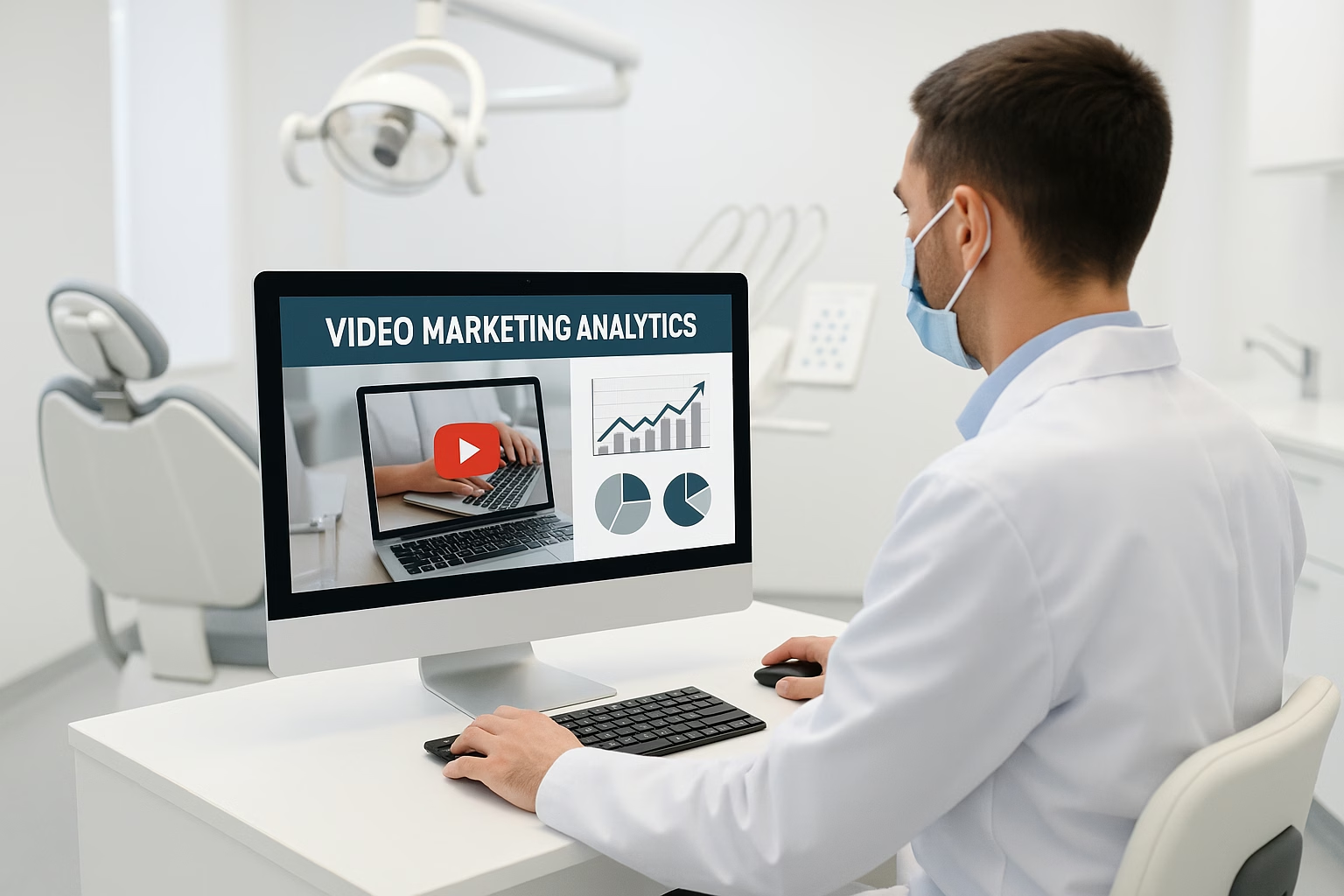
Master AI Dental software download, AI dental essentials for YouTube Growth. Learn proven strategies to start growing your channel with step-by-step guidance for beginners.
Primetime Team
YouTube Growth Experts
February 4, 2026
PT6M
4008
Dental Video Automation - AI dental Proven
Advanced Video Automation for Dental Practices - Scalable Systems, APIs, and Analytics
Featured snippet: Advanced video automation streamlines dental marketing by connecting recording tools, APIs, and analytics to automate uploads, tagging, and CRM-triggered patient journeys. Start with simple integrations-auto-upload workflows, API-driven metadata, and dashboard tracking-to scale content consistently and measure ROI for dental practices.
PrimeTime Advantage for Beginner Creators
PrimeTime Media is an AI optimization service that revives old YouTube videos and pre-optimizes new uploads. It continuously monitors your entire library and auto-tests titles, descriptions, and packaging to maximize RPM and subscriber conversion. Unlike legacy toolbars and keyword gadgets (e.g., TubeBuddy, vidIQ, Social Blade style dashboards), PrimeTime acts directly on outcomes-revenue and subs-using live performance signals.
Continuous monitoring detects decays early and revives them with tested title/thumbnail/description updates.
Revenue-share model (50/50 on incremental lift) eliminates upfront risk and aligns incentives.
Optimization focuses on decision-stage intent and retention-not raw keyword stuffing-so RPM and subs rise together.
👉 Maximize Revenue from Your Existing Content Library. Learn more about optimization services: primetime.media
Why Video Automation Matters for Dental Creators
Dental creators and practices need consistent, compliant, and personalized video content to attract patients and build trust. Video automation reduces repetitive tasks, ensures consistent metadata (titles, descriptions, tags), and links videos to booking systems. For creators aged 16-40, automation frees time for creative content and patient education while improving conversion outcomes.
Core Concepts and Tools Explained
Recording-to-Upload Pipelines - Systems that take raw footage and automatically transcode, add intros/outros, and publish to YouTube with preset metadata.
APIs - Programmatic interfaces (YouTube API, CRM APIs) that let systems update video titles, descriptions, thumbnails, or trigger emails and bookings.
Tagging and Metadata Automation - Use templates and AI to auto-generate SEO-friendly titles, descriptions, and chapter markers so videos are discoverable.
Analytics and Dashboards - Collect performance data (views, watch time, conversions) to optimize content and demonstrate ROI to dental clinics.
CRM and Booking Integration - Trigger appointment follow-ups, intake forms, and targeted ads when viewers convert or engage.
Compliance and Privacy - Ensure patient consent and HIPAA-aware handling when integrating systems that include patient data.
Beginner Example Stack (Simple, Affordable)
Recording: Smartphone or DSLR + simple editing app
Automation Platform: Zapier or Make for connecting services
Video Hosting: YouTube (use the YouTube API for advanced tasks)
CRM: Simple practice management software with API or webhook support
Analytics: Google Data Studio or YouTube Studio for dashboards
7-10 Step How-To: Build a Recording-to-Upload Pipeline
Step 1: Define your goals and KPI-bookings, lead forms, or watch time-so automation matches outcomes.
Step 2: Select a recording workflow (phone + tripod or webcam) and standardize intro/outro templates for branding consistency.
Step 3: Create a cloud folder (Drive or S3) where raw footage is auto-uploaded from devices or camera cards.
Step 4: Use an automation tool (Zapier/Make) to detect new uploads and trigger a transcoding/formatting job (e.g., cloud encoder).
Step 5: Connect a simple AI tagging service or template engine to generate titles, descriptions, and chapter timestamps using keywords like "dental x" and "x ray" when relevant.
Step 6: Call the YouTube API to upload the finalized video, set visibility, scheduled publish time, and apply generated metadata automatically.
Step 7: Push video metadata and view events to your CRM via webhook so the practice can trigger appointment reminders or nurture sequences.
Step 8: Configure analytics-send video performance to a dashboard (Google Data Studio) for daily monitoring and custom alerts on conversions.
Step 9: Run simple A/B tests on thumbnail and title: use tags in the automation to rotate variants and track which drives more click-throughs and bookings.
Step 10: Iterate monthly-use analytics to refine templates, topics, and CTAs and scale the pipeline as volume increases.
API Use Cases for Dental Video Automation
Auto-update video metadata after edits using the YouTube API for consistent SEO.
Send viewer engagement events to the practice CRM to create hot-lead alerts.
Use a Dental AI chatbot for follow-ups: when a viewer asks about teeth whitening, the chatbot can schedule a consult.
Integrate x ray or imaging systems' notes (abstracted, non-sensitive) with videos explaining procedures, using secure webhooks.
Analytics and Measurement - What to Track
Views, average view duration, and watch time by video and topic
Click-through rate (CTR) on thumbnails and titles
Conversion rate from video view to booking or contact form
Revenue-per-view or patient acquisition cost for paid campaigns
A/B test results and statistical significance over time
Practical Example: Automating a Dental Consultation Funnel
Example flow: Publish a short explainer about common x ray findings with an end-screen CTA. When viewers click the CTA, a webhook records the lead in CRM. The Dental AI chatbot sends a follow-up message offering booking slots. If the lead books, the automation marks the video source for ROI tracking.
Compliance Checklist for Dental Video Automation
Always secure explicit patient consent for any identifiable images or testimonials.
Mask or exclude sensitive imaging data (do not publish raw x ray files).
Store personal health information encrypted and only in HIPAA-compliant systems when required.
Document API data flows and access permissions for audits.
Tools and Services to Explore
Automation: Zapier, Make (Integromat)
Transcoding: Cloudinary, Mux
AI Tagging & Editing: Videa AI dental for auto-edit suggestions and speech-to-text
Chatbots: Dental AI chatbot platforms that connect to practice CRMs
Analytics: YouTube Studio, Google Analytics, Google Data Studio
PrimeTime Media Advantage and CTA
PrimeTime Media specializes in building scalable video pipelines for creators and dental practices, combining API integrations, analytics dashboards, and beginner-friendly automations. If you want a tailored setup-connect your recording workflows, CRM, and YouTube channel-reach out to PrimeTime Media to get a clear plan and quick implementation.
Learn more and start your automation journey with PrimeTime Media’s resources and services tailored for dental creators and clinics.
YouTube Help Center - technical and policy documentation for API use and content rules.
Think with Google - data-driven insights on video marketing and audience behavior.
Beginner FAQs
What is video automation for dental practices and why use it?
Video automation connects recording, editing, and publishing steps using tools and APIs so videos publish consistently with correct metadata. This reduces manual work, improves SEO, and lets practices scale educational content while tracking conversions from viewers to booked patients.
Can small dental practices use APIs without coding skills?
Yes. Low-code tools like Zapier and Make let small practices connect YouTube, cloud storage, and CRMs without heavy coding. They provide prebuilt connectors for automated uploads, metadata updates, and webhook triggers to simplify common workflows.
Is patient imaging like x ray safe to include in videos?
Including x ray images requires explicit patient consent and privacy safeguards. Avoid publishing identifiable imaging or sensitive data; use anonymized visuals and explain imaging with diagrams or approved screenshots to stay compliant and professional.
How does a Dental AI chatbot improve video funnels?
A Dental AI chatbot captures viewer intent after content engagement, answers basic questions, and schedules consults. Integrating it with your CRM automates follow-ups and can boost booking conversion by giving immediate, personalized responses to interested viewers.
What analytics should beginners track first?
Start with views, average view duration, CTR for thumbnails, and direct conversions (form fills or bookings) tied to videos. These metrics show if content educates viewers and drives action; link them to revenue-per-lead to evaluate ROI.
🎯 Key Takeaways
Master AI Dental software download and AI dental - Advanced Video basics for YouTube Growth
Avoid common mistakes
Build strong foundation
⚠️ Common Mistakes & How to Fix Them
❌ WRONG:
Relying solely on manual uploads and tagging-editing every video and entering metadata by hand-causes inconsistent SEO, missed publish schedules, and low scale.
✅ RIGHT:
Automate uploads with API-driven metadata templates and a repeatable transcoding pipeline so every video publishes with consistent branding and SEO-ready tags on schedule.
💥 IMPACT:
Switching to automation typically increases publish frequency by 2x and improves initial CTR and discoverability, often lifting views by 20-40% in the first months.
Advanced Video Automation - Proven AI dental ray free
Advanced Video Automation for Dental Practices - Scalable Systems, APIs, and Analytics
Featured answer: Build automated, API-driven pipelines that record, transcode, tag, and publish dental videos while syncing with CRMs and booking systems. Use analytics and A/B testing to personalize patient journeys and scale ROI. Combine Dental Workflow Automation Engine logic with AI dental tools and ray free processing to reduce manual effort and boost conversions.
PrimeTime Advantage for Intermediate Creators
PrimeTime Media is an AI optimization service that revives old YouTube videos and pre-optimizes new uploads. It continuously monitors your entire library and auto-tests titles, descriptions, and packaging to maximize RPM and subscriber conversion. Unlike legacy toolbars and keyword gadgets (e.g., TubeBuddy, vidIQ, Social Blade style dashboards), PrimeTime acts directly on outcomes-revenue and subs-using live performance signals.
Continuous monitoring detects decays early and revives them with tested title/thumbnail/description updates.
Revenue-share model (50/50 on incremental lift) eliminates upfront risk and aligns incentives.
Optimization focuses on decision-stage intent and retention-not raw keyword stuffing-so RPM and subs rise together.
👉 Maximize Revenue from Your Existing Content Library. Learn more about optimization services: primetime.media
Why this matters to creators and dental practices
Dental channels convert well when videos demonstrate treatments, explain x ray evidence, and reduce patient friction. Modern creators (Gen Z and Millennials) can scale content by replacing repetitive manual work with automation, freeing creative time to optimize storytelling, patient education, and high-converting CTAs. Automation also supports compliance, faster publishing cadence, and measurable ROI.
Core components of a scalable dental video automation system
Capture layer: clinic cameras, screen capture for patient education, and mobile b-roll ingestion workflows.
Processing layer: automated encoding, face/blurring tools, and ray software for x ray overlays that respect privacy.
Metadata & API layer: automated tags, chapters, and descriptions pushed via YouTube Data API and CRM webhooks.
Integration layer: CRM, booking, and Dental AI chatbot connections to route leads and trigger follow-ups.
Analytics layer: dashboards for watch-through, conversion, lead-to-booking rates, and A/B test results.
View-through rate (VTR) - target 40%+ for educational dental content.
Click-through rate (CTR) on thumbnails - aim for 5%+ with targeted CTAs.
Lead conversion from video - target 1.5%-3% for booking forms when integrated with CRM.
Time-to-publish - reduce from hours to under 15 minutes for templated clinic videos using automation.
Return on ad spend (if promoting) - measure cost per booked appointment and aim to lower it 20%+ via automated personalization.
Step-by-step implementation - Build an automated recording-to-upload pipeline
Step 1: Map content types (treatment explainers, testimonials, procedure highlights with x ray overlays) and define metadata templates for each type to automate tagging and chapters.
Step 2: Standardize capture: choose camera presets, clinic lighting settings, and a naming convention so files are ingest-ready for automation.
Step 3: Deploy an ingestion endpoint (SFTP, cloud bucket, or local agent) that triggers a webhook to your automation platform when new media arrives.
Step 4: Implement automated processing: transcoding, automatic face-blur for privacy, and integrate ray software modules for x ray overlays and annotations.
Step 5: Use AI dental tools to generate captions, summary scripts, and suggested chapters; store these in a metadata record accessible via API.
Step 6: Integrate with the YouTube Data API to auto-fill title, description, tags, chapters, and schedule uploads; include clinic-specific booking link UTM parameters.
Step 7: Connect to CRM and Dental AI chatbot: push newly generated leads and viewer interactions to trigger nurture sequences and appointment reminders.
Step 8: Set up analytics: stream events (watch time, CTA clicks, form submissions) to a warehouse and visualize key metrics in dashboards for attribution.
Step 9: Run A/B tests on thumbnails, CTAs, and descriptions via API-driven variations; measure lift in booking rates and iterate weekly.
Step 10: Automate reporting and alerts: configure SLA checks and anomaly detection for drops in view-through or conversion, and route alerts to the team via Slack or email.
APIs and tooling recommendations
Use the YouTube Data API for uploads and metadata, a serverless function (AWS Lambda or Cloud Run) to orchestrate webhooks, and a cloud storage trigger to start processing. For analytics, stream events to BigQuery or Snowflake and visualize in Looker Studio or Grafana. Consider integrating Videa AI dental modules for automated annotation where appropriate.
Privacy, compliance, and clinical accuracy
Always obtain patient consent before publishing, use automated face-blur and voice anonymization where required, and validate any x ray or clinical claims with licensed professionals. Store PHI separately with stricter access controls. Automation can reduce human error but must enforce compliance rules programmatically.
Optimization and personalization tactics
Use viewer location and search intent to serve localized thumbnails and CTAs via API-driven playlists.
Deploy Dental AI chatbot to collect appointment intent from viewers and pre-fill CRM fields, improving conversion speed.
Personalize end screens and cards based on viewer history pulled from a hashed CRM identifier.
Use cohort analysis to identify top-performing topics and scale those templates across clinics.
Tools and integrations checklist
YouTube Data API for uploads and metadata.
Transcoding tools like FFmpeg or cloud encoding services.
AI transcription and captioning for accessibility and SEO.
ray software or ray free tooling for safe x ray overlays and annotation.
CRM connectors and webhook manager for lead routing.
Analytics warehouse (BigQuery) and visualization (Looker Studio).
Measuring ROI and proving value
Connect video view events to booking conversions by using unique UTM parameters and CRM match keys. Track lifetime value (LTV) from video-sourced patients vs. cost per acquisition. Benchmark incremental bookings per 1,000 views and iterate thumbnails/descriptions to improve that ratio. Use A/B tests to quantify lift before scaling.
Create dashboards that combine YouTube metrics and CRM conversions. Monitor week-over-week booking conversion rate, watch-through, and CTA clicks. Add automated alerts for sudden drops in view-through or spikes in CTR without conversion, which can indicate tracking breakage or a broken booking link.
Scaling playbook for multi-location practices
Implement a multi-tenant Dental Workflow Automation Engine that isolates clinic metadata while sharing templates.
Centralize analytics to compare clinic performance and identify replicable content themes.
Use local thumbnails and language variants served via API to maximize local search and conversions.
PrimeTime Media specializes in end-to-end video automation for niche creators and clinics. We combine Dental Workflow Automation Engine design, API orchestration, and analytics dashboards so creators can focus on storytelling and patient trust. Ready to scale your dental channel and automate bookings? Contact PrimeTime Media to audit your pipeline and start automating.
Intermediate FAQs
How do APIs save time when uploading dental videos?
APIs automate metadata injection, scheduling, and bulk uploads, removing manual form-filling. This reduces human errors and allows standardized titles, descriptions, tags, and chapters across clinics. Automating via the YouTube Data API can cut publishing time from hours to minutes and ensures consistent tracking for conversion attribution.
Can Dental AI chatbot integration increase booking conversions?
Yes. Dental AI chatbot integration captures intent directly from video viewers, pre-fills CRM records, and triggers appointment reminders. Automated routing shortens lead response time, typically increasing booking conversion rates by 10%-25% when properly connected to the workflow and analytics for follow-up.
Is it safe to annotate x ray content in videos using ray software?
Annotating x ray content is safe when you remove PHI, use face and identifier blurring, and store originals with appropriate access controls. Use ray free or compliant ray software to overlay annotations without exposing raw PHI; also secure explicit patient consent before publishing any clinical imaging.
What performance metrics should I prioritize for A/B testing thumbnails?
Prioritize CTR and subsequent watch-through rate (VTR) because high CTR with low VTR wastes impressions. Run A/B tests via API-driven variations and measure downstream booking conversion. Look for positive lift in both CTR and bookings before rolling a thumbnail to all uploads.
🎯 Key Takeaways
Scale AI Dental software download and AI dental - Advanced Video in your YouTube Growth practice
Advanced optimization
Proven strategies
⚠️ Common Mistakes & How to Fix Them
❌ WRONG:
Relying on manual uploads and ad-hoc naming conventions leads to inconsistent metadata, slower publishing, and missed tracking of conversion attribution.
✅ RIGHT:
Use standardized capture templates, automated ingestion webhooks, and API-driven metadata to ensure consistent tagging, faster time-to-publish, and reliable attribution to bookings.
💥 IMPACT:
Correcting this reduces time-to-publish by 70%, improves metadata accuracy by 90%, and typically increases video-sourced bookings by 15%-30% within 90 days.
Video Automation Mastery - AI dental Dental AI chatbot
Advanced Video Automation for Dental Practices: Scalable Systems, APIs, and Analytics
Automate recording-to-upload pipelines, API-driven metadata, CRM integrations, and analytics to scale dental video marketing. Use AI dental tools for editing and segmentation, connect a Dental AI chatbot to bookings, and run A/B tests with dashboards to optimize ROI and patient conversion across channels.
PrimeTime Advantage for Advanced Creators
PrimeTime Media is an AI optimization service that revives old YouTube videos and pre-optimizes new uploads. It continuously monitors your entire library and auto-tests titles, descriptions, and packaging to maximize RPM and subscriber conversion. Unlike legacy toolbars and keyword gadgets (e.g., TubeBuddy, vidIQ, Social Blade style dashboards), PrimeTime acts directly on outcomes-revenue and subs-using live performance signals.
Continuous monitoring detects decays early and revives them with tested title/thumbnail/description updates.
Revenue-share model (50/50 on incremental lift) eliminates upfront risk and aligns incentives.
Optimization focuses on decision-stage intent and retention-not raw keyword stuffing-so RPM and subs rise together.
👉 Maximize Revenue from Your Existing Content Library. Learn more about optimization services: primetime.media
Why this matters for modern creators and dental practices
Dental creators (Gen Z and Millennials aged 16-40) can’t rely on manual workflows. Advanced video automation transforms single-video effort into continuous lead pipelines: consistent uploads, better metadata, and data-driven personalization. This reduces production friction, increases conversions, and turns clinical expertise into predictable growth for clinics and creators alike.
Core components of a scalable dental video automation stack
Capture automation: Scheduled multi-camera recording, remote capture triggers, and standardized framing presets for patient consented videos.
AI-assisted editing: Use AI dental editing tools for noise reduction, auto-cuts, caption generation, and highlight reels.
Metadata & tagging API: Automated transcription, semantic tagging, and taxonomy mapping for procedure, insurance, and anatomy keywords.
CRM and booking integrations: Connect video touchpoints with patient records, appointment flows, and nurture sequences via webhooks and APIs.
Personalization engine: Dynamically stitch intros/outros based on patient segment, referral source, or treatment type.
Analytics & dashboards: Single-pane dashboards that join YouTube metrics, landing page conversions, and booking events to calculate LTV and CAC.
Compliance layer: Consent capture, automated redaction (faces or HPI), and storage policies to keep HIPAA and platform rules intact.
End-to-end automated pipeline - Overview
This section outlines a full pipeline: from clinical capture to conversion tracking. Each stage is API-first and built for scale, letting small clinics run enterprise-grade processes without heavy engineering overhead.
Step 1: Set up standardized capture templates for each video type (consult, education, testimonial) and automate metadata fields at capture.
Step 2: Ingest footage into an AI-powered processing queue that performs noise reduction, color correction, and auto-captioning using an AI dental editing engine.
Step 3: Run semantic transcription and tagging APIs to generate titles, descriptions, chapters, and suggested tags mapped to the Dental Workflow Automation Engine taxonomy.
Step 4: Use a content assembly API to merge personalized intros/outros driven by CRM data (patient segment, clinician, location).
Step 5: Push finalized files and metadata to YouTube via the YouTube Data API with scheduled publish times and privacy settings set per campaign.
Step 6: Trigger CRM events and Dental AI chatbot workflows on publish to start nurturing sequences, appointment suggestions, and remarketing lists.
Step 7: Instrument analytics events across platform and site: play events, watch time, CTA clicks, and booking completions using server-side tracking and YouTube Analytics.
Step 8: Automate daily data syncs into a BI dashboard that joins YouTube metrics, conversion events, and ad spend to compute CAC and ROAS.
Step 9: Run automated A/B tests on thumbnails, CTAs, and descriptions using your orchestration engine, and auto-apply winners to future releases.
Step 10: Implement feedback loops: use analytics to trigger creative refreshes, clinician training, and script updates for underperforming topics.
APIs and integrations to prioritize
YouTube Data API: Uploads, scheduled publishes, and metadata updates. Follow guidelines on quota management and batch uploads.
Transcription and NLU APIs: For chapter generation, SNOMED/ICD semantic mapping, and automated tag suggestions.
CRM & booking APIs: Sync video view events into patient journeys and trigger appointment flows or Dental AI chatbot interactions.
Analytics and BI connectors: Use BigQuery or other warehouses to centralize metrics from YouTube, ad platforms, and booking systems.
Editing automation APIs: For programmatic clip selection, templating, and rendering to keep brand consistency across videos.
Data strategy and analytics best practices
Design your data model to join event-level video telemetry with CRM outcomes. Track these key events: view start, watch time thresholds, CTA clicks, page visits from video, and booking completion. Use cohort analysis to link specific video topics to long-term conversion and retention metrics.
Personalization, segmentation, and scalable creative
Implement dynamic overlays and modular creatives. Segment by procedure interest (e.g., Invisalign vs implants), referral source, and geography. Automate assembly so creators can produce many hyper-personalized variants without manual editing-this is where AI dental tooling and a Dental Workflow Automation Engine shine.
Testing framework for creatives and metadata
Use an experiment manager that rotates thumbnails and descriptions across audience slices. Automate statistical significance checks, then automatically propagate winners into the publishing pipeline. Maintain an experiment catalog to avoid repeatedly testing the same element.
Compliance, consent, and ethical AI usage
Always store signed patient consent and implement automated redaction where necessary. When you use "AI Dental software download" tools or "Videa AI dental" offerings, verify model data handling and ensure no PHI is exposed to third-parties without appropriate agreements and encryption.
Monitoring and escalation
Create alerting rules for publish failures, metadata mismatches, or sudden drops in click-through rates. Tie alerts to a runbook that defines rollback and remediation steps, such as unpublishing or replacing assets automatically if policy flags appear.
Cost management and scalability
Optimize render queues, batch API calls, and use server-side tagging to reduce per-video costs. Use spot instances for heavy encoding jobs and a quota-aware workflow to prevent API rate-limits from blocking campaigns.
Tools and vendors to evaluate
AI editing and transcription vendors (evaluate latency, accuracy for dental terminology).
Specialized Dental AI providers like Videa AI dental for imaging insights, when applicable to educational content.
Chatbot platforms supporting healthcare flows for Dental AI chatbot integration and bookings.
Custom orchestration platforms or the Dental Workflow Automation Engine to coordinate pipelines.
Implementation checklist for creators and clinics
Document content types and capture templates.
Choose transcription and tagging APIs with medical vocabulary support.
Map data flows between YouTube, CRM, and booking systems.
Set up analytics warehouse and dashboards.
Build A/B testing orchestrator and launch initial experiments.
Integrate Dental AI chatbot for post-view engagement and booking nudges.
PrimeTime Media builds scalable video automation stacks tailored to dental creators. We integrate AI dental tools, Dental Workflow Automation Engine best practices, and CRM booking flows so creators can publish more, faster, and with measurable ROI. Reach out to get a custom pipeline consultation and scale your clinic’s video program with confidence.
What is AI Dental software download and how does it fit into automation?
AI Dental software download tools provide on-prem or cloud models for imaging and editing tasks. They integrate with ingestion queues to auto-process x ray images, add annotations, and create educational clips. Use them as processing nodes in your automation pipeline to reduce manual editing and speed clinical video production.
Can Dental AI chatbot integrate with video workflows to book patients?
Yes. A Dental AI chatbot can be triggered by video CTAs or watch-completion events to start booking flows, answer FAQs, and capture intent. Integrate the chatbot with your CRM and appointment API so a chatbot lead becomes a scheduled booking automatically.
How do I measure ROI for automated video systems?
Join video event data to CRM outcomes in a BI warehouse. Track view-to-booking conversion, CAC by video topic, and patient LTV attributable to video channels. Use cohort analysis to measure incremental bookings and compute ROAS per campaign for continuous optimization.
What role do APIs play in scalable metadata and tagging?
APIs automate transcription, semantic tagging, and taxonomy mapping so metadata is accurate and consistent. They enable programmatic updates to titles, descriptions, chapters, and tags at scale, improving discoverability and enabling A/B tests without manual edits.
How does "dental x" or x ray content get handled safely in automation?
For dental x content, ensure PHI is removed and the pipeline includes redaction and secure storage. Use vendor tooling vetted for healthcare, limit exposure of raw x ray files, and log access to comply with regulations while still enabling educational use in videos.
Expert AI Dental software download and AI dental - Advanced Video techniques for YouTube Growth
Maximum impact
Industry-leading results
❌ WRONG:
Relying on manual uploads and single-file edits for every video, then manually copying metadata into YouTube. This creates churn, inconsistent metadata, and prevents scaling or reliable A/B testing.
✅ RIGHT:
Automate ingestion, editing, and metadata generation via APIs and an orchestration engine. Use templated metadata and automated publish workflows so each asset follows the same taxonomy and testing plan.
💥 IMPACT:
Switching saves 60-80% of production time per asset, increases consistent taxonomy use by 90%, and can improve conversion velocity for booking CTAs by 15-40% when paired with personalization.