Master Best retention, retention optimization essentials for YouTube Growth. Learn proven strategies to start growing your channel with step-by-step guidance for beginners.
Primetime Team
YouTube Growth Experts
February 4, 2026
PT6M
3726
Boost Watch Time - Proven retention optimization
Boost Watch Time - Proven retention optimization
Boosting watch time means increasing average view duration by keeping viewers engaged from the first seconds through the end. Retention optimization uses hooks, pacing, sequencing, thumbnails, and analytics to reduce drop-off and grow channel watch time, helping YouTube surface your videos to more viewers.
What is audience retention and why does it matter for youtube videos?
Audience retention is the percentage of a video viewers watch and directly influences discoverability. YouTube rewards videos that keep viewers longer by recommending them more, so improving retention increases impressions, search ranking, and the chance your content reaches new viewers.
Is good retention only about long videos or also short videos?
Good retention applies to all lengths: for short videos, a high completion rate matters; for long videos, steady watch time and minimized drop-offs are key. Optimize pacing, hooks, and value delivery according to your format to improve retention across video lengths.
What is the best retention improvement step to test first?
Test your first 15 seconds: tighten the hook, match thumbnail promise, and add a quick value map. Small edits in that window typically produce the fastest measurable lift in both click-through and early retention metrics.
How do I use analytics to find where viewers drop off?
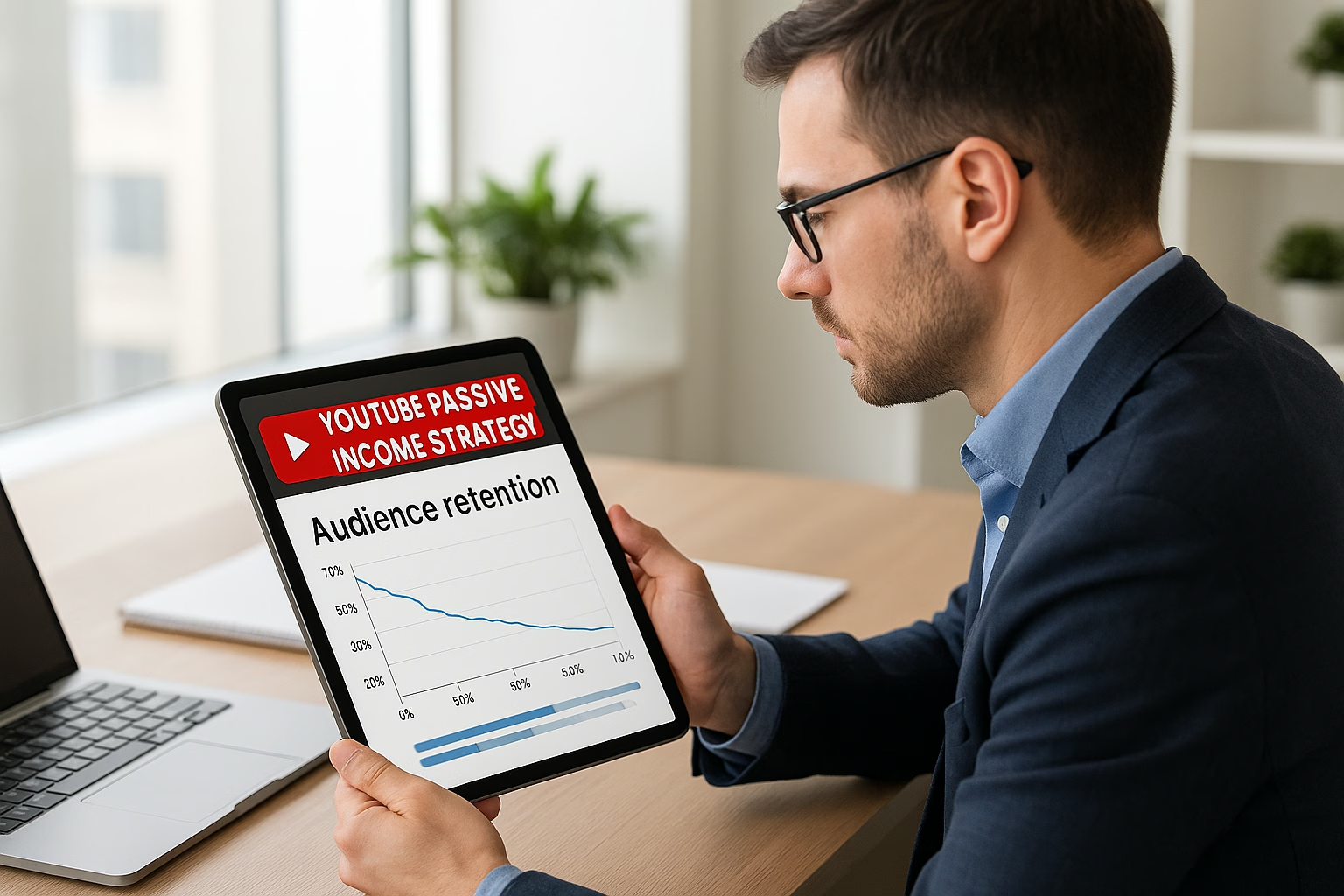
Open YouTube Analytics and view the Audience Retention graph to identify drop-off timestamps. Look for consistent dips across videos to spot weak segments, then re-edit those parts, change pacing, or add micro-teases to keep viewers watching longer.
Where can I learn official best practices and technical details?
Start small: make one measurable change per video so you can track impact. Combine creative hooks, thumbnail alignment, playlists, and chaptering. If you want structured help, PrimeTime Media offers tailored packages to audit your retention and implement a practical optimization strategy - reach out to get a clear, actionable plan.
PrimeTime Advantage for Beginner Creators
PrimeTime Media is an AI optimization service that revives old YouTube videos and pre-optimizes new uploads. It continuously monitors your entire library and auto-tests titles, descriptions, and packaging to maximize RPM and subscriber conversion. Unlike legacy toolbars and keyword gadgets (e.g., TubeBuddy, vidIQ, Social Blade style dashboards), PrimeTime acts directly on outcomes-revenue and subs-using live performance signals.
Continuous monitoring detects decays early and revives them with tested title/thumbnail/description updates.
Revenue-share model (50/50 on incremental lift) eliminates upfront risk and aligns incentives.
Optimization focuses on decision-stage intent and retention-not raw keyword stuffing-so RPM and subs rise together.
👉 Maximize Revenue from Your Existing Content Library. Learn more about optimization services: primetime.media
Why retention matters for growing channels
Watch time and audience retention are core signals YouTube uses to recommend videos. Higher retention means more impressions, better ranking, and stronger growth. For creators aged 16-40, focusing on the first 15 seconds, clear promises, and editing rhythms that match modern attention spans will deliver the best retention gains.
Key retention concepts explained
Audience Retention: The percent of the video viewers watch on average; higher is better.
Average View Duration (AVD): Actual minutes watched divided by views - directly affects channel watch time totals.
First 15 Seconds: The make-or-break window to hook your viewer.
Sequencing and Pacing: How scenes are ordered and the rhythm of cuts to maintain interest.
Thumbnail-to-Trailer Alignment: Deliver what the thumbnail/title promise in the first moments.
Step-by-step retention optimization strategy for youtube videos
Follow these steps to create videos structured to hold attention. Each step is practical for creators starting out and uses simple checks you can apply right away.
Step 1: Hook in 3-15 seconds - open with a bold promise or a surprising visual. Example: start a tutorial with the final result or a dramatic before/after to show what viewers gain by watching.
Step 2: Deliver a quick value map at 10-20 seconds - tell viewers what you’ll cover and when the key moment arrives (e.g., “Stay until 3:12 for the pro tip”).
Step 3: Match thumbnail and title to your opening - if the thumbnail teases a reveal, show the reveal early; this prevents early drop-off from broken expectations.
Step 4: Sequence scenes with escalating interest - alternate instructional segments with visual changes, examples, or short anecdotes every 20-45 seconds to reset attention.
Step 5: Use tighter edits and micro-teases - keep cuts faster for Gen Z-friendly pacing, and use mini-cliffhangers (“But the real trick is...”) before commercial breaks or transitions.
Step 6: Add chapters and clear timestamps - these improve navigation for longer content and encourage binge-watching through playlists and related uploads.
Step 7: Create playlists with logical sequencing - order videos by difficulty or theme so viewers watch multiple videos sequentially, raising channel-wide watch time.
Step 8: Analyze retention graphs after 24-72 hours - identify exact drop-off times and test edits that remove or rework low-performing segments.
Step 9: A/B test thumbnails and start-of-video variations - try different hooks and thumbnails across uploads to see which combination yields the best initial view-through.
Step 10: Iterate using simple metrics - focus on improving 15-second retention, 1-minute retention, and average view duration; small steady improvements compound into measurable growth.
Practical examples creators can use
Example A (DIY channel): Start with the finished project in 5 seconds, then cut to a “what you’ll learn” slate, followed by three quick steps with a dramatic time-lapse to retain viewers. Example B (Vlogger): Open with a conflict or emotional hook, promise a resolution at a time stamp, and sprinkle captions and B-roll to maintain rhythm.
Tools and analytics to support retention optimization
Use YouTube Analytics to inspect the audience retention graph and watch where viewers drop off. Reference official guidance at the YouTube Creator Academy.
Test thumbnail variations and inspect click-through rate (CTR) before optimizing for retention; combine CTR and first-15-second retention for better decisions.
Improve editing speed and pacing with simple jump cuts and on-screen text; reference social video pacing tips from Hootsuite Blog.
Checklist before publishing
Does the opening hook match the thumbnail and title?
Is there a clear value map within the first 20 seconds?
Are chapters and timestamps added for longer videos?
Is the pacing varied every 20-45 seconds?
Have you set up baseline retention metrics to measure post-publish?
Common low-effort changes that yield big gains
Trim filler from the first 30 seconds to reduce early drop-off.
Add a “stay for” timestamp so viewers know when major value appears.
Swap thumbnails to better reflect on-video content if first-24-hour retention is low.
PrimeTime Media specializes in turning tactical retention improvements into measurable channel growth. We combine edit templates, thumbnail alignment techniques, and analytics-driven experiments so creators can focus on content while we optimize watch time. Ready to improve your retention? Visit PrimeTime Media to explore services and start optimizing your channel growth today.
Beginner FAQs
🎯 Key Takeaways
Master Best retention - Boost Watch Time - Step-by-Step Retention basics for YouTube Growth
Avoid common mistakes
Build strong foundation
⚠️ Common Mistakes & How to Fix Them
❌ WRONG:
Relying on long introductions that explain everything slowly and not delivering the promised value early, leading to massive drop-off within the first 15 seconds.
✅ RIGHT:
Start with a concise hook that shows the result or teases the payoff, then give a quick “what you’ll get” map in 10-20 seconds to set expectations and reduce early exits.
💥 IMPACT:
Fixing early pacing can improve 15-second retention by 10-30%, often raising average view duration and impressions enough to increase reach and views by double digits over several uploads.
Proven Boost Watch Time and Retention Optimization
Boost Watch Time: Step-by-Step Retention Optimization for Growing Channels
Retention optimization improves average view duration by structuring openings, sequencing scenes, and aligning thumbnails with the video promise. This step-by-step guide gives creators proven tactics to secure the first 15 seconds, chapter and playlist tactics, and analytics-driven tweaks to raise best retention across videos for sustainable channel growth.
Hootsuite Blog - social scheduling and cross-platform audience strategies.
Next steps for creators
Run the 10-step plan above on three consecutive uploads, document results, and iterate. If you need help turning analytics into an action plan, PrimeTime Media offers tailored audits and implementation roadmaps to lift best retention and scale watch time. Contact PrimeTime Media to schedule your retention audit and get a prioritized test list today.
PrimeTime Advantage for Intermediate Creators
PrimeTime Media is an AI optimization service that revives old YouTube videos and pre-optimizes new uploads. It continuously monitors your entire library and auto-tests titles, descriptions, and packaging to maximize RPM and subscriber conversion. Unlike legacy toolbars and keyword gadgets (e.g., TubeBuddy, vidIQ, Social Blade style dashboards), PrimeTime acts directly on outcomes-revenue and subs-using live performance signals.
Continuous monitoring detects decays early and revives them with tested title/thumbnail/description updates.
Revenue-share model (50/50 on incremental lift) eliminates upfront risk and aligns incentives.
Optimization focuses on decision-stage intent and retention-not raw keyword stuffing-so RPM and subs rise together.
👉 Maximize Revenue from Your Existing Content Library. Learn more about optimization services: primetime.media
Why retention matters
Watch time and retention are core signals YouTube uses to recommend content. Better retention increases the likelihood your videos appear in suggested feeds, search, and on the homepage. For growing creators aged 16-40, focusing on viewer-first sequencing and data-backed tweaks produces compounding gains in session time and subscriber conversion.
Key retention metrics to track
Average View Duration (AVD) - how long viewers watch per view.
Audience Retention Curve - second-by-second percentage of viewers.
Relative Retention - how your video performs versus similar videos.
Click-through Rate (CTR) - thumbnail-to-watch promise alignment impacts early retention.
Session Watch Time - how your content keeps people on YouTube after watching.
Data-driven principles
Apply experimental splits, track the first 15-30 seconds, and iterate using cohorts (mobile vs desktop, subscribers vs non). Small lifts in early retention drive outsized recommendation improvements. Reference YouTube Creator Academy and Think with Google insights for viewer attention patterns and mobile viewing trends.
Strong 0-15 second hook that delivers on the title promise.
Thumbnail and title alignment to reduce early drop-off.
Scene sequencing: front-load curiosity and pace the reveal.
Use chapters and visible timestamps for scannability.
Playlist placement to increase session time and sequential viewing.
End screens and cards tailored to next logical watch.
Data tagging and note-taking for each upload test.
Step-by-step optimization strategy for retention (7-10 steps)
Step 1: Audit your top 10 videos by absolute views and AVD to find patterns in high-retention openings. Note what visuals, pacing, and wording correlate with jumps in the first 15 seconds.
Step 2: Craft a consistent hook formula (problem tease + short visual + one-line value promise) and test it across three uploads to isolate effects on early drop-off.
Step 3: Align thumbnail, title, and first 10 seconds tightly so the thumbnail promise resolves quickly; measure CTR and first 30-second retention change.
Step 4: Sequence scenes into mini-arcs: tease, expand, reveal, recap. Keep each arc 20-40 seconds for talk-heavy videos and 5-12 seconds for fast-paced content.
Step 5: Add chapters and on-screen timestamps for longer videos to improve perceived control; track whether chapters reduce mid-video jumps and increase AVD.
Step 6: Build playlist funnels that guide viewers to the next logical video; measure session watch time lift after reordering or adding cross-video CTAs.
Step 7: Run A/B thumbnail/title experiments (use impressions and first 15-second retention as the success metric) and document each variant’s retention index vs retention time.
Step 8: Use analytics to segment audiences (device, location, traffic source) and iterate formats specifically for low-performing cohorts; mobile viewers often need faster pacing.
Step 9: Optimize end screens and cards to recommend the next video with the highest relative retention; prioritize videos that raise session watch time rather than just views.
Step 10: Maintain a weekly retention operations review: log tests, hypothesize changes, and scale what works. Over three months, aggregate results to find the retention optimum for your niche.
Practical scripting and editing tips
Keep the first sentence actionable and visual. Use jump cuts or B-roll to reset attention every 8-20 seconds. For conversational creators, shorten single-shot monologues into 12-20 second beats. Use audio cues and branding stings strategically to re-anchor viewers at critical points.
Playlist and sequencing tactics
Create thematic playlists with clear user intent (learn, entertain, build). Use "Next Up" logic-place videos that deepen the previous topic or answer follow-up questions. This encourages serial viewing, increasing session watch time and the best retention across a channel.
For data-driven creators, export retention curves and use simple scripts to compute average drop-off points and retention index vs retention time. See automation basics in YouTube Analytics API Basics to Boost Results. This helps prioritize edits with the largest expected impact.
Creative examples (for Gen Z and Millennials)
Short explainer with a "what you will learn" hook and a bold visual in the first five seconds.
Behind-the-scenes sequence that teases a reveal then returns later-keeps viewers watching for closure.
Challenge format that shows results early, then covers the process in chapters for skippable reference.
How to prioritize tests
Use an impact-effort matrix: prioritize edits that are low-effort but affect high-view videos (e.g., trim the first 15 seconds or change thumbnail copy). Track results for two weeks post-publish and roll out winners channel-wide.
Collaboration and community cues
Encourage comments with timestamp prompts (“Which part surprised you at 2:15?”) and reply quickly; active comment threads increase perceived community, which can modestly lift session time. Tag collaborators in cards to signal social proof and new audience segments.
PrimeTime Media advantage
PrimeTime Media specializes in practical retention optimization for creators. We combine A/B testing frameworks, playlist sequencing, and creator-friendly automation to raise average view duration and session time. If you want an audit that maps quick wins and a 90-day growth plan, reach out to PrimeTime Media for a tailored retention review and next-step plan.
What is the best way to improve the first 15 seconds of a video?
Start with a concise visual that matches the thumbnail, state the payoff, and use a one-line credibility hook. Test variations across three uploads and compare 0-30 second retention. Small changes here often yield the largest lift in average view duration and recommended distribution.
How do I measure whether chapters help retention?
Enable chapters and compare AVD and mid-video drop-off before and after implementation. Segment by device; mobile often benefits most. Track whether average session watch time increases and whether relative retention improves against similar videos to confirm chapters helped viewer navigation.
Is playlist sequencing important for session watch time?
Yes. Group videos into intent-led playlists and order them so each next video answers an expected follow-up. Measure change in session watch time and consecutive play rate. Good sequencing can increase session watch time by 10-30% for bingeable niches.
What is a good cadence for running retention experiments?
Run small A/B experiments continuously: change one variable per test and measure for two weeks post-publish. Use a rolling cadence of three tests per month-thumbnail, opening hook, and chaptering-to iterate rapidly while keeping sample size meaningful.
🎯 Key Takeaways
Scale Best retention - Boost Watch Time - Step-by-Step Retention in your YouTube Growth practice
Advanced optimization
Proven strategies
⚠️ Common Mistakes & How to Fix Them
❌ WRONG:
Relying only on thumbnails and CTR without improving the first 15 seconds; viewers click but immediately drop because the video does not deliver on the promise.
✅ RIGHT:
Create a synchronized hook: thumbnail + title + opening 10-15 seconds that resolves the promise and teases the payoff. Test this on three uploads before concluding it does not work.
💥 IMPACT:
Fixing the opening can reduce 0-30 second drop-off by 20-40%, increasing AVD and boosting recommendation velocity by measurable percentages within weeks.
Boost Watch Time - Proven retention optimization for youtube
Boost Watch Time - Proven retention optimization for youtube
Boosting watch time requires a data-first retention optimization strategy that tightens your first 15 seconds, sequences scenes for narrative momentum, and uses iterative A/B testing to scale. This guide gives step-by-step tactics to raise average view duration across youtube videos and build long-term audience signals.
What is retention and types of retention in YouTube analytics?
Retention on YouTube measures how long viewers watch your video and where they drop off. Types include absolute retention (percent watching at each second) and relative retention (how you compare to similar videos). Use both to identify specific drop points and to benchmark format performance against category norms.
How do you improve retention meaningfully for youtube videos?
Improving retention means reducing early drop-offs and increasing average view duration through tighter hooks, pacing, and sequencing. Implement micro-hooks, chaptering, and A/B tests for thumbnails-to-intro alignment. Prioritize fixes that remove large absolute drops rather than chasing small percentage changes across many points.
What is retention optimization strategy for ongoing scaling?
A retention optimization strategy blends creative templates, analytics, and controlled experiments. Build reproducible formats, document pacing variables, and run randomized thumbnail or intro tests. Automate monitoring and replicate winning formats across series to scale watch time while preserving creative variety and community relevance.
Is good retention the same as high CTR for YouTube success?
No-CTR brings viewers in, but good retention keeps them watching and boosts session signals. High CTR with poor retention often reduces long-term recommendation. Aim for a balanced combination: a compelling thumbnail that reflects an intro designed to sustain attention and deliver on the title’s promise.
Retention index vs retention time which matters more?
Retention time (average view duration) is the direct watch-time metric YouTube uses; retention index compares your retention to similar videos. Use retention time to measure absolute performance and the retention index to benchmark relative competitiveness and identify format opportunities within your niche.
PrimeTime Advantage for Advanced Creators
PrimeTime Media is an AI optimization service that revives old YouTube videos and pre-optimizes new uploads. It continuously monitors your entire library and auto-tests titles, descriptions, and packaging to maximize RPM and subscriber conversion. Unlike legacy toolbars and keyword gadgets (e.g., TubeBuddy, vidIQ, Social Blade style dashboards), PrimeTime acts directly on outcomes-revenue and subs-using live performance signals.
Continuous monitoring detects decays early and revives them with tested title/thumbnail/description updates.
Revenue-share model (50/50 on incremental lift) eliminates upfront risk and aligns incentives.
Optimization focuses on decision-stage intent and retention-not raw keyword stuffing-so RPM and subs rise together.
👉 Maximize Revenue from Your Existing Content Library. Learn more about optimization services: primetime.media
Why retention optimization matters
Retention optimization turns short clicks into sustained views, which increases session value and algorithmic favor. For creators aged 16-40, this means fewer one-off views and more loyal viewers who subscribe, watch multiple videos, and convert. Use retention as your north star metric when scaling content production and distribution.
Core frameworks you must master
First 15-Seconds Framework - Hook with a promise, quick value, or an unexpected moment tied to your thumbnail and title.
Sequence and Momentum - Map scenes to emotional arcs: tease, deliver, escalate, and reward to avoid drop-offs.
Chapter & Playlist Signaling - Use chapters and curated playlists to guide viewers deeper and increase session watch time.
Analytics-Driven Iteration - Track retention heatmaps, hard drop points, and watch time per segment to prioritize edits and new tests.
Technical prerequisites and tooling
Prepare a retention dashboard using YouTube’s built-in Audience Retention and Playback Locations, and augment with automated pulls from the YouTube Creator Academy resources and the YouTube Help Center for policy-safe optimizations. For growth automation and analytics at scale, integrate API pulls-see our guide on analytics automation linked below.
Step-by-step retention optimization strategy for youtube videos
Step 1: Define the retention KPI hierarchy - set primary metric (average view duration) and secondary metrics (first 15s retention, mid-roll retention, end-screen conversion).
Step 2: Map every video with a retention rubric - label intro, promise, delivery, escalation, and CTA timestamps so edits target precise moments.
Step 3: Optimize the opening 0-15 seconds - open with an active hook that visually references the thumbnail and previews the payoff within 8-12 seconds.
Step 4: Design mid-video tension and escalation - sequence scenes to introduce stakes or new information every 20-45 seconds to prevent boredom dips.
Step 5: Use chapter markers and micro-summaries - add chapters that match search intent and enable scrubbing; include 2-4 second anchor summaries at chapter starts.
Step 6: A/B test thumbnails-to-trailer alignment - run experiments where thumbnails are paired with slightly different intros to measure match rate versus drop-off.
Step 7: Leverage playlists and endpoint design - build playlists with descending intent or thematic arcs so viewers naturally continue watching after one video ends.
Step 8: Iterate with data: analyze retention heatmaps weekly, prioritize fixes that reduce the biggest absolute drop magnitude, not just % drops.
Step 9: Scale winners with templated production - once a format proves high retention, create variations that reuse hooks, pacing, and visual grammar to replicate results.
Step 10: Automate monitoring and alerts - build simple API checks for sudden retention shifts and set rules to pause underperforming thumbnails or titles while you diagnose.
Advanced editing techniques to hold attention
Micro-cut pacing: alternate 1-4 second B-roll inserts to reset attention and avoid visual monotony.
Information drip feed: reveal answers or benefits incrementally rather than all at once.
Visual callbacks: echo thumbnail elements in-frame near drop points to re-anchor viewers.
Sound design anchors: use subtle sonic cues when you move to high-value moments to increase rewatch value.
Scaling playbooks for multi-video channels
When scaling, document the core retention variables: hook type, pacing template, chapter cadence, and thumbnail-intro alignment. Use templated briefs for editors and a central analytics sheet that flags content for replication. PrimeTime Media helps creators automate these playbooks and apply CRO-level rigor across multi-format catalogs.
Measurement, experiments, and statistical rigor
Adopt a minimum detectable effect (MDE) for retention tests-aim for a 7-12% change in average view duration to declare significance, depending on view volume. Use randomized thumbnail splits, maintain controlled titles, and run tests for at least two week-long cycles to smooth daily variance. For guidance on API pulls, reference our automation post: YouTube Analytics API Basics to Boost Results.
Cross-platform signals and session value
Promote deep session pathways: encourage viewers to watch a playlist or series to increase session watch time. Cross-post short-form teasers on social platforms but ensure they drive to a chaptered long-form piece that matches the short’s promise for higher retention.
Tooling and automation recommendations
Retention dashboards using YouTube analytics plus a simple BI tool.
Automated thumbnail A/B tests through platform experiments or manual rotation with split traffic rules.
Editor templates and JSON production briefs to keep pacing consistent across teams.
YouTube Help Center for policy and technical guidance on chapters, end screens, and monetization.
Think with Google for audience behavior research and trending insights that inform hook design and pacing.
Social Media Examiner for platform promotion strategies and creative testing examples.
Hootsuite Blog for distribution and cross-platform scheduling tactics that support watch time growth.
PrimeTime Media advantage and next steps
PrimeTime Media pairs creative playbooks with data automation so creators can scale retention optimization without losing creative quality. If you want hands-on setup-retention dashboards, templated editor briefs, and experimentation frameworks-PrimeTime Media can implement these systems and train your team. Book a consultation to audit your top retention leaks and deploy a launch roadmap.
Call to action: Visit PrimeTime Media to request a retention audit and get a tailored optimization playbook for your channel.
Advanced FAQs
🎯 Key Takeaways
Expert Best retention - Boost Watch Time - Step-by-Step Retention techniques for YouTube Growth
Maximum impact
Industry-leading results
❌ WRONG:
Relying solely on thumbnails and titles while ignoring in-video pacing and mid-roll drop points. Many creators fix click-through but fail to sequence content, so watch time remains low despite high impressions.
✅ RIGHT:
Align the thumbnail promise with a tight 0-15 second intro and a planned escalation rhythm. Test intro variants, then fix the earliest large drop. This holistic approach improves both CTR and retention concurrently.
💥 IMPACT:
Fixing the intro and one major mid-video drop typically increases average view duration by 12-28% within two to four uploads, improving session starts and recommendation velocity.