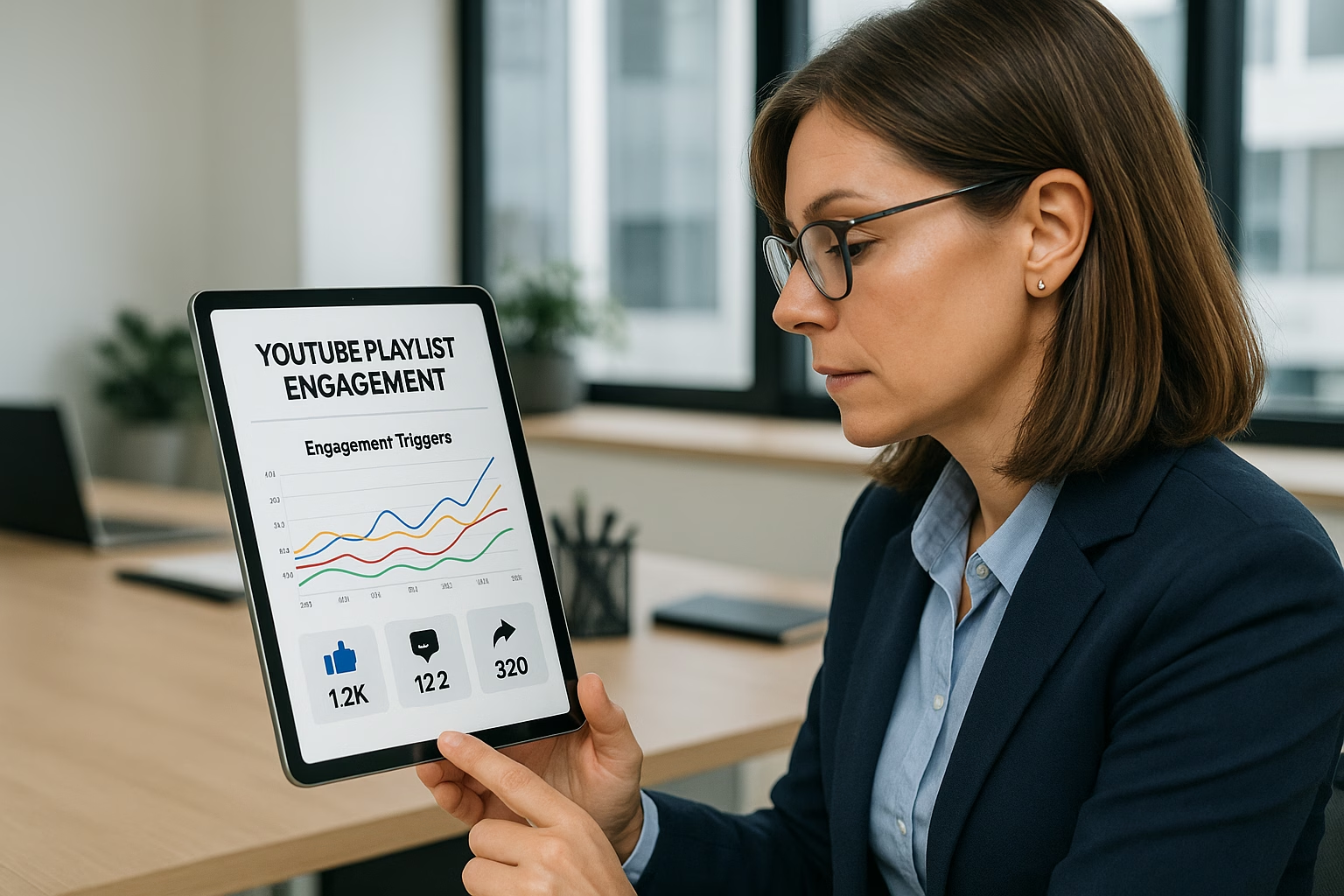
Master Optimization Strategy for YouTube Playlists
YouTube Topics
Content Optimization
Performance Metrics
Best Practices
Master Optimization Strategy for YouTube Playlists
Master Playlist optimization, optimization strategy essentials for YouTube Growth. Learn proven strategies to start growing your channel with step-by-step guidance for beginners.
Playlist optimization is arranging and labeling your playlists to guide viewers through related videos, boost session watch time, and increase viewer retention. Use clear sequencing, focused metadata, cohesive thumbnails, and strategic CTAs to keep viewers watching multiple videos in one session and signal relevance to YouTube’s algorithm.
Why Playlist Optimization Matters
Playlists act like curated viewing paths that encourage binge-watching and increase total session watch time. When you organize videos around a clear theme, optimize titles and descriptions for intent, and order videos by viewer journey, YouTube is more likely to recommend the next video and surface your playlist in search and suggested panels.
What is playlist optimization and why does it help watch time?
Playlist optimization arranges and labels videos so viewers follow a natural sequence. It improves watch time by encouraging continuous playback, increasing session length, and signaling relevance to YouTube. Clear themes, ordered sequencing, and matching thumbnails boost the chance viewers watch multiple videos in one session.
How many videos should I put in a YouTube playlist?
For beginner channels aim for 5-15 videos per playlist: enough to encourage binge-watching but not so many that relevance drifts. Shorter playlists work well for focused learning series; longer compilations can serve evergreen highlight lists. Re-evaluate based on retention metrics.
How should I order videos inside a playlist?
Order videos by the viewer’s journey: start with a strong hook or overview, then move to core lessons or topics, follow with deeper examples, and finish with conclusions or next steps. Logical sequencing reduces drop-off and increases the likelihood of autoplay continuing the session.
How often should I update playlist metadata and thumbnails?
Review playlists monthly and update metadata or thumbnails when you spot drops in starts or average view duration. Small thumbnail tweaks and clearer descriptions often revive underperforming playlists. Use analytics to decide which playlists need attention first.
Can playlists improve channel discovery on YouTube?
Yes. Well-optimized playlists can appear in search and suggested panels and help YouTube understand your content clusters. Clear titles, descriptions, and consistent thumbnails make playlists more discoverable and increase the chance they are recommended as watch-next content.
PrimeTime Advantage for Beginner Creators
PrimeTime Media is an AI optimization service that revives old YouTube videos and pre-optimizes new uploads. It continuously monitors your entire library and auto-tests titles, descriptions, and packaging to maximize RPM and subscriber conversion. Unlike legacy toolbars and keyword gadgets (e.g., TubeBuddy, vidIQ, Social Blade style dashboards), PrimeTime acts directly on outcomes-revenue and subs-using live performance signals.
Continuous monitoring detects decays early and revives them with tested title/thumbnail/description updates.
Revenue-share model (50/50 on incremental lift) eliminates upfront risk and aligns incentives.
Optimization focuses on decision-stage intent and retention-not raw keyword stuffing-so RPM and subs rise together.
👉 Maximize Revenue from Your Existing Content Library. Learn more about optimization services: primetime.media
Key Benefits
Higher session watch time leading to better algorithm signals.
Improved viewer retention through thoughtful sequencing.
More visibility via playlist recommendations and search.
Easier discovery for viewers who want step-by-step or binge content.
Playlist Optimization Fundamentals
1) Choose a Clear Theme
Pick a narrow topic (tutorial series, season highlights, or topic deep dives). Example: instead of “Gaming,” make “Speedrun Tips for Retro Platformers.” Focused themes attract a specific viewer intent and keep content aligned for binge-watching.
2) Metadata that Matches Viewer Intent
Use a descriptive playlist title and a crisp description with 2-3 target phrases and search-friendly keywords. Example title: “Speedrun Tips for Retro Platformers.” First 1-2 sentences should summarize what a viewer will learn and include main keywords.
3) Consistent Thumbnail Grouping
Design thumbnails with a similar color palette, layout, or logo so viewers recognize the series. Cohesive thumbnails visually communicate that these videos belong together, increasing the chance a viewer will watch multiple items in the list.
4) Order by Viewer Journey, Not Upload Date
Sequence videos so each one naturally leads to the next: Intro → Core concepts → Deep dives → Examples. Ordering helps viewers follow learning progression and reduces drop-off between videos.
5) Use Playlist-Specific CTAs
Add CTAs in video descriptions and end screens inviting viewers to “Watch the next lesson in this playlist” and link directly to the next video or the playlist’s first video. This nudges viewers into autoplay or manual continuation.
6) Monitor and Iterate with Data
Track average view duration per playlist, click-throughs from suggested playback, and where viewers drop off. Use YouTube Analytics to spot patterns and re-order or replace weak-performing videos.
7) Keep Titles Short and Sequential
If you have a series, include sequence labels: “Lesson 01 - Framing Basics,” “Lesson 02 - Exposure.” Numbers aid navigation and set expectations for progression.
Step-by-Step Playlist Optimization Cheat Sheet
Step 1: Define one specific audience need for the playlist (learning outcome, entertainment mood, or problem solved).
Step 2: Create a concise playlist title using 3-6 words and include a core keyword for search relevance.
Step 3: Write a 150-300 character playlist description that outlines what the playlist covers and includes 2-3 related keywords.
Step 4: Order videos by viewing flow: Hook, teach, demonstrate, then review-so viewers naturally want the next video.
Step 5: Standardize thumbnails with shared visual elements and consistent text placement to signal continuity.
Step 6: Add end screens and pinned comments linking to the next playlist video and the full playlist to encourage autoplay.
Step 7: Add timestamps or a playlist index in the description if videos are long-improves usability and retention.
Step 8: A/B test playlist order, titles, or thumbnails using small audience segments and track results for at least two weeks.
Step 9: Replace low retention videos or move them to a different playlist; keep the strongest performers up front.
Step 10: Promote the playlist across social platforms and link to it from channel pages, community posts, and related blog posts to build initial momentum.
Practical Playlist Templates and Examples
Use these simple templates to get started quickly.
How-to Series Template: Intro (0-3 min) → Step-by-step deep dives → Recap and next steps.
Challenge Series Template: Challenge announcement → Daily updates → Results and lessons learned.
Compilation Template: Best-of clips sorted by theme or chronological highlights with consistent branding.
Playlist Examples
“Speedrun Tips for Retro Platformers” - Tutorial-focused sequencing and numerical titles.
“Beginner Camera Setup” - Start with basics, then settings, then examples, ending with troubleshooting videos.
“Top Clips Month - Highlights” - Chronological and thumbnail grouped to signal a collection.
Testing and Measurement
Key metrics to watch: average view duration per playlist, views per playlist, playlist starts, and average percentage watched per video. Use the YouTube Creator Studio to compare performance before and after changes. Small iterative tests give reliable signals within two weeks.
Hootsuite Blog - Social promotion and distribution tips for playlists.
Linking Playlists to Your Channel Workflow
Make playlists part of your content production and promotion system. Add playlist planning to your production workflow, use consistent edit templates, and schedule playlist promotion. Learn more about production optimization and channel workflows through PrimeTime Media resources like production optimization strategies and YouTube channel workflow basics.
PrimeTime Media Advantage and CTA
PrimeTime Media helps creators set up optimized playlists, thumbnail systems, and production workflows that save time and increase watch time. If you want expert help implementing these tactics, explore PrimeTime Media’s content workflow guidance and playlist services. Visit PrimeTime Media to get personalized support and start improving your playlist retention strategies today.
Randomly dumping videos into a playlist without a theme, order, or consistent thumbnails. This confuses viewers and prevents sequential watching.
✅ RIGHT:
Create playlists around a single audience need, order videos to flow logically, and use unified thumbnails and titles to signal continuity.
💥 IMPACT:
Correcting this can raise session watch time by an estimated 10-30% and increase playlist starts, based on YouTube trend analyses and creator case studies.
Playlists, when sequenced and labeled correctly, increase session watch time by guiding viewers from one related video to the next. Use metadata alignment, thumbnail grouping, and retention-focused CTAs to boost session depth, reduce drop-off, and improve YouTube’s playlist recommendations for sustained growth.
Why Playlist Optimization Matters for Watch Time
Playlists are more than collections - they are a navigation layer YouTube uses to recommend your content and keep viewers inside a session. Well-optimized playlists increase average view duration, session length, and likelihood of autoplaying successive videos. Data from YouTube Creator Academy and industry analyses show even modest playlist improvements can lift session time by 10-30%.
How long should a YouTube playlist be for best retention?
Optimal playlists typically contain 6-12 videos: long enough to create a binge loop but short enough to keep theme coherence. Use performance data-if mid-playlist drop-off rises above 40%, split the playlist into smaller sequences and re-sequence for a smoother viewer journey.
Do playlist thumbnails improve watch time?
Yes. Consistent thumbnail cues and episode numbers reduce choice friction and increase between-video CTRs. Tests show thumbnail grouping can improve next-video CTR by 10-25%, boosting session watch time when paired with coherent sequencing and metadata.
How often should I update playlist order or metadata?
Review high-traffic playlists monthly and adjust based on audience retention, exit points, and trending interest. Minor tests (thumbnails, ordering) should run 2-4 weeks to gather reliable data. Quarterly metadata refreshes help playlists stay relevant to search and recommendation signals.
Can playlists help older videos get views again?
Yes. Grouping older videos into a relevant playlist revives discoverability and increases session time. If an older video fits a high-intent sequence, playlist inclusion makes it more likely to be surfaced by YouTube’s recommendations and playlist suggestions.
PrimeTime Advantage for Intermediate Creators
PrimeTime Media is an AI optimization service that revives old YouTube videos and pre-optimizes new uploads. It continuously monitors your entire library and auto-tests titles, descriptions, and packaging to maximize RPM and subscriber conversion. Unlike legacy toolbars and keyword gadgets (e.g., TubeBuddy, vidIQ, Social Blade style dashboards), PrimeTime acts directly on outcomes-revenue and subs-using live performance signals.
Continuous monitoring detects decays early and revives them with tested title/thumbnail/description updates.
Revenue-share model (50/50 on incremental lift) eliminates upfront risk and aligns incentives.
Optimization focuses on decision-stage intent and retention-not raw keyword stuffing-so RPM and subs rise together.
👉 Maximize Revenue from Your Existing Content Library. Learn more about optimization services: primetime.media
Key Benefits
Stronger viewer retention and session depth
Better playlist recommendations by YouTube’s algorithm
Higher chance of discovering older content
Improved topline channel metrics like average view duration
Core Principles of Playlist Optimization
Use these principles as your north star when building playlists. They help create coherent viewing flows that feel intuitive for the viewer and signal relevance to the algorithm.
Relevance sequencing - group videos with clear logical progression.
Consistent metadata - titles, descriptions, and tags should reinforce the playlist theme.
Thumbnail grouping - visual continuity increases click-through between items.
Retention-first CTAs - prompt viewers to continue watching in the next item.
Step-by-Step Optimization Strategy for Playlists
Step 1: Audit current playlists and identify top and bottom performers using YouTube Analytics; focus on average view duration and audience retention curves for each playlist video.
Step 2: Define a clear playlist intent-tutorial series, binge sequence, or thematic roundup-and document the viewer journey goal for each playlist.
Step 3: Sequence videos by increasing viewer commitment: start with a high-CTR intro, follow with medium-length core videos, and end with deeper-dive content to maximize session depth.
Step 4: Align metadata: create playlist titles and descriptions using consistent keywords that reflect the series intent, and add timestamps or short notes to guide viewers.
Step 5: Create thumbnail continuity-use consistent colors, logo placement, and a small episode number to visually communicate progression and encourage autoplay clicks.
Step 6: Insert retention-focused CTAs: place verbal and on-screen prompts 10-15 seconds before ideal exit points to nudge viewers to the next playlist video.
Step 7: A/B test order and thumbnails for high-traffic playlists: change one variable at a time and measure lift in average view duration and clickthrough between videos over 2-4 weeks.
Step 8: Monitor and iterate monthly: remove low-retention items, split overly long playlists into smaller bingeable sequences, and update descriptions to match changing search signals.
Track the following metrics after each change: average view duration, session duration, next-video clickthrough rate, and playlist exit points. For A/B tests:
Test order vs. thumbnails separately (change only one variable)
Run tests for 2-4 weeks with stable traffic
Use confidence intervals when determining winners; small lifts compound over time
[MISTAKE 2 - WRONG]
Creating long, unfocused playlists where unrelated videos are grouped under a vague title, expecting autoplay alone to boost watch time.
[MISTAKE 2 - RIGHT]
Build shorter, tightly themed playlists with consistent metadata and ordered progression so each video logically leads to the next, improving both viewer experience and algorithmic recommendations.
[MISTAKE 2 - IMPACT]
Switching to focused playlists typically increases session watch time by 10-25% and reduces playlist exit rates, translating to higher overall channel watch time and improved discoverability.
Make playlist optimization part of your content workflow. After scripting, add a playlist placement step in your publish checklist. For scaling, automate updates to descriptions or ordering using API tools (see automation examples at PrimeTime Media).
Include playlist creation in your upload checklist to ensure consistent metadata and thumbnails.
PrimeTime Media combines data-driven playlist optimization with production and automation workflows to increase session watch time for creators aged 16-40. We help implement sequencing frameworks, A/B tests, and automated analytics so you can focus on content. Ready to scale your playlists? Contact PrimeTime Media for a tailored playlist optimization plan and measurable watch time lifts.
Intermediate FAQs
🎯 Key Takeaways
Scale optimization strategy - Playlist Optimization Cheat Sheet - in your YouTube Growth practice
Advanced optimization
Proven strategies
⚠️ Common Mistakes & How to Fix Them
❌ WRONG:
Randomly grouping videos without a shared intent, inconsistent metadata, and unaligned thumbnails, which confuses viewers and the algorithm, causing higher drop-off and weaker playlist recommendations.
✅ RIGHT:
Create intentional topic clusters with consistent metadata, a visual motif, and planned sequencing. Each playlist should have a clear value proposition in the title and description that maps to video-level signals.
💥 IMPACT:
Correcting this typically improves playlist-driven session time by 10-30 percent and increases next-video click rates, leading to measurable lifts in channel session minutes and recommendation visibility.
Optimize playlists to boost session time with precise sequencing, metadata, A/B tests, thumbnails, and CTA placement. This cheat sheet focuses on advanced playlist optimization tactics that increase watch time, lift playlist recommendations, and create predictable viewer retention patterns you can scale across channels and formats.
PrimeTime Advantage for Advanced Creators
PrimeTime Media is an AI optimization service that revives old YouTube videos and pre-optimizes new uploads. It continuously monitors your entire library and auto-tests titles, descriptions, and packaging to maximize RPM and subscriber conversion. Unlike legacy toolbars and keyword gadgets (e.g., TubeBuddy, vidIQ, Social Blade style dashboards), PrimeTime acts directly on outcomes-revenue and subs-using live performance signals.
Continuous monitoring detects decays early and revives them with tested title/thumbnail/description updates.
Revenue-share model (50/50 on incremental lift) eliminates upfront risk and aligns incentives.
Optimization focuses on decision-stage intent and retention-not raw keyword stuffing-so RPM and subs rise together.
👉 Maximize Revenue from Your Existing Content Library. Learn more about optimization services: primetime.media
Why Playlist Optimization Matters
Playlists are not just collections - they are watch funnels. When optimized, playlists influence YouTube’s recommendation engine, improve autoplay pathways, and extend session depth. For creators aged 16-40, optimized playlists mean higher session watch time, stronger algorithmic ranking, and more consistent audience growth across short and long-form content.
Core Principles for Advanced Playlist Optimization
Design for session continuity: craft playlists that anticipate viewer intent and reduce drop-offs between videos.
Sequence by curiosity arcs: start with high-hook content, move to intermediate value, and end with retention-heavy closers.
Optimize metadata holistically: playlist titles, descriptions, and pinned comments must align with video-level metadata for signals.
Thumbnail and title cohesion: group thumbnails visually and linguistically to signal a coherent series to viewers and the algorithm.
Test and iterate at scale: systemize A/B tests for sequence permutations and micro-CTAs with measurable KPIs.
Advanced Playlist Optimization Tactics
Below are tactical levers you can use immediately to increase playlist-driven watch time. Use analytics to validate each change and scale the wins across similar playlists.
Sequencing Frameworks That Scale
Hook First: Lead with content that triggers clicks (short, curiosity-driven intros or high-value mini-docs).
Signal Next Steps: Follow with a middling-depth video that answers initial curiosity while teasing the next video.
Retention Anchor: Place content known for high average view duration in mid-playlist to stabilize session minutes.
Action Closer: End with videos that promote next-session behavior (subscribe prompts, playlist links, or evergreen deep-dives).
Cross-Format Placement: Insert Shorts or clips as accelerants to re-engage attention mid-playlist if session drops occur.
Metadata and Description Best Practices
Playlist Title: Use keyword-rich but natural phrases and align with target queries. Include a promise (e.g., "Complete Workflow" or "Tutorial Series").
Playlist Description: Use the first 150 characters to state the value proposition and seed keywords. Add timestamps or chapter-like descriptors for clarity.
Pinned Comment: Pin a navigation comment with the next-video link and a 1-sentence reason to keep watching.
Video-Level Sync: Ensure each video’s tags and description reference the playlist theme so YouTube sees a coherent topic cluster.
Thumbnail Grouping and Visual Hierarchy
Create a visual motif for the playlist (color band, logo badge, or consistent framing) so viewers recognize continuity.
Use progressive thumbnail complexity: simpler, bold thumbnails at the start; more detail later as commitment grows.
Label thumbnails subtly with sequence numbers or “Part 1 / 2” when the narrative is linear.
CTA Placement and Micro-Conversions
Mid-Roll CTA: Use a natural CTA in the middle of a video that points to the next video in the playlist - phrase it as “If you want X, watch the next one.”
End Screen Strategy: Use the playlist next video and a playlist link on end screens; optimize the timing so the next card appears before attention drops.
Pinned Cards: Use cards to highlight the next two logical videos; label the card copy to indicate purpose (e.g., “Next: Quick Setup”).
Data-Driven A/B Testing Framework (7-10 Steps)
Step 1: Define the KPI - primary (playlist watch time per session) and secondary (playlist click-through rate).
Step 2: Segment playlists by intent (tutorial, entertainment, documentary) to reduce cross-type noise.
Step 4: Build parallel playlist variants with single-variable changes: sequence, title, or thumbnail style.
Step 5: Use controlled exposure windows (2-4 weeks depending on traffic volume) to accumulate statistically meaningful samples.
Step 6: Monitor watch time, average view duration, and drop-off points with YouTube Analytics and export data.
Step 7: Apply statistical significance checks (minimum sample size and confidence intervals) before declaring a winner.
Step 8: Roll out the winning variant to sibling playlists and measure lift across channel cohorts.
Step 9: Document results in a playbook and automate recurring tests via API where possible.
Retention Template - How to Use It
Template parts: Hook, Promise, Depth, Tease, Close. Map these to specific timestamps and CTAs across playlist videos.
Apply to new series: Create 3 pilot playlists using the template; run A/B tests on one element at a time.
Scale via automation: Use playlist APIs to update descriptions and end screens programmatically - see automation examples below.
Automation and Scaling Techniques
To scale successful playlist optimization, automate repetitive tasks and data collection. Use the YouTube Data API to create playlist templates, bulk update descriptions, and programmatically test thumbnail variants. For examples on automation and scaling, see PrimeTime Media’s guide on API automation examples for YouTube and our post on video editing automation.
Measuring Impact and KPIs
Primary: Playlist Watch Time per Viewer Session (minutes)
Secondary: Playlist Click-Through Rate, Average View Duration per Playlist, Next-Video Click Rate
Diagnostic: Drop-off timestamps, audience retention curves, and traffic source mix for playlist views
Playback and Recommendation Considerations
YouTube favors coherent thematic clusters. Playlists that maintain a clear watch intent and consistent viewer experience are more likely to be surfaced in 'Up Next' and personalized recommendations. Align playlist SEO with individual video SEO to reinforce topical authority - reference YouTube’s best practices at the YouTube Creator Academy and official documentation at the YouTube Help Center.
Creative Examples and Playlist Templates
Linear Tutorial Series: Step-by-step parts with sequential thumbnails and “Part X” labels.
Problem-to-Solution Stack: Start with a pain-point video, follow with solutions, end with advanced techniques.
Snackable Funnel: Mix Shorts and clips early to capture attention then move to long-form deep dives.
Case Study Playlists: Group several case videos with a synthesis video as the retention anchor.
Tools and Integrations
YouTube Analytics and Creator Studio for retention curves and playlist metrics.
Third-party tools for thumbnail testing and visual heatmaps.
Project trackers to document test hypotheses, sample sizes, and outcome metrics.
Where to Start Right Now
Step 1: Audit your top 10 playlists by watch time per session and next-video click rate.
Step 2: Identify one playlist with the most traffic to run a controlled sequence test.
Step 3: Apply the retention template (Hook, Promise, Depth, Tease, Close) and update metadata.
Step 4: Implement cohesive thumbnails and a pinned navigation comment.
Step 5: Run a 2-4 week test window and collect playlist-level metrics.
Step 6: Analyze drop-offs and iterate on the single variable you tested.
Step 7: Roll out the winner to similar playlists and document the process in your channel playbook.
PrimeTime Media Advantage
PrimeTime Media combines creative playlist design with growth engineering - we map sequence psychology to API-driven scaling so creators can convert test wins into channel-wide lifts. If you want to systemize playlist optimization and automate rollout, PrimeTime Media helps implement templates, analytics dashboards, and A/B testing pipelines. Schedule a strategy consult to scale your playlists efficiently.
Playlist order sets expectation and momentum: leading with high-hook content improves initial clicks, while placing retention anchors mid-playlist stabilizes session watch time. Order affects algorithmic signaling - consistent sequences that reduce early drop-offs increase recommendations and session depth.
Should I use numbered thumbnails for playlists?
Numbered thumbnails can improve next-video clarity for serial viewers and increase clicks when narrative is linear. For discovery playlists, subtle numbering combined with a visual motif works best; always A/B test to confirm uplift for your audience cohort.
How many videos should a high-performing playlist have?
Playlist length depends on intent: tutorial series perform well with 6-12 concise parts, while evergreen topic clusters can be 12-30 items. Focus on session minutes rather than count - shorter playlists that drive higher completion per session often outperform long, unfocused lists.
What metadata changes give the biggest playlist lift?
Updating the playlist title to reflect a clear value proposition and improving the first 150 characters of the description yields immediate impact. Syncing video-level keywords and adding a pinned navigation comment also increases next-video clicks and playlist discoverability.
How do I scale playlist tests across multiple channels?
Standardize an experiment playbook, automate variant deployment via YouTube APIs, and centralize analytics collection. Run tests on representative playlists, confirm statistical significance, then roll successful templates to sibling channels using automation pipelines and documented SOPs.