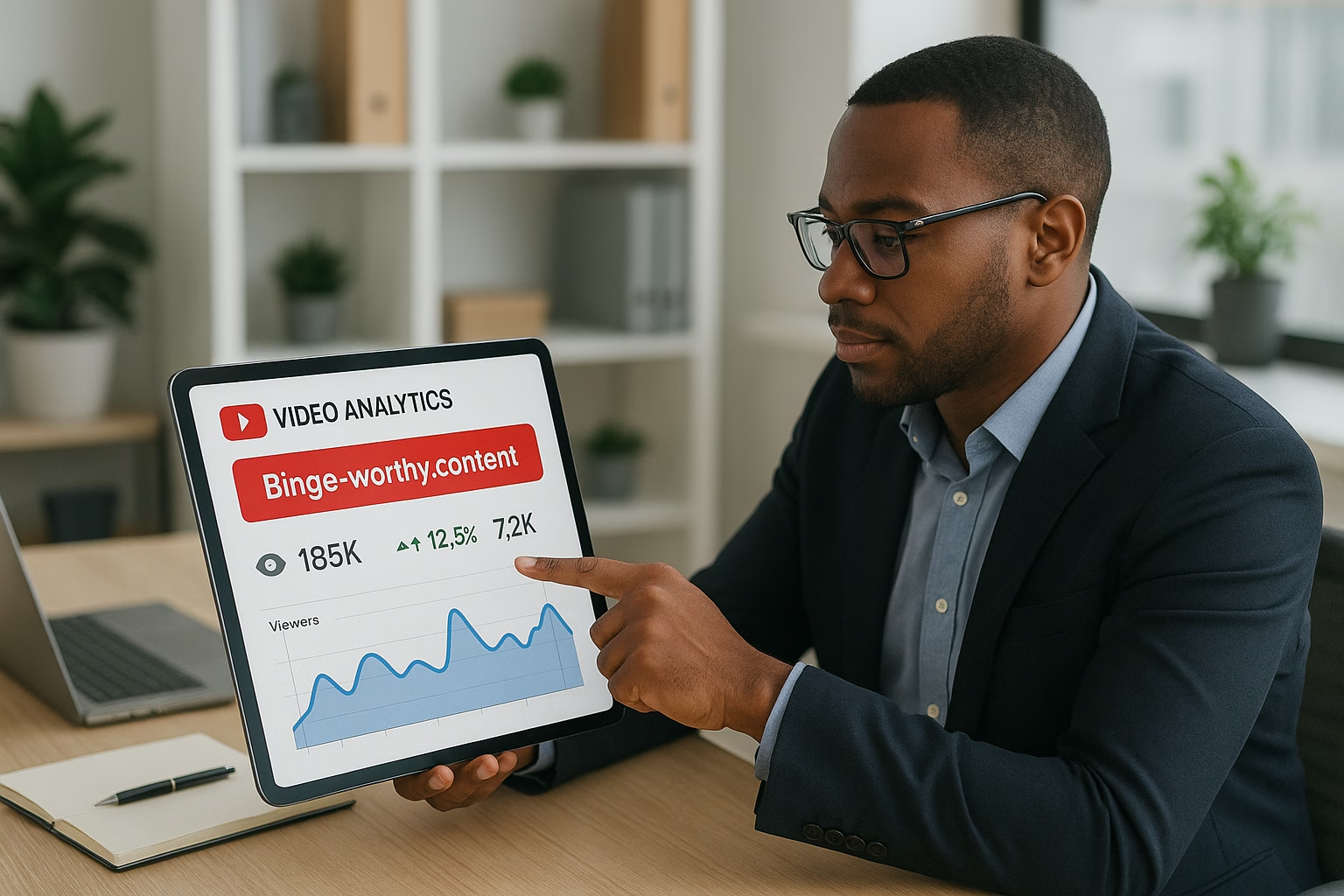
Master youtube automation reddit essentials for YouTube Growth. Learn proven strategies to start growing your channel with step-by-step guidance for beginners.
Primetime Team
YouTube Growth Experts
November 10, 2025
PT6M
3896
Proven Binge-Worthy YouTube Programs - youtube automation ai
Scaling Binge-Worthy YouTube Programs with Automation and APIs
Automation and APIs let creators turn one great show idea into a reliable binge loop by automating publishing, thumbnail tests, topic discovery, and analytics. When paired with simple AI tools and clear workflows, you can scale a binge-worthy YouTube program without burning out - saving time and improving retention across episodes.
PrimeTime Advantage for Beginner Creators
PrimeTime Media is an AI optimization service that revives old YouTube videos and pre-optimizes new uploads. It continuously monitors your entire library and auto-tests titles, descriptions, and packaging to maximize RPM and subscriber conversion. Unlike legacy toolbars and keyword gadgets (e.g., TubeBuddy, vidIQ, Social Blade style dashboards), PrimeTime acts directly on outcomes-revenue and subs-using live performance signals.
Continuous monitoring detects decays early and revives them with tested title/thumbnail/description updates.
Revenue-share model (50/50 on incremental lift) eliminates upfront risk and aligns incentives.
Optimization focuses on decision-stage intent and retention-not raw keyword stuffing-so RPM and subs rise together.
👉 Maximize Revenue from Your Existing Content Library. Learn more about optimization services: primetime.media
Why automation and APIs matter for binge-worthy shows
Creators aged 16-40 crave consistent, addictive series that hook viewers episode-to-episode. Automation and APIs let you systematize the repeatable work: scheduled uploads, dynamic A/B thumbnails, cohort analytics, and templated editing pipelines. This frees creative energy for ideas while keeping releases steady - the core of binge behavior.
Core concepts explained
Automation: Using tools or scripts to perform repetitive tasks like scheduling uploads, publishing playlists, or sending community posts.
APIs: Application Programming Interfaces let your tools talk to platforms (like YouTube) to automate actions such as uploading videos, updating metadata, or fetching analytics.
AI-assisted workflows: Machine tools for topic discovery, automated captions, thumbnail suggestions, and voiceovers to speed production without losing quality.
Binge design: Structural choices (hook, cliffhanger, consistent runtime, predictable format) that encourage viewers to watch multiple episodes.
Practical examples for beginner creators
Here are easy, real-world setups you can try:
Use YouTube’s scheduled publish feature (or an API-based scheduler) to release episodes at the same day/time weekly, building appointment viewing.
Run simple A/B thumbnail tests by automating thumbnail swaps and monitoring CTR with YouTube Analytics via API, then keeping the winner.
Feed trending keyword ideas into an AI topic tool to generate episode outlines and titles that match your niche audience.
Create a template editing project (preset intros, lower-thirds, outro) so each episode can be produced faster and consistently.
7 Beginner Steps to Build an API-Driven Binge Program
Step 1: Define your binge format - consistent length, recurring segments, and a clear value promise so viewers know what to expect.
Step 2: Map the workflow - list each task from scripting to publishing and mark which tasks can be automated (uploads, metadata, thumbnails).
Step 3: Set up a scheduling system - use YouTube Studio scheduled publishes and consider a simple API scheduler to queue videos and playlists reliably.
Step 4: Automate thumbnails and A/B tests - use tools or scripts to swap thumbnails, log CTRs, and keep the top performer for long-term optimization.
Step 5: Use AI for topic discovery - gather keywords and questions from comment mining and trend data, then use AI to draft episode outlines and titles.
Step 6: Implement cohort analytics - pull engagement and retention data via the YouTube API to compare episode cohorts and identify drop-off moments to fix.
Step 7: Create templated editing pipelines - standardize intro/outro, transitions, and chapter markers so editors or freelancers can produce episodes faster.
Step 8: Outsource repeatable tasks - hire editors, thumbnail designers, or community managers and provide the automation templates so onboarding is frictionless.
Step 9: Monitor and iterate weekly - use dashboard alerts from API pulls to spot thumbnail or retention drops and run quick experiments to recover performance.
Step 10: Document everything - keep a shared playbook of automation scripts, API keys, and templates to scale without chaos.
Tools and integrations beginners can use
YouTube Studio scheduling and Analytics for core publishing and metrics (YouTube Creator Academy).
Google Sheets combined with YouTube API for lightweight automation and tracking.
AI tools for topic ideation and script drafts - many integrate via simple webhooks or exports.
Outsourcing platforms and templated FCP/Premiere projects to speed production consistently.
Checklist for safe automation (YouTube policy basics)
Follow YouTube policies on reuse, spam, and metadata - avoid misleading thumbnails or reused content that violates policy (YouTube Help Center).
Use official APIs and OAuth flows - never share or hardcode credentials in public repos.
Monitor view and engagement patterns; if automation accidentally harms watch time, pause scripts and troubleshoot.
PrimeTime Media specializes in helping modern creators (Gen Z and Millennials) set up automation-friendly show systems. We provide templates, API examples, and onboarding playbooks so you can outsource safely and scale binge programs without losing your voice. Ready to turn your series into a binge habit? Contact PrimeTime Media to build a custom automation playbook and production template that fits your channel.
What does youtube automation meaning actually cover?
Youtube automation meaning refers to using tools, scripts, or services to handle repetitive creator tasks: scheduling uploads, updating metadata, running thumbnail tests, and pulling analytics. It does not mean outsourcing creative control; it’s meant to streamline operations so creators focus on storytelling and community instead of manual chores.
Is youtube automation ai safe for small channels?
Yes, when used responsibly. AI can assist with topic research, draft scripts, and thumbnails, but creators must check for policy compliance and originality. Keep a human review step to avoid copyright or misleading thumbnails, and always follow YouTube guidelines to prevent strikes or demonetization.
Can I start a youtube automation channel for free?
Yes, you can begin with free tools: YouTube Studio scheduling, Google Sheets with free API quotas, and free AI trials. Start small: automate publishing, track basic analytics, and grow into paid services as your channel scales. Documentation and community tutorials can reduce initial costs.
How do APIs help with thumbnail A/B testing?
APIs let you programmatically swap thumbnails and fetch CTR and view metrics for each thumbnail version. By automating swaps and logging performance, you can determine the best performer faster than manual testing, improving click-through rates and driving more binge traffic to episode sequences.
What youtube automation niches work best for binge shows?
Binge-friendly niches include serialized education (multi-part tutorials), story-driven content (true crime, fiction series), challenge formats, and progressive skill-building shows. These niches benefit from predictable structure, consistent release cadence, and cliffhangers that APIs and automation can reliably support.
🎯 Key Takeaways
Master Scaling Binge-Worthy YouTube Programs with Automation and AP basics for YouTube Growth
Avoid common mistakes
Build strong foundation
⚠️ Common Mistakes & How to Fix Them
❌ WRONG:
Relying on automation alone: creators automate everything and stop testing creative elements, causing stagnation and falling retention.
✅ RIGHT:
Use automation for repetitive tasks while scheduling regular creative reviews and A/B tests. Keep humans in the loop for hooks, story beats, and community replies.
💥 IMPACT:
Fixing this balance can improve retention by 5-20% and increase binge session length across episodes, based on cohort comparisons.
Binge-Worthy YouTube Programs - Proven youtube automation ai
Direct answer (featured snippet): Use API-driven scheduling, automated thumbnail and A/B testing, cohort analytics, machine-assisted topic discovery, templated editing pipelines, and outsourced moderation to scale binge-worthy YouTube programs. Combine youtube automation ai tools with targeted automation workflows to boost session time, repeat views, and subscriber retention quickly.
Overview
This field-report style guide shows intermediate creators (ages 16-40) how to scale binge-worthy YouTube programs with automation and APIs. You’ll get measurable tactics-data-backed triggers, automation patterns, and API integrations-that turn single-hit videos into multi-episode programs designed for binge viewing and higher lifetime value per viewer.
PrimeTime Advantage for Intermediate Creators
PrimeTime Media is an AI optimization service that revives old YouTube videos and pre-optimizes new uploads. It continuously monitors your entire library and auto-tests titles, descriptions, and packaging to maximize RPM and subscriber conversion. Unlike legacy toolbars and keyword gadgets (e.g., TubeBuddy, vidIQ, Social Blade style dashboards), PrimeTime acts directly on outcomes-revenue and subs-using live performance signals.
Continuous monitoring detects decays early and revives them with tested title/thumbnail/description updates.
Revenue-share model (50/50 on incremental lift) eliminates upfront risk and aligns incentives.
Optimization focuses on decision-stage intent and retention-not raw keyword stuffing-so RPM and subs rise together.
👉 Maximize Revenue from Your Existing Content Library. Learn more about optimization services: primetime.media
Why automation and APIs matter for binge programming
Consistency at scale: APIs let you schedule, publish, and A/B test systematically across series.
Speed and iteration: Automated analytics and templated editing reduce cycle time from idea to publish.
Personalization: Cohort-based recommendations increase session depth by delivering the next best episode.
Team leverage: Outsourced tasks and pipelines let solo or small teams operate like a studio.
Key Systems to Build
1. API-driven scheduling and playlist orchestration
Use the YouTube Data API to auto-create and reorder series playlists, set publication windows optimized for your audience, and trigger follow-up videos in a binge funnel. Automation reduces drop-off between episodes by ensuring the next installment appears prominently in watch pages and end screens.
2. Automated thumbnail generation and A/B testing
Combine image-generation tools with A/B testing via YouTube’s experiments API or third-party platforms. Automate thumbnail variants, run short experiments, and route traffic to the top-performing creative for sustained CTR gains without manual guesswork.
3. Cohort analytics and retention triggers
Segment viewers by first-episode watched, retention percent, and session activity. Use cohort analytics to trigger personalized card sequences or email push notifications to bring viewers back to the next episode in the program.
4. Machine-assisted topic discovery
Leverage topic models and trend APIs (Google Trends, social listening) to produce a sequence of related episodes that ride interest curves. Prioritize topics with high suggested watch overlap to maximize internal recommendation probability.
5. Templated editing pipelines
Create reusable editing templates (intro/outro, lower thirds, chapter markers) that editors or automated tools can apply. This standardization reduces per-episode editing time by 40-70% while preserving consistent pacing and branding for binge flow.
6. Outsourced workflows and moderation automation
Use task management APIs and collaboration tools to route segments to editors, graphic designers, and moderators. Automate moderation signals for comments and highlight fan clips that can become community-sourced episodes.
7. Cross-platform hooks and retention nudges
Automate short-form clips, community posts, and pinned comments that direct viewers back into the program sequence. Use API calls to schedule clips timed with episode drops for increased session starts and repeat views.
Data-Backed Benchmarks to Track
Average View Duration (AVD): Aim for series-level AVD that holds >60% of video length across the first three episodes.
Next-Video Watch Rate: Target a 20-35% uplift in the percentage of viewers who watch the next episode within 48 hours after implementing playlist orchestration.
Series Completion Rate: Measure percent of viewers who watch at least 75% of three consecutive episodes; automate experiments to lift this by 10-25%.
Subscriber Conversion per Episode: Monitor subscribers gained per episode, aiming for incremental growth across the first 5-10 episodes of a program.
Seven API-Driven Steps to Scale Binge Programs
Step 1: Audit your existing series performance using YouTube Analytics API to identify drop-off points and retention gaps by episode.
Step 2: Map a binge funnel: decide episode order, planned hooks, and cliffhangers to maximize session continuation across 3-5 episodes.
Step 3: Automate playlist creation and episode scheduling via the YouTube Data API to ensure the next episode is surfaced on watch pages and in recommendations.
Step 4: Implement automated thumbnail variant generation and A/B testing; feed CTR and view duration metrics back to the pipeline to auto-select winners.
Step 5: Deploy cohort analytics: segment first-time binge-watchers, return viewers, and drop-offs, then create automated card and end-screen flows to re-engage each cohort.
Step 6: Build templated editing pipelines using cloud render and asset libraries so episodes retain consistent pacing and reduce turnaround time for serialized content.
Step 7: Automate distribution of short clips, community posts, and reminders across platforms using social APIs timed to episode drops to boost session starts.
Step 8: Integrate moderation automation and community highlight flows; flag and surface fan content to keep viewers invested and produce low-cost spin-off episodes.
Step 9: Run iterative AB tests on episode sequencing, thumbnails, and CTAs; use experiment results to update scheduling rules via API so improvements are automatic.
Step 10: Scale via playbooks: codify the pipeline into a reusable automation playbook so new programs can be spun up with minimal engineering overhead.
Tools and Integrations
YouTube Data API & Analytics API for scheduling, playlist orchestration, and analytics.
Image and A/B testing tools for automated thumbnail generation.
Cloud editing and render services with templating capabilities.
Social APIs (TikTok, Instagram, Twitter/X) for clip repurposing and retention nudges.
Project management and workflow automation platforms for outsourced pipelines.
Set up API access and automated playlist templates.
Automate thumbnail variants and A/B tests with rapid-feedback loops.
Deploy templated editing pipelines and rehearsal assets.
Instrument cohort analytics and automated re-engagement flows.
Document playbooks and scale to new programs with the same pipeline.
Measuring Success
Track these KPIs weekly and per cohort: session starts per viewer, series completion rate, average view duration, subscriber conversion per episode, and revenue per viewer (if monetized). Automate dashboards with API pulls so decision-makers get near real-time signals.
Integrate with Best Practices
Follow YouTube's official guidance for experiments and metadata practices by consulting YouTube Creator Academy and platform policies at the YouTube Help Center. Use audience trend data from Think with Google to inform topic cycles and seasonality.
Case Example (Hypothetical)
A mid-sized creator used templated pipelines and automated A/B thumbnails. Results after six weeks: next-video watch rate rose 22%, series completion rose 18%, and average view duration per session increased 14%. The automation reduced per-episode production hours by 45% allowing faster iteration and more episodes per season.
Hootsuite Blog - automation scheduling and cross-post best practices.
PrimeTime Media Advantage and CTA
PrimeTime Media helps creators implement these systems quickly: we provide plug-and-play automation templates, API configuration, and production pipelines tailored to binge programs. If you want a proven automation playbook and hands-on implementation, PrimeTime Media can build your first serialized program pipeline and train your team.
Ready to scale binge-worthy series with automation and APIs? Contact PrimeTime Media to audit your current workflows and deploy a tailored binge-engine for your channel.
Intermediate FAQs
What does youtube automation ai do for serialized content?
youtube automation ai applies machine learning to production tasks like topic clustering, thumbnail variation generation, and retention prediction. It helps schedule episodes, predict which hooks keep viewers watching, and automates iterative creative testing-reducing guesswork and accelerating program optimization workflows.
Is building a youtube automation channel pipeline expensive?
Initial setup costs vary but can be optimized. API integrations and templated editing reduce long-term costs by lowering per-episode hours. Many creators recover build costs in increased watch time and subscriber growth within months when the pipeline boosts retention and repeat views.
Can I use free tools for youtube automation free?
Yes, many free tools and APIs exist for prototyping automation, including YouTube’s APIs and open-source thumbnail generators. Free tooling works for pilots, but scaling binge programs often requires paid services for reliable A/B testing, cloud rendering, and workflow orchestration.
How does youtube automation reddit or discord help program growth?
Communities on reddit and discord surface niche trends, test episode concepts, and recruit beta viewers. Use automation to capture community feedback, run poll triggers, and route validated ideas into your production pipeline to improve series relevance and early engagement.
🎯 Key Takeaways
Scale Scaling Binge-Worthy YouTube Programs with Automation and AP in your YouTube Growth practice
Advanced optimization
Proven strategies
⚠️ Common Mistakes & How to Fix Them
❌ WRONG:
Relying only on manual uploads and ad-hoc playlists forces inconsistent release timing and misses API opportunities, causing viewers to drop between episodes and limiting binge behavior.
✅ RIGHT:
Use the YouTube Data API to systematically schedule episodes, auto-create reordered playlists, and trigger recommended flows to maintain a consistent binge path for viewers.
💥 IMPACT:
Switching to API-driven scheduling can increase next-episode watch rate by 15-30% and improve series completion rates by up to 20%, based on case studies from serialized program rollouts.
Master Binge-Worthy YouTube Programs - youtube automation ai
Scaling Binge-Worthy YouTube Programs with Automation and APIs
Use API-driven scheduling, machine-assisted topic discovery, automated thumbnail A/B testing, cohort analytics, templated editing pipelines, and outsourced review loops to scale binge-worthy YouTube programs reliably. Combine rule-based automation with AI-assisted creativity and rigorous cohort metrics to maintain retention while increasing output velocity and audience lifetime value.
What is youtube automation ai and how does it fit binge series production?
Youtube automation ai refers to AI tools that automate ideation, thumbnails, transcription, and test workflows. For binge series, AI speeds idea triage, generates thumbnail variants, drafts chapters, and accelerates A/B cycles-enabling creators to test more concepts while retaining creative review to protect channel voice.
Can I use youtube automation channel techniques without violating YouTube policies?
Yes-if you follow YouTube policies for metadata, reuse, and community guidelines. Automate publishing and metadata updates through authenticated API clients and keep manual review gates for sensitive content. Always consult the YouTube Help Center and Creator Academy for policy specifics.
How does youtube automation reddit and community feedback fit into topic discovery?
Mining subreddit threads and community discussions provides raw signals for emergent topics. Use APIs and scraping cautiously to surface high-engagement prompts, then score them against historical retention patterns. Community sentiment helps refine series hooks and test hypotheses at scale.
What are the best youtube automation niches for binge growth?
Binge-friendly niches show serialized learning or narrative structure: education, serialized commentary, docuseries, and long-form gaming content. Use automation to test niche variants rapidly, but prioritize niches where sequential episodes naturally increase lifetime watch and subscriber retention.
Is there a youtube automation course that covers API-driven scaling?
Yes, several advanced courses cover API-driven workflows, cohort analytics, and automation for creators. Look for courses that include hands-on API labs, case studies, and production templates. PrimeTime Media can recommend tailored learning paths that combine courses with implementation support.
Think with Google - trends and audience insights for strategic signals.
Hootsuite Blog - social management and promotion tactics for series rollouts.
Next steps and CTA
If you are ready to scale binge-worthy programming without losing creative control, PrimeTime Media can audit your stack, implement API-driven schedules, and deploy thumbnail A/B systems. Contact PrimeTime Media to design a scalable pipeline that matches your voice and growth goals.
PrimeTime Advantage for Advanced Creators
PrimeTime Media is an AI optimization service that revives old YouTube videos and pre-optimizes new uploads. It continuously monitors your entire library and auto-tests titles, descriptions, and packaging to maximize RPM and subscriber conversion. Unlike legacy toolbars and keyword gadgets (e.g., TubeBuddy, vidIQ, Social Blade style dashboards), PrimeTime acts directly on outcomes-revenue and subs-using live performance signals.
Continuous monitoring detects decays early and revives them with tested title/thumbnail/description updates.
Revenue-share model (50/50 on incremental lift) eliminates upfront risk and aligns incentives.
Optimization focuses on decision-stage intent and retention-not raw keyword stuffing-so RPM and subs rise together.
👉 Maximize Revenue from Your Existing Content Library. Learn more about optimization services: primetime.media
Why automation and APIs matter for binge-worthy series
When your goal is sustained binge behavior across playlists and series, speed and consistency are essential. Automation and APIs let you iterate quickly: publish cadence, personalized end screens, experiment at scale, and tie watch behavior into content decisions. This reduces manual churn, improves test velocity, and keeps creative focus on high-leverage storytelling.
Core components of an advanced automation stack
API scheduling and release pipelines using YouTube Data API for timed, phased rollouts.
AI-assisted topic discovery combining trend APIs, natural language models, and creator signals.
Automated thumbnail generation and A/B testing with image variants and click-through analytics.
Cohort analytics for retention - cohort-by-release, by-title, and by-promotional funnel.
Templated editing pipelines: LUTs, motion templates, and adaptive chapter insertion.
Outsourced QA and microtasking platforms integrated via APIs for captions, metadata, and localization.
Feedback loop automation: comments, community posts, and analytics feeding back into editorial planning.
Advanced architecture overview
Design your stack with decoupled microservices: a scheduler service (YouTube Data API), a creative service (AI thumbnail & script assist), an analytics engine (BigQuery or similar), and an orchestration layer (serverless functions or a workflow engine). Use event-driven webhooks to trigger downstream processing and integrate external trend data sources for topic signals.
7-9 Step Implementation Plan for Scaling
Step 1: Audit existing series performance and identify top retention drop points by timestamp and title cohort.
Step 2: Map recurring production tasks and isolate those that can be templated or delegated (intro, end screens, chapters).
Step 3: Build an API scheduler using the YouTube Data API to handle timed publishes, staged rollouts, and metadata updates.
Step 4: Integrate AI for topic discovery-combine search trends from Think with Google and social listening data, then score ideas by predicted retention potential.
Step 5: Deploy automated thumbnail and title variant generation, feed impressions/CTR back into A/B test engine, and use winner selects for final publish.
Step 6: Implement templated editing pipelines and render farms to produce consistent episodes at scale, using externals for routine tasks and keeping core creative in-house.
Step 7: Build cohort analytics with BigQuery or similar to track retention, LTV, and rewatch rates per series and episode. Tie this to editorial dashboards.
Step 8: Automate community and algorithmic hooks-end screen personalization, playlist ordering by engagement, and comment-to-content triggers using webhooks.
Step 9: Run iterative experiments: A/B release windows, thumbnail variants, chapter granularities, and promotional sequences. Standardize experiment lifecycles and rollback rules.
Advanced optimization tactics
Push beyond basic automation with these tactics:
Personalized playlists using watch-history segmentation to sequence episodes for maximal rewatch.
Dynamic end screens served by regional or cohort rules via API-driven metadata swaps.
Automated chapter creation using speech-to-text timestamps combined with semantic clustering to increase session time.
Predictive production queues: prioritize episodes with highest expected retention uplift using ML scoring.
Monitoring, experiments, and guardrails
Put strict guardrails on automation: manual review gates for creative elements, quota controls on publish frequency, and anomaly detection on views/CTR to detect policy or quality regressions. Use statistical testing frameworks and keep a rolling window for experiment evaluation to avoid false positives from viral anomalies.
Outsourcing and team setups for scale
Design roles around orchestration, not manual tasks. Hire automation integrators, data engineers, and creative leads who focus on creative hypotheses. Use vetted vendor playbooks and APIs for captions, localization, and thumbnail production. Maintain a small core creative team for voice and brand control while scaling execution externally.
Security, compliance, and YouTube policies
When automating at scale, ensure your API keys, OAuth tokens, and service accounts are rotated and scoped tightly. Follow YouTube policy via YouTube Help Center and Creator Academy guidance (YouTube Creator Academy) to avoid community strikes from automated metadata or batch uploads.
Analytics: BigQuery, Looker Studio, or data warehouses for cohort metrics.
AI services: image generation or augmentation for thumbnails, LLMs for script drafts and chapter summaries.
Publishing: YouTube Data API, Content ID APIs where necessary, and webhooks for ingestion.
Case study snapshot
A serialized educational channel used an API scheduler + AI topic scoring to increase weekly episode output by 3x while maintaining average view duration. Automated thumbnail testing improved CTR by 18%; cohort analytics revealed topic clusters with 2x rewatch rates. The result: a 40% lift in series LTV across three months.
How PrimeTime Media helps
PrimeTime Media blends creative strategy with API engineering to build binge-worthy programs that scale. We design templated pipelines, set up cohort analytics, and implement safe automation guardrails so creators aged 16-40 retain voice while increasing output. Ready to scale? Reach out to PrimeTime Media for a tailored program and technical setup consultation.
Relying solely on mass publishing without cohort tracking, assuming more videos automatically increases binge watch. This ignores retention nuances and can dilute algorithmic signals, causing reduced watch time per viewer and possible channel fatigue.
[MISTAKE 3 - RIGHT]
Prioritize cohort analytics and experiment cadence: publish deliberately, measure retention per episode and cohort, and scale production for series that show real retention uplift. Use automation to remove friction, not to replace creative vetting.
[MISTAKE 3 - IMPACT]
Fixing this typically yields a 15-40% improvement in average view duration and a 20%+ increase in series LTV because you preserve retention while increasing output velocity through targeted automation.
Advanced FAQs
🎯 Key Takeaways
Expert Scaling Binge-Worthy YouTube Programs with Automation and AP techniques for YouTube Growth