How to Create a YouTube Playlist Tutorial for Beginners
YouTube Topics
Content Optimization
Performance Metrics
Best Practices
How to Create a YouTube Playlist Tutorial for Beginners
Master Youtube playlist, playlist tutorial essentials for YouTube Growth. Learn proven strategies to start growing your channel with step-by-step guidance for beginners.
Playlists let creators package videos into a learning path. To structure your first course, name a clear "Start Here", order lessons from simple to complex, write actionable descriptions, and enable the right playback settings so learners follow the flow. This guide walks you through creating a beginner-ready YouTube playlist step-by-step.
Final notes
Start simple: plan learning outcomes, create a short "Start Here" video, order lessons, and write supportive descriptions. Use metrics to iterate. For hands-on help, PrimeTime Media can audit your channel and recommend playlist structures that increase completion rates and subscriber growth. Build your first course playlist and make learning effortless for your audience.
PrimeTime Advantage for Beginner Creators
PrimeTime Media is an AI optimization service that revives old YouTube videos and pre-optimizes new uploads. It continuously monitors your entire library and auto-tests titles, descriptions, and packaging to maximize RPM and subscriber conversion. Unlike legacy toolbars and keyword gadgets (e.g., TubeBuddy, vidIQ, Social Blade style dashboards), PrimeTime acts directly on outcomes-revenue and subs-using live performance signals.
Continuous monitoring detects decays early and revives them with tested title/thumbnail/description updates.
Revenue-share model (50/50 on incremental lift) eliminates upfront risk and aligns incentives.
Optimization focuses on decision-stage intent and retention-not raw keyword stuffing-so RPM and subs rise together.
👉 Maximize Revenue from Your Existing Content Library. Learn more about optimization services: primetime.media
Why structure a course as a YouTube playlist?
Playlists transform scattered videos into a guided course, improving watch time, retention, and viewer satisfaction. They let you control order, highlight a start video, and add lesson descriptions. Structured playlists help learners progress naturally and make your channel look professional-perfect for Gen Z and Millennials building fast, focused learning content.
Key features of a course-style playlist
Ordered lessons: control the learning sequence for clarity.
“Start Here” video: orient new viewers and set expectations.
Clear titles and timing: help learners pick topics quickly.
Detailed descriptions: include timecodes, resources, and next steps.
Sections within playlists: group related modules or weeks.
Playback settings: autoplay and shuffle options affect flow.
Visibility control: public, unlisted, or private for beta testing.
Before you start
Decide the course scope: micro-course (3-6 videos), short course (7-15 videos), or longer series (15+ videos). Consider average video length and total playlist runtime-shorter focused lessons (5-12 minutes) often keep Gen Z and Millennial viewers engaged. If you want calculations, tools like a youtube playlist length calculator can help estimate total runtime.
7-Step playlist tutorial to make your first course
Step 1: Plan the learning outcomes - list 3-5 concrete skills or takeaways your course should deliver, then map each video to one takeaway.
Step 2: Create a "Start Here" intro video - 60-120 seconds that explains who the course is for, what’s included, and the recommended viewing order.
Step 3: Draft consistent video titles - use a pattern like "Lesson 01 - Topic Name" to signal order and clarity to viewers and search engines.
Step 4: Upload videos and set playlist order - add videos to your playlist and use the drag-and-drop order editor to arrange from foundational to advanced.
Step 5: Write helpful playlist and video descriptions - include course outline, timecodes, external resources, and a clear call-to-action for next steps or community links.
Step 6: Add sections and timestamps - if your playlist covers modules, create sections within the playlist and add timestamps in video descriptions for sub-topics.
Step 7: Configure playback and visibility - choose autoplay on for sequential learning, disable shuffle for ordered courses, and set playlist visibility to public when ready.
Step 8: Promote and iterate - pin the playlist to your channel homepage, promote in a pinned comment, and collect feedback to refine order or add supplementary videos.
Step 9: Monitor metrics and update - use retention and watch time data from YouTube Studio to spot drop-off points and swap or split videos to improve completion rates.
Practical examples and templates
Example course structure for a short 8-video micro-course:
Start Here - Course Overview (1-2 min)
Lesson 01 - Basics and Setup (6-8 min)
Lesson 02 - Core Concept A (8-10 min)
Lesson 03 - Core Concept B (8-10 min)
Lesson 04 - Tool Walkthrough (10-12 min)
Lesson 05 - Common Mistakes (5-7 min)
Lesson 06 - Case Study (8-12 min)
Conclusion - Next Steps and Resources (3-4 min)
Template title format: "Lesson 01 - Topic Name | Course Name" helps both humans and search to understand sequence and context.
Checklist before publishing
Clear "Start Here" video with course expectations
Consistent lesson titles and thumbnail style
Playlist description with outline and external links
Autoplay enabled, shuffle disabled for ordered learning
Pinned playlist on channel page and linked in video descriptions
Tips for modern creators (Gen Z and Millennials)
Keep intros short and snackable-viewers decide in seconds.
Use vertical-friendly thumbnails and clear typography for mobile-first audiences.
Include community calls-to-action (Discord, Instagram) in descriptions to build cohort learning.
Leverage Shorts or clips to drive viewers into the full playlist.
PrimeTime Media helps creators design playlist learning flows, optimize titles/thumbnails, and analyze retention to turn casual viewers into learners and subscribers. If you want help structuring your first course playlist, PrimeTime Media offers creator-friendly support and clear next steps. Get started with a free consult to map your course flow and boost viewer retention.
Call to action: Visit PrimeTime Media to plan your playlist and schedule a free content audit that outlines your ideal "Start Here" and course sequence.
Beginner FAQs
How long should a YouTube playlist be for a course?
For courses, aim for 5-15 videos so learners stay committed without overwhelm. Keep each lesson 5-12 minutes to match attention spans. Total playlist length depends on depth-short micro-courses often total under 90 minutes, while deeper beginner courses can span 2-4 hours.
How do I order videos inside a playlist?
Open the playlist in YouTube Studio, drag videos into the desired sequence, and use numbered titles like "Lesson 01" to reinforce order. Disable shuffle and encourage autoplay so viewers progress naturally. Reorder if analytics show drop-off at specific transition points.
Can playlists act like a course on YouTube?
Yes. With a "Start Here" video, logical sequencing, timestamps, and clear descriptions, a playlist becomes a course. Pair with community links and assignments in descriptions to increase engagement. Monitor watch time to refine pacing and lesson breaks.
What settings affect playlist playback and learning flow?
Autoplay and shuffle are key: enable autoplay and disable shuffle for sequential learning. Playlist visibility (public/unlisted) controls access. Adding sections and clear timestamps improves navigation. These settings ensure viewers follow your intended path and complete lessons.
🎯 Key Takeaways
Master playlist tutorial - YouTube Playlist Basics - A Simple basics for YouTube Growth
Avoid common mistakes
Build strong foundation
⚠️ Common Mistakes & How to Fix Them
❌ WRONG:
Adding videos in random order and leaving autoplay with shuffle on, assuming viewers will follow the intended learning path.
✅ RIGHT:
Order videos from simple to complex, turn off shuffle for course playlists, and explicitly label a "Start Here" video to guide learners.
💥 IMPACT:
Correct ordering and disabling shuffle typically increases completion rates and average view duration by 10-30%, improving playlist performance and viewer satisfaction.
Playlists turn scattered videos into structured learning paths. This guide teaches how to name, order, and publish your first course-style YouTube playlist, craft a 'Start Here' video, write effective descriptions, and optimize flow so learners stay engaged and retention increases across sessions.
Next steps and PrimeTime Media advantage
Ready to turn your videos into a cohesive course? PrimeTime Media helps creators structure playlists with data-driven ordering, thumbnail templates, and retention-focused scripts. We blend platform expertise and creative design to increase session time and course completion. Explore how we can help you launch your first course-style playlist and get a free consultation.
PrimeTime Media is an AI optimization service that revives old YouTube videos and pre-optimizes new uploads. It continuously monitors your entire library and auto-tests titles, descriptions, and packaging to maximize RPM and subscriber conversion. Unlike legacy toolbars and keyword gadgets (e.g., TubeBuddy, vidIQ, Social Blade style dashboards), PrimeTime acts directly on outcomes-revenue and subs-using live performance signals.
Continuous monitoring detects decays early and revives them with tested title/thumbnail/description updates.
Revenue-share model (50/50 on incremental lift) eliminates upfront risk and aligns incentives.
Optimization focuses on decision-stage intent and retention-not raw keyword stuffing-so RPM and subs rise together.
👉 Maximize Revenue from Your Existing Content Library. Learn more about optimization services: primetime.media
Why playlists matter for course-style channels
Playlists guide viewers through a learning journey, improve session watch time, and make discovery easier. YouTube rewards coherent viewing sequences: creators who organize content into playlists often see higher average view duration and session time, which helps with recommendation engines (YouTube Creator Academy, Think with Google).
Key concepts and terms
Sequence: The order of lessons (intro → core lessons → wrap-up).
Start Here video: A short orientation that sets expectations and next steps.
Video descriptions: Use timestamps, objectives, and links to other lessons.
Playlist settings: Public vs Unlisted, autoplay, and manual order vs. date.
Step-by-step playlist tutorial for structuring your first course
Step 1: Define learning outcomes for the course - list 3-5 clear objectives your viewer will achieve by the end. This helps title lessons and decide lesson order.
Step 2: Audit existing videos and tag those that match outcomes. Remove or mark off-topic content to keep the course focused and discoverable.
Step 3: Create a short "Start Here" video (60-90 seconds) outlining the course, prerequisites, and ideal viewing order to set expectations.
Step 4: Name the playlist with searchable keywords and intent - e.g., "YouTube Playlist Basics Course - Step-by-Step" - and add a concise playlist description including outcomes and links.
Step 5: Order videos logically: intro, fundamentals, applied examples, troubleshooting, summary. Use manual ordering in the playlist editor to control flow rather than relying on date.
Step 6: Optimize each lesson’s description with timestamps, learning objectives, next lesson link, and CTA that pushes viewers to the playlist rather than a single video.
Step 7: Use sections and chapters where needed: split long videos into shorter lessons or add cards and end screens pointing to the next lesson in the playlist.
Step 8: Set playlist visibility and playback behavior: choose Public or Unlisted depending on discoverability goals, and ensure autoplay is enabled for seamless sequential viewing.
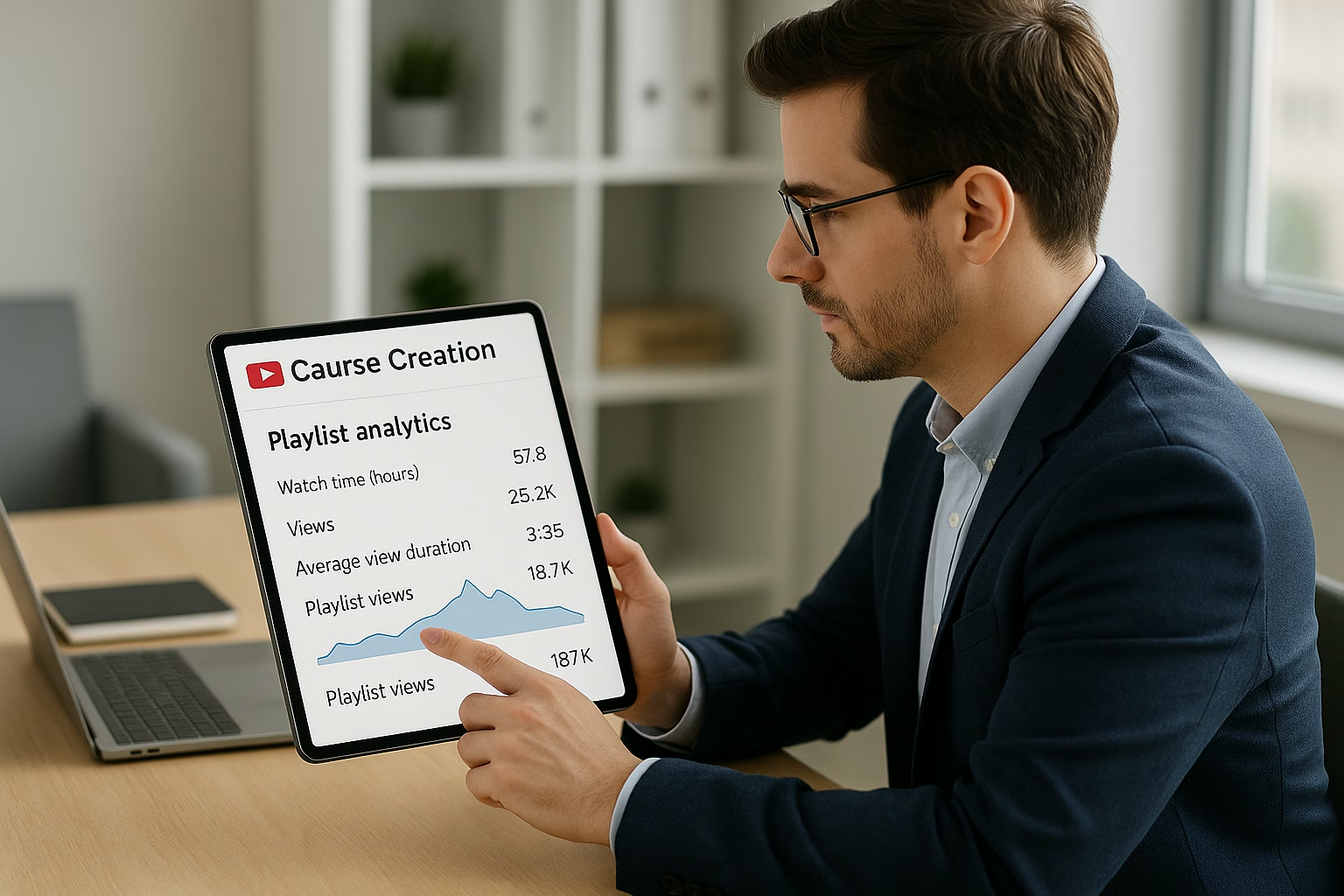
Step 9: Monitor analytics: track average view duration, audience retention, and playlist starts versus drops. Adjust lesson length and order based on where viewers exit.
Step 10: Iterate and promote: A/B test different Start Here intros, thumbnail styles, and playlist descriptions. Promote the playlist in videos, descriptions, and social channels for structured onboarding.
Best practices backed by data
Keep lessons short and focused: videos under 10 minutes typically retain attention better for taught skills (see Hootsuite Blog insights).
Start with a strong hook in the first 15 seconds - retention there predicts long-term viewership (Think with Google).
Optimize for session time, not just single-video views: playlists that encourage sequential watching increase session duration, which supports algorithmic recommendation (YouTube Creator Academy).
Use clear naming conventions (Lesson 1, Lesson 2) - viewers cognitively prefer clear sequencing for learning.
Technical tips and tools
Manual ordering: In YouTube Studio's playlist editor, drag videos into a curated sequence rather than relying on "Date added."
Thumbnails: Keep a consistent visual design across playlist lessons to signal course unity and increase click-through.
Playlists and other platforms: If you need audio-only versions, consider using a YouTube playlist to Spotify converter or export workflow carefully (respect copyright).
Embed the playlist on your channel's homepage, add it to pinned comments and descriptions, and create a short teaser reel for social platforms. Cross-promote with relevant topics like live polls or playlist-driven live sessions - see related strategies at PrimeTime Media’s posts on playlist growth and live integration (Start Growing Results with Youtube playlist and and 7 Easy Live Polls Tips for Youtube Live Growth).
Analytics to watch
Playlist starts: how many viewers begin the course.
Average view duration per lesson and across the playlist.
Viewer drop-off points between lessons to identify confusing transitions.
Playback locations: where viewers watch (mobile, desktop) to tailor lesson length.
Advanced tweaks for creators aged 16-40
Use punchy hooks, rapid edits, and mobile-first captions to match Gen Z and Millennial viewing habits. Experiment with shorter micro-lessons for TikTok-style promos (see content crossover ideas in Master YouTube live Streaming API for Growth).
Intermediate FAQs
How long should a YouTube playlist be for a course?
Aim for 5-12 lessons depending on complexity, each ideally 5-12 minutes. That range balances depth with retention: Think with Google and YouTube data show shorter, focused lessons keep learners engaged while allowing enough modules to cover the topic thoroughly.
How do I set the order of videos in a playlist?
Open YouTube Studio → Content → Playlists. In the playlist editor, use manual ordering and drag videos into the desired sequence. Number lesson titles (Lesson 1, Lesson 2) to reinforce order and control flow rather than relying on automatic sorting by date or popularity.
Can playlists improve my channel's recommendations?
Yes. Playlists that increase sequential viewing and session time send positive signals to YouTube’s algorithm. Curated learning flows encourage viewers to watch multiple videos, boosting session duration and recommendation likelihood per Creator Academy and Think with Google insights.
Why is my playlist not autoplaying for some viewers?
Autoplay behavior can vary by viewer settings and device. Some users disable autoplay or have autoplay blocked on certain platforms. Confirm playlist settings and inform viewers in the Start Here video about autoplay expectations; check official guidance in the YouTube Help Center.
🎯 Key Takeaways
Scale playlist tutorial - YouTube Playlist Basics - A Simple in your YouTube Growth practice
Advanced optimization
Proven strategies
⚠️ Common Mistakes & How to Fix Them
❌ WRONG:
Putting all videos in a playlist without a clear order or “Start Here” causes confusion - viewers jump around and drop off, reducing session time and hurting recommendation signals.
✅ RIGHT:
Create a logical sequence with a "Start Here" video, numbered lesson titles, and consistent thumbnails so viewers follow a clear learning path, boosting completion and retention.
💥 IMPACT:
Fixing structure often increases playlist completion rates and session duration by 15-35%, which improves algorithmic promotion and suggested traffic over time.
Build a course-style YouTube playlist that guides learners from introduction to mastery. This tutorial explains how to name, order, and optimize lessons, craft a “Start Here” video, and scale playlists using metadata, analytics, and automation so playlists act like evergreen mini-courses that drive watch time and subscriptions.
Why structure a course-style Youtube playlist
Playlists can turn scattered videos into a coherent learning path, increasing session watch time, viewer retention, and subscriber conversions. For creators aged 16-40, a well-structured playlist boosts discovery, encourages binge-watching, and provides a predictable learning flow that feels like a micro-course rather than isolated uploads.
Wrap-up
Turning videos into structured playlists transforms your channel into an educational product. Use the step-by-step process above, iterate using analytics, and automate repetitive tasks with API tools. PrimeTime Media can help you implement templates, automation, and analytics so your playlists scale into sustainable learning funnels that convert viewers into loyal subscribers.
PrimeTime Advantage for Advanced Creators
PrimeTime Media is an AI optimization service that revives old YouTube videos and pre-optimizes new uploads. It continuously monitors your entire library and auto-tests titles, descriptions, and packaging to maximize RPM and subscriber conversion. Unlike legacy toolbars and keyword gadgets (e.g., TubeBuddy, vidIQ, Social Blade style dashboards), PrimeTime acts directly on outcomes-revenue and subs-using live performance signals.
Continuous monitoring detects decays early and revives them with tested title/thumbnail/description updates.
Revenue-share model (50/50 on incremental lift) eliminates upfront risk and aligns incentives.
Optimization focuses on decision-stage intent and retention-not raw keyword stuffing-so RPM and subs rise together.
👉 Maximize Revenue from Your Existing Content Library. Learn more about optimization services: primetime.media
Core features to include in your playlist
Clear "Start Here" or orientation video at position one
Sequential lesson numbering in titles (Lesson 01, 02)
Short, scannable descriptions with timestamps and prerequisites
Consistent thumbnail template and lesson duration ranges
Sections inside playlists to group modules (YouTube playlist sections)
Advanced optimization and scaling overview
Beyond basic ordering, advanced creators use metadata, analytics segmentation, and API-driven automation to scale many course playlists while maintaining performance. That means A/B testing intro lengths, automating playlist updates via the YouTube Data API, and combining playlists with cards and end screens to funnel viewers into certification-style flows.
Detailed how-to steps to build and scale your first course playlist
Step 1: Define the learning outcome and target audience - write a 1‑sentence outcome and list prerequisite knowledge to shape lesson scope and length.
Step 2: Audit existing videos and map them to a curriculum grid - mark gaps, reorder logical progression, and tag videos for skills taught.
Step 3: Create a “Start Here” orientation video (60-120 seconds) that explains learning outcomes, time commitment, and next steps to reduce dropoff.
Step 4: Standardize titles and thumbnails - prefix lessons with numbers (01, 02) and include module names for clarity and search signal consistency.
Step 5: Optimize playlist metadata - write a search-forward playlist description with target keywords, a short syllabus, and links to resources; add timestamps in video descriptions.
Step 6: Set video order and sections - use YouTube’s manual order feature and playlist sections to group short modules and long deep-dive lessons separately.
Step 7: Use cards, pinned comments, and end screens to link to the playlist and the next lesson - keep the viewer moving forward in the course flow.
Step 8: Monitor retention cohorts - use YouTube Analytics to compare retention for first-time viewers vs returning viewers and adjust intro length or reorder lessons accordingly.
Step 9: Automate playlist maintenance - use the YouTube Data API to add new lessons, update descriptions, or randomize older examples across playlists at scale.
Step 10: Scale with templates and experimentation - clone playlist templates for new course topics, A/B test thumbnails and intro offsets, and apply learnings across channels.
Technical optimization tips
Keep lesson lengths predictable (e.g., 6-12 minutes) to condition viewers for binge sessions and make use of the Think with Google insights on microlearning trends.
Use structured timestamps in each lesson description to facilitate skimming and reuse in playlists.
Consider playlist autoplay settings and the YouTube playback behavior - reference the YouTube Help Center for playback rules and playlist ordering.
Leverage YouTube Creator Academy principles for retention and series design; follow official best practices at the YouTube Creator Academy.
Analytics-driven scaling strategy
Extract the playlist-level metrics (impressions, click-through rate, average view duration, and relative retention) and segment by traffic source. Use those insights to prioritize which lessons to edit, where to shorten or add micro-lessons, and which playlists to promote via social or cross-playlist funnels.
Automation and API integration
As you scale to multiple course playlists, automate repetitive tasks: metadata templating, adding new lessons when uploaded, and rotating highlight lessons using the YouTube Data API. PrimeTime Media specializes in building automation templates for creators-streamlining playlist updates, metadata consistency, and analytics pipelines so you focus on content creation.
Cross-promotion and repurposing
Repurpose playlist lessons into short-form content for TikTok and Reels (link back to lessons), and consider converting playlists into audio or Spotify-compatible lists with tools like playlist converters-while respecting copyright and platform rules. For ideas on live integrations and playlist-driven live polls, read Master YouTube live Streaming API for Growth.
Common scaling mistakes and how to fix them
Tools and resources
Use the YouTube Data API to automate playlist updates and ordering.
Consider playlist length calculators or shufflers for planning lengths and randomized review sessions; experiment carefully with autoplay settings.
PrimeTime Media builds automation templates and analytics dashboards tailored for creators who want repeatable playlist funnels. We help convert lesson viewers into loyal students with metadata frameworks, API integrations, and design templates. If you want a free consultation on structuring or automating your course playlists, contact PrimeTime Media to scale your playlists efficiently.
Advanced FAQs
How long should a YouTube playlist be to function like a course?
For course-style playlists, aim for 6-12 lessons per module and 30-90 minutes total per module. This balances commitment and bingeability while allowing segmentation for microlearning and spaced repetition. Adjust based on audience retention and module completion rates in YouTube Analytics.
Does playlist order impact SEO and watch time?
Yes. Manual ordering that follows a logical curriculum increases sequential watch and session duration, which improves watch-time signals YouTube values. Clear titles, consistent thumbnails, and pinned “next lesson” links also boost CTR and reduce drop-off between lessons.
How do I automate adding new lessons to multiple course playlists?
Use the YouTube Data API to detect new uploads with specific tags, then programmatically insert them into playlist positions or sections. Automation reduces manual overhead and keeps metadata templates consistent across course playlists as you scale.
Should I include timestamps and resources in every lesson description?
Yes. Timestamps improve skimmability, help viewers jump to specific concepts, and are indexed for search snippets. Include resource links, prerequisites, and a consistent call to action directing learners to the playlist’s “Start Here” video or next module.
How can I repurpose playlist lessons for short-form platforms without losing viewers?
Create 30-60 second highlights that solve a micro-problem and include a clear CTA directing viewers back to the lesson or playlist. Use consistent branding and a link to the playlist in your bio; align short-form captions with playlist lesson titles to preserve discoverability.
🎯 Key Takeaways
Expert playlist tutorial - YouTube Playlist Basics - A Simple techniques for YouTube Growth
Maximum impact
Industry-leading results
❌ WRONG:
Relying on unstructured uploads and hoping viewers find the correct learning path; no "Start Here" video, inconsistent titles, and no manual ordering causes dropoff and confused viewers.
✅ RIGHT:
Create a one-minute orientation, number lessons in titles, organize with playlist sections, and set manual order. That predictable flow reduces confusion and increases binge completion rates.
💥 IMPACT:
Fixing structure can improve playlist completion and session watch time by 15-35% and increase subscriber conversion from playlist traffic by double-digit percentages depending on niche.