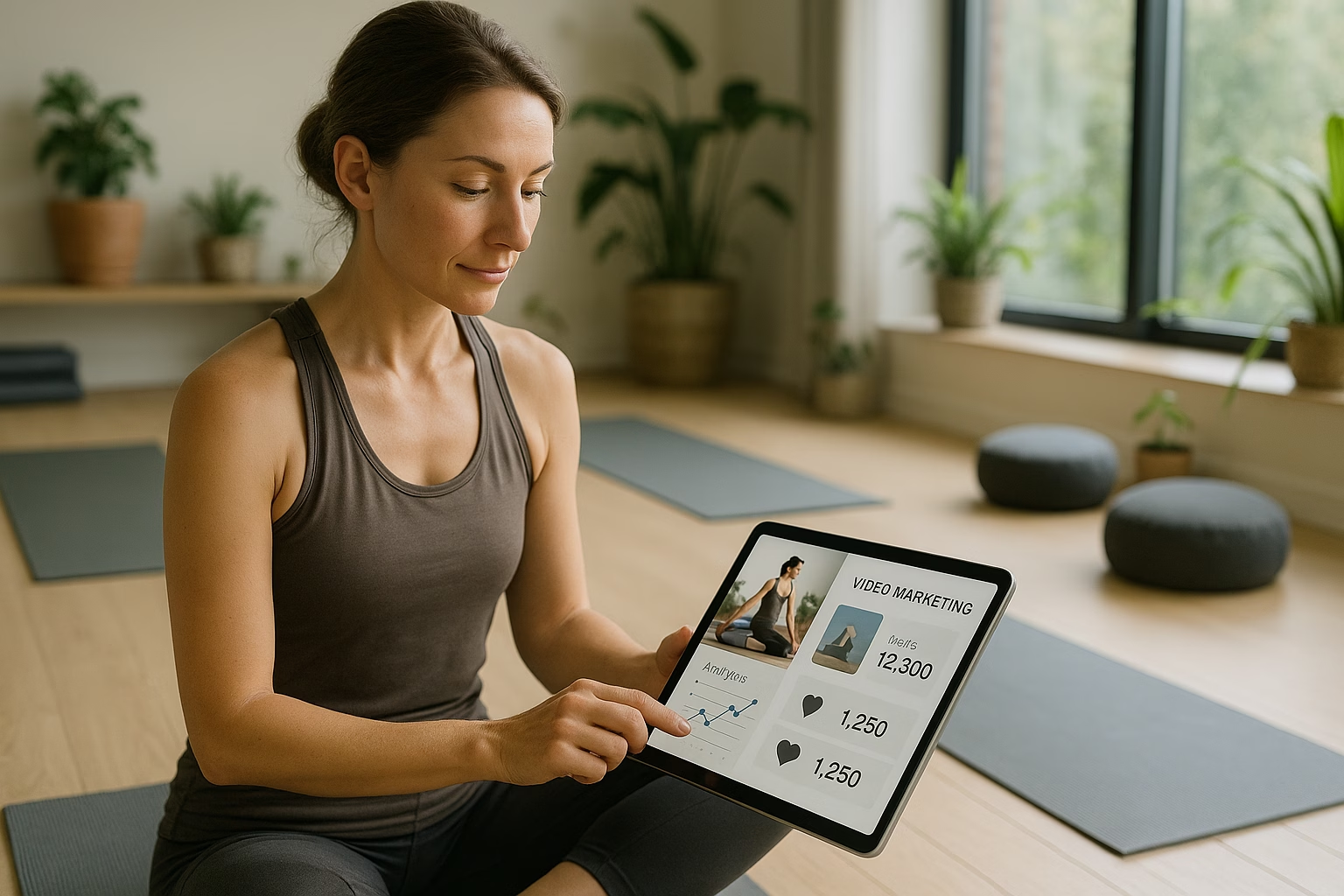
YouTube Video Basics - Yoga class Essentials
A simple YouTube Video Basics answer: Start by planning one clear yoga class flow, record with steady camera and warm natural light, use a lavalier or shotgun mic for clear audio, edit to cut dead time, and upload with a descriptive title, thumbnail, and tags so beginners find your class video easily.
Why this guide matters for Yoga instructors
If you teach yoga and want to reach students online, understanding the core YouTube Video Basics will let you share consistent class video and video tutorial content that builds trust. This guide breaks camera, audio, lighting, framing, editing, upload checklist, thumbnails, and a starter calendar into repeatable steps for creators aged 16-40.
Core fundamentals explained
1. Plan your yoga class video
Start with a clear class goal: relaxation, strength, or beginners flow. Write a short outline with start, middle, end, and cues. For example, a 20-minute "Yoga for tight hips" class might include warmup, two standing poses, hip openers, and a 3-minute cooldown. Keep language simple and inclusive.
- Choose a single learning objective per video (e.g., "Hip openers").
- Decide length: 10-30 minutes for most class videos.
- Write cue phrases and transitions for smoother edits.
2. Camera and framing basics
You don’t need expensive gear. A smartphone on a tripod or an entry-level mirrorless camera works. Frame wide enough to show full-body movement but close enough for alignment cues. Use a three-quarter angle (slightly diagonal) for better depth and less distortion compared to straight-on.
- Use a tripod and level the horizon line.
- Test framing: standing, seated, and lying poses should fit the frame.
- Record in landscape (horizontal) for YouTube.
3. Audio: the often overlooked hero
Clear audio increases retention. Use a lavalier mic clipped to your shirt or an affordable shotgun mic on-camera. Record a quick test, listen with headphones, and eliminate echo by using rugs or blankets if your room is reflective. Speak slowly and cue transitions clearly.
- Prefer external mic vs. built-in smartphone mic.
- Record ambient noise sample to edit later.
- Consider light background music at low volume for flow.
4. Lighting for yoga classes
Natural light is flattering and free: position yourself facing a window. If filming at night, use two soft lights at 45-degree angles to reduce shadows. Avoid bright backlight that silhouette instructors. Small LED panels and diffusion provide consistent color and intensity.
- Face the primary light source for even skin tones.
- Use a white sheet to diffuse harsh sunlight if necessary.
- Match color temperature across lights for consistent color.
5. Simple editing workflow
Keep edits minimal so your personality shines. Trim dead air, add soft crossfades for transitions, and overlay on-screen text for pose names and timings. Free editors like iMovie or DaVinci Resolve are beginner-friendly. Save a 1080p MP4 file for upload.
- Cut to the beat of breath or movement to maintain flow.
- Add lower-third titles for pose names and modifications.
- Export settings: 1080p, 24-30fps, H.264 codec for YouTube.
6. Thumbnail and title basics
Thumbnails should be clear at small sizes: use a bold readable title (3-5 words), a high-contrast photo of a pose, and consistent branding. Your actual video title should include keywords like "Yoga for" or "class video" and one power phrase to attract clicks while remaining honest.
- Use 1280x720 pixels, JPG or PNG, under 2MB.
- Readable text at mobile sizes improves click-through rates.
- Keep thumbnail style consistent across your channel.
7. Upload checklist and metadata
Before you publish, add a descriptive title, 150-250 word description with timestamps, 10-20 tags (mix broad and specific), a relevant playlist, and an end screen or cards linking to other videos. Choose the right audience setting and select a category like "Howto & Style" for yoga tutorials.
- Include pose names and benefits in the description for search.
- Add chapter markers to improve navigation and retention.
- Use tags to capture search variations like "Yoga for beginners".
How to start: 7 easy repeatable steps
- Step 1: Define your class objective and target student (e.g., busy beginners, 20-minute full-body).
- Step 2: Create a short script or bullet outline with sequence and cue language for each pose.
- Step 3: Setup your camera on a tripod at a three-quarter angle and test full-body framing for every posture.
- Step 4: Connect an external lavalier or shotgun mic, record a short audio test, and monitor for background noise.
- Step 5: Use natural light or two soft LEDs positioned at 45-degree angles; check for harsh shadows.
- Step 6: Edit by trimming pauses, adding titles for poses, simple fades, and a calm music bed at low volume.
- Step 7: Upload with a clear title, 150+ word description, chapter timestamps, tags, custom thumbnail, and playlist placement.
- Step 8: Publish and promote via your social handles and community posts; ask viewers to comment which class they want next.
- Step 9: Track basic metrics: views, average view duration, and comments; use findings to refine your next class.
Starter content calendar (first 4 weeks)
Consistency builds confidence. Start with one video per week and a simple rotation: short practice, themed class, Q&A, and a mini-tutorial. This predictable schedule helps viewers return and helps you refine production without burnout.
- Week 1: 20-minute "Yoga for tight hips" class video.
- Week 2: 10-minute morning flow focused on breath and mobility.
- Week 3: Mini-tutorial on correct alignment for Downward Dog (video tutorial).
- Week 4: Q&A or short live session addressing beginner questions.
Distribution and discoverability tips
Optimize discoverability by using searchable phrases like "Yoga for beginners" in your title and description, and add chapters for faster navigation. Share clips to Instagram Reels, TikTok, or TikTok-style shorts to funnel viewers to the full class video on YouTube.
- Repurpose a 60-second highlight as a short to attract new viewers.
- Add links to your full class and playlist in short descriptions.
- Encourage saves, likes, and comments to help the algorithm surface your content.
Tools and resources
- YouTube Creator Academy - official lessons on uploads, thumbnails, and monetization best practices.
- YouTube Help Center - documentation on upload limits, copyright, and community guidelines.
- Think with Google - research and audience trends to shape theme choices.
- Hootsuite Blog - scheduling and social repurpose strategies for small creators.
- Social Media Examiner - promotion tactics and creative marketing ideas.
Related PrimeTime Media resources
If you want help turning this process into a reliable routine, PrimeTime Media can assist with production templates, thumbnail design, and content calendars. Learn more about YouTube engagement fundamentals in our guide YouTube Engagement Basics to Boost Views.
For creators who want automation and repeatable workflows for content publishing, check our posts about automation and calendars: Automated YouTube and Basics Using API Integrations and 7 Easy Steps Using YouTube Automation AI for Beginners.
PrimeTime Media advantage: we combine creator-first coaching with production templates so yoga instructors can publish professional-looking class videos quickly. Ready to make your first full-length class video? Contact PrimeTime Media to jumpstart your channel with a personalized content plan and thumbnail pack.
Call to action: Visit PrimeTime Media to schedule a free consultation or download a starter checklist to publish your first yoga class video with confidence.
[MISTAKE 1 - WRONG]
Recording long rambling classes without an outline and minimal editing, then uploading without clear titles, thumbnails, or timestamps.
🎯 Key Takeaways
- Master Yoga class and class video - YouTube Video Basics for Yoga basics for Yoga Benchmark
- Avoid common mistakes
- Build strong foundation
⚠️ Common Mistakes & How to Fix Them
YouTube Video Basics - Essential Yoga class Tips
Featured snippet: For yoga instructors building a channel, start with consistent class formats, clear audio and bright lighting, short editing workflows, and an upload checklist focusing on titles, thumbnails, and metadata. These steps help you produce reliable class video tutorials that attract beginners and increase watch time.
PrimeTime Advantage for Intermediate Creators
PrimeTime Media is an AI optimization service that revives old YouTube videos and pre-optimizes new uploads. It continuously monitors your entire library and auto-tests titles, descriptions, and packaging to maximize RPM and subscriber conversion. Unlike legacy toolbars and keyword gadgets (e.g., TubeBuddy, vidIQ, Social Blade style dashboards), PrimeTime acts directly on outcomes-revenue and subs-using live performance signals.
- Continuous monitoring detects decays early and revives them with tested title/thumbnail/description updates.
- Revenue-share model (50/50 on incremental lift) eliminates upfront risk and aligns incentives.
- Optimization focuses on decision-stage intent and retention-not raw keyword stuffing-so RPM and subs rise together.
👉 Maximize Revenue from Your Existing Content Library. Learn more about optimization services: primetime.media
Intermediate FAQs
How long should a yoga class video be for retention?
Optimal lengths vary by audience: 10-20 minutes works well for daily micro-classes, while 25-45 minutes suits full sessions. Aim for consistent length across videos-YouTube favors predictable formats-and monitor average view duration to refine the sweet spot for your viewers.
What metadata boosts discoverability for yoga class tutorials?
Use a concise title with target keywords, a keyword-rich first 150 characters of the description, relevant tags, and timestamps. Create playlists grouped by intent (e.g., “Yoga for beginners” or “Morning yoga class”) to improve session watch time and suggested traffic.
Should I film multi-angle shots for class videos?
Yes, two to three angles help teach alignment and modifications: a wide full-body shot, a medium instructor-facing angle, and an overhead or close-up for hands/feet details. Multi-angle editing increases clarity and viewer engagement when paced thoughtfully.
How do I improve my thumbnails to increase CTR?
Use a clear central pose, expressive facial cue, high contrast, and bold text with a single benefit phrase. Test variations and let analytics guide you-improving CTR by 2-5% can compound into significantly higher views over time.
🎯 Key Takeaways
- Scale Yoga class and class video - YouTube Video Basics for Yoga in your Yoga Benchmark practice
- Advanced optimization
- Proven strategies
⚠️ Common Mistakes & How to Fix Them
YouTube Video Basics - Essential Yoga class video tutorial
To launch and scale yoga class videos on YouTube, focus on repeatable production, advanced YouTube optimization, and systems that convert viewers into students. Master camera, audio, lighting, SEO-rich metadata, thumbnails, playlists, and an automation-ready workflow to grow reliably and monetize your teaching.
Why YouTube matters for yoga instructors
Video-first platforms reward consistent, value-driven content. As a yoga instructor, YouTube lets you reach local students searching for "yoga classes near me" while building a global audience. Long-form class videos and targeted tutorials increase watch time and subscriber conversion-key signals to the YouTube algorithm.
PrimeTime Advantage for Advanced Creators
PrimeTime Media is an AI optimization service that revives old YouTube videos and pre-optimizes new uploads. It continuously monitors your entire library and auto-tests titles, descriptions, and packaging to maximize RPM and subscriber conversion. Unlike legacy toolbars and keyword gadgets (e.g., TubeBuddy, vidIQ, Social Blade style dashboards), PrimeTime acts directly on outcomes-revenue and subs-using live performance signals.
- Continuous monitoring detects decays early and revives them with tested title/thumbnail/description updates.
- Revenue-share model (50/50 on incremental lift) eliminates upfront risk and aligns incentives.
- Optimization focuses on decision-stage intent and retention-not raw keyword stuffing-so RPM and subs rise together.
👉 Maximize Revenue from Your Existing Content Library. Learn more about optimization services: primetime.media
Core components covered in this guide
- Production fundamentals: camera, audio, lighting, framing
- Advanced editing workflow for efficiency and brand consistency
- SEO and metadata techniques tailored to yoga class and tutorial searches
- Thumbnail and title testing strategies to boost CTR
- Scaling: batching, automation, repurposing, and analytics-driven calendars
Featured snippet
Optimize yoga class videos by combining clear production (audio, lighting, framing), SEO-focused metadata (titles, tags, descriptions), and data-driven thumbnails and upload schedules. Batch production and automation streamline scaling so you can convert casual viewers into regular students and local attendees.
Advanced pre-production checklist
Before filming, lock these items to keep shoots short, repeatable, and brand-consistent.
- Brief: class focus (vinyasa, restorative, beginner flow), duration, and learning outcome
- Shot list and sequence of poses with timing cues
- Scripted voice cues or prompt cards for pacing and verbal clarity
- Local SEO keywords and target audience (e.g., "yoga classes miami" or "yoga classes for beginners near me")
- Upload folder structure and naming conventions for automation
7 Pro Steps to Film Yoga class Videos That Convert
- Step 1: Define the conversion goal - subscribe, class sign-up, or studio visit - and map the video CTA to that goal so every element aligns to the desired action.
- Step 2: Choose gear for consistency - a reliable autofocus mirrorless camera or a high-quality phone, a shotgun mic or lavalier, and a soft key light to create a welcoming studio tone.
- Step 3: Frame for instruction - wide enough to show full-body alignment with a secondary close-up camera or crop to allow dynamic edits and posture breakdowns.
- Step 4: Record a safe, measured audio track - capture instructor audio on-surface via lavalier and ambient room audio for natural breathing and class ambiance.
- Step 5: Edit with speed and brand consistency - create reusable templates for intro, lower-thirds for pose names, end screens, and repurposeable segments for shorts.
- Step 6: Optimize metadata - craft a keyword-forward title, an SEO-rich description with timestamps and local phrases like "yoga classes coral springs" where relevant, and choose targeted tags and chapters.
- Step 7: A/B test thumbnails and CTAs - run small experiments on thumbnail variations and end screen CTAs to learn which visual language drives clicks and conversions.
- Step 8: Batch production and workflow automation - film multiple class videos per session, and use automation tools to schedule uploads, populate descriptions, and push clips to social platforms.
- Step 9: Analyze and iterate - review retention graphs, traffic sources, and click-through rates; adapt future classes to the highest-performing formats and time-of-day upload patterns.
- Step 10: Repurpose: convert longer class videos into 5-10 minute pose breakdowns, short-form tutorials, and Instagram reels to feed discovery and subscriptions.
Production tips that matter to modern creators
Gen Z and Millennial viewers expect authenticity and polished editing. Use natural lighting supplemented by a softbox or LED panel, maintain vertical-safe framing for repurposing to shorts, and keep verbal cues clear and conversational. Use consistent branding elements (colors, fonts, intro music) across videos.
Advanced editing workflow
Build an edit template to cut time and maintain consistency. Use proxies for large files, automated color LUTs for a consistent studio look, and multilayer sequences to switch angles. Pre-made caption sets and timestamp templates speed up YouTube uploads and accessibility.
Automation and scaling
Scale reliably by integrating scheduling, asset management, and analytics. Use content calendars driven by data and automate repetitive tasks like adding chapters, populating social captions, and exporting short-form clips. For actionable automation patterns, see Automated youtube and Basics Using Api Integrations.
SEO and metadata - beyond keywords
Think in intent clusters: a single yoga class video can rank for multiple queries with proper structuring. Use titles that balance a primary keyword with emotional or functional hooks, descriptions with timestamps and local SEO mentions (e.g., "yoga class fort lauderdale"), and chapters to increase session time.
- Primary title formula: [YouTube Video Basics] + [Class Type] + [Outcome]
- Description strategy: 1-2 keyword-rich opening sentences, timestamps, resource links, and a clear CTA
- Tags and topics: use 8-15 targeted tags and set a precise topic category in YouTube Studio
Thumbnail best practices and experimentation
High-contrast, readable faces or poses, short overlay text (2-4 words), and consistent brand accents perform best. Run A/B thumbnail tests and compare first-impression CTR with watch time to avoid clickbait that damages retention.
Monetization and local student conversion
Use chapters to create short clips that target "yoga classes near me" and local city keywords. Embed clear CTAs directing to in-person classes or booking pages. Offer a free mini-class in exchange for email to build a local student mailing list and use community posts for local promotions.
Analytics to prioritize
- Audience retention: identifies drop points to fix teaching pace or visuals
- Traffic sources: signals where to double down (search vs. suggested)
- Impressions CTR: assess thumbnail/title impact
- Engagement: comments and shares indicate community strength
Repurposing and growth loops
Turn one filmed class into multiple assets: a full-length class, 3-5 pose breakdowns, 10 shorts for reels/TikTok, and a guided audio track. This multiplies reach while keeping production incremental. For scaling workflows and API-driven cadence, review PrimeTime Media’s automation insights in 7 Easy Steps Using youtube automation ai for Beginners.
Tools and integrations
Use reliable tools for each stage: DaVinci Resolve or Premiere Pro for edits, Descript for transcription and quick caption edits, TubeBuddy or VidIQ for keyword research, and Zapier or an API-driven tool to automate uploads and social snippets.
Resources and further reading
- YouTube Creator Academy - official best practices for creators
- YouTube Help Center - policies, uploading, and technical guidelines
- Think with Google - insights into audience behavior and trends
- Social Media Examiner - promotion and social repurposing tactics
- Hootsuite Blog - scheduling and cross-platform distribution tips
PrimeTime Media advantage and next steps
PrimeTime Media helps yoga instructors convert YouTube viewers into paying clients by building automation-first workflows, scalable editing templates, and local SEO strategies that target searches like "yoga classes pembroke pines" or "yoga classes coral gables." Ready to save production time and book more students? Contact PrimeTime Media to evaluate your channel and build a growth plan that scales.
Learn engagement fundamentals and combine them with automation for growth, or explore how to repurpose content efficiently with content repurposing workflows.
Advanced FAQs
How do I optimize titles and descriptions for both local search and YouTube search?
Include primary keywords and city modifiers early in the title and the first two description lines. Use phrases like "Yoga class Fort Lauderdale" and variations in description and chapters. Combine local terms with intent-driven phrases (e.g., "beginner flow" or "morning practice") to capture both search and discovery traffic.
What metrics show a yoga class video is converting viewers into students?
Key conversion metrics are click-through rate, average view duration, conversion events (link clicks, booking page visits), and subscriber growth after video view. Track end-screen click rates and external link clicks to booking pages. High retention plus action signals indicates effective instruction-to-conversion flow.
How should I structure upload frequency and batching for sustainable growth?
Batch film multiple classes in a single session and schedule releases weekly or biweekly to maintain consistency. Use analytics to find the best publish day/time, and build a content calendar that alternates full classes with shorter tutorials and shorts to maximize discovery and retention.
Which thumbnail tests provide the fastest learning for CTR and retention?
Run A/B tests comparing face-closeups, pose visuals, and overlay text permutations. Measure first-24-hour CTR and next-day retention: thumbnails that increase CTR without sacrificing retention are winners. Test one variable at a time and document results for iterative learning.
Can automation tools safely handle captions, metadata, and multi-platform repurposing?
Yes, automation can populate captions, metadata blocks, and export short-form clips when configured correctly. Use proven APIs and templates to avoid errors; always review autogenerated captions and descriptions for accuracy before publishing to protect quality and SEO performance.
🎯 Key Takeaways
- Expert Yoga class and class video - YouTube Video Basics for Yoga techniques for Yoga Benchmark
- Maximum impact
- Industry-leading results
⚠️ Common Mistakes & How to Fix Them
🚀 Ready to Unlock Your Revenue Potential?
Join the creators using PrimeTime Media to maximize their YouTube earnings. No upfront costs—we only succeed when you do.