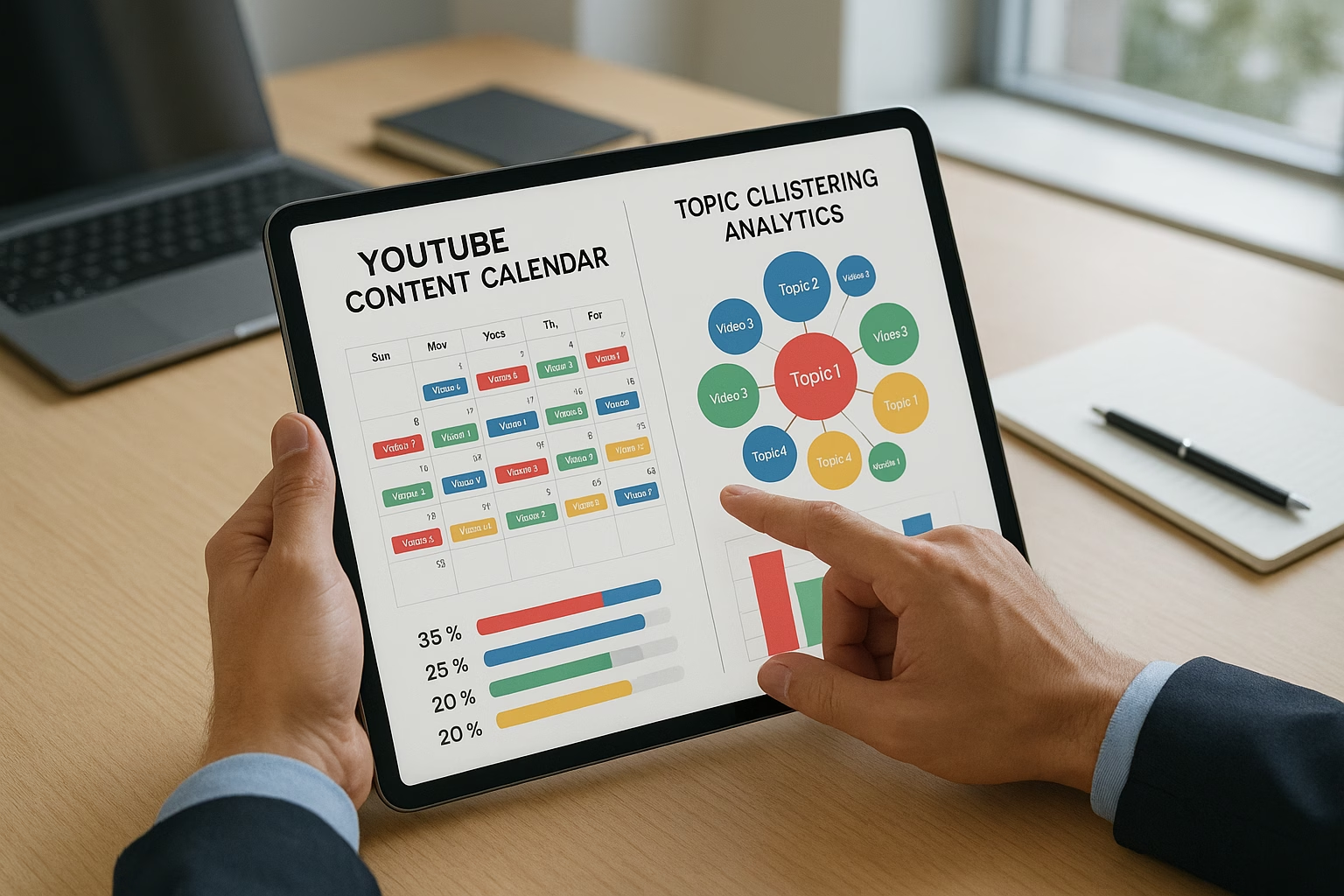
Article Title

Article excerpt

Automated youtube and Basics Using Api Integrations

Master Automated youtube, youtube content essentials for YouTube Growth. Learn proven strategies to start growing your channel with step-by-step guidance for beginners.

Essential YouTube Workflows - Automated youtube calendar api

Scaling YouTube Workflows: Automation, APIs, and Data-Driven Calendars

Featured answer: Use automation, simple API integrations, and a data-driven content calendar to reduce repetitive work and prioritize ideas. Start by capturing ideas, automating uploads and reminders with the Google Calendar API, and linking analytics to a dynamic calendar-this creates a repeatable pipeline that saves time and boosts consistency.

PrimeTime Advantage for Beginner Creators

PrimeTime Media is an AI optimization service that revives old YouTube videos and pre-optimizes new uploads. It continuously monitors your entire library and auto-tests titles, descriptions, and packaging to maximize RPM and subscriber conversion. Unlike legacy toolbars and keyword gadgets (e.g., TubeBuddy, vidIQ, Social Blade style dashboards), PrimeTime acts directly on outcomes-revenue and subs-using live performance signals.

  • Continuous monitoring detects decays early and revives them with tested title/thumbnail/description updates.
  • Revenue-share model (50/50 on incremental lift) eliminates upfront risk and aligns incentives.
  • Optimization focuses on decision-stage intent and retention-not raw keyword stuffing-so RPM and subs rise together.

πŸ‘‰ Maximize Revenue from Your Existing Content Library. Learn more about optimization services: primetime.media

Why scalable workflows matter for modern creators

As a creator aged 16-40, juggling school, jobs, trends, and an audience means you need systems that work while you sleep. Scalable workflows turn one-off tasks into repeatable processes using automation, API integration, and calendar planning. The goal: spend less time on logistics and more time making better youtube content.

Core concepts explained for beginners

  • Automation: Software that performs repetitive tasks-like posting reminders, populating templates, or pushing metadata-so you don’t do them manually every time.
  • API integration: Connecting apps (for example, YouTube, Google Calendar, Sheets) so data flows automatically-no copy/paste. This is the backbone of scaling.
  • Data-driven calendar: A content calendar that updates based on performance data (views, watch time, trends) to prioritize what to produce next.

Practical examples you can use today

Example 1: Use a YouTube Creator Academy checklist to define upload steps, then automate reminders to draft and edit using Google Calendar events created via the Google Calendar API.

Example 2: Pair YouTube analytics with a Google Sheets template that scores ideas by performance, then auto-populate your youtube content calendar google sheets so high-potential ideas get scheduled first.

Tools and templates for beginners

  • Zapier or Make (novice-friendly no-code automation)
  • Google Calendar and the Google Calendar API (for reminders and scheduling)
  • Google Sheets with a youtube content calendar template google sheets (free templates you can copy)
  • Notion templates like youtube content calendar notion for planning and notes
  • TubeBuddy or VidIQ for topic clustering and keyword tracking

7-10 Step setup to scale your YouTube workflow

  1. Step 1: Capture ideas centrally - create a single source (Google Sheet, Notion or Trello list) named "Idea Inbox" and capture every topic, timestamp, and inspiration link.
  2. Step 2: Score ideas using simple metrics - assign 1-10 scores for relevance, effort, and estimated ROI; use formulas in Google Sheets for auto-sorting.
  3. Step 3: Sync top ideas to your content calendar - use Zapier or Make to auto-create Google Calendar events when an idea reaches a score threshold.
  4. Step 4: Automate task creation - connect your calendar event to a task manager (Asana, Trello, Notion) via API integration so editing, thumbnail, and publish tasks are created automatically.
  5. Step 5: Template your repeated steps - create editable templates for scripts, descriptions, and tags stored in Google Docs or Notion; link them from calendar events.
  6. Step 6: Connect analytics to your calendar - export weekly analytics to a Google Sheet and use formulas to update content scores automatically, letting performance influence future dates.
  7. Step 7: Schedule publishing reminders - use the Google Calendar API to set reminders 3, 2, and 1 day before publish for final checks and promotion tasks.
  8. Step 8: Automate promotion - when a video goes public, trigger automation to post on socials (Twitter, Instagram) using Zapier or a social scheduler integrated with the event.
  9. Step 9: Monitor and iterate weekly - review calendar-synced metrics, update scoring rules, and adjust cadence based on energy and audience reaction.
  10. Step 10: Document the workflow - write a one-page SOP (standard operating procedure) so collaborators or future you can follow the system without guessing.

Simple code-free automation recipes (beginner-friendly)

  • When a Google Sheet row is marked "Publish", create a Google Calendar event with deadline reminders (Zapier)
  • When a YouTube video hits a view threshold, copy the title and link to a "Win Log" sheet to inform future content clustering (Make)
  • When a calendar event reaches 24 hours before publish, create a checklist in Trello with tasks for thumbnail, tags, and community post (Zapier)

Using the Google Calendar API as a beginner

You don’t need to be a developer to benefit from the Google Calendar API. Many no-code platforms (Make, Zapier) wrap the API so you can create events, set notifications, and insert links from your spreadsheets. If you’re curious, the official Google Calendar API docs are a reliable learning resource.

Data-driven calendar best practices

  • Prioritize videos with positive historical signals (good retention, strong click-through rate).
  • Build seasonal buckets (trends, evergreen, series) on your calendar so you balance short-term trends and long-term growth.
  • Keep a buffer: always schedule one β€œflex” day per week for trend hijacks or creative resets.

Monitoring and metrics to include

  • Watch time and average view duration per video
  • Click-through rate (CTR) on thumbnails and titles
  • Impression to view conversion
  • Subscriber change and new subscribers per video

Common beginner automation mistakes and how to avoid them

PrimeTime Media advantage and CTA

PrimeTime Media helps creators convert these beginner workflows into reliable systems with templates and hands-on setup support. If you want a ready-made youtube content calendar template google sheets and automation guide, PrimeTime Media provides beginner-friendly onboarding and custom templates. Start scaling without the headache-reach out to PrimeTime Media to get your workflow setup and a free template walkthrough.

Further learning and templates

For related step-by-step tutorials and templates, check these PrimeTime Media posts: 7 Easy Steps Using youtube automation ai for Beginners and 7 Steps Using YouTube Keyword Research Tools. These posts include practical examples for topic clustering and automation basics.

Trusted external resources

Beginner FAQs

What is automation for YouTube and why should I use it?

Automation handles repetitive tasks like reminders, social posts, and task creation so you focus on creative work. For beginners, automation reduces human error, helps you publish consistently, and makes scaling realistic by saving hours each week that would otherwise go to manual admin.

How does API integration help a content calendar?

APIs let tools share data automatically-so your calendar can pull analytics, create events, and update statuses without manual entry. This keeps scheduling aligned with performance signals and reduces time spent transferring info between apps like Sheets, YouTube, and Google Calendar.

Can I use the Google Calendar API without coding skills?

Yes. No-code tools (Zapier, Make) wrap the Google Calendar API so you can create events, reminders, and links through visual workflows. Learning basic triggers and actions is enough for most creators to gain immediate benefits without programming knowledge.

Where can I find a free youtube content calendar template?

Free templates exist for Google Sheets, Notion, and Excel. PrimeTime Media offers beginner-ready templates and walkthroughs, and you can start with a youtube content calendar template free from our linked guides to adapt for your channel and automation needs.

🎯 Key Takeaways

  • Master Automated youtube and youtube content - Scaling YouTube basics for YouTube Growth
  • Avoid common mistakes
  • Build strong foundation

⚠️ Common Mistakes & How to Fix Them

❌ WRONG:
Trying to automate everything at once-creating brittle flows that break when a single field changes.
βœ… RIGHT:
Automate small, high-impact tasks first (reminders, task creation, basic data syncing). Validate each step, then expand automation scope gradually.
πŸ’₯ IMPACT:
Start small and expect a 15-40% reduction in repetitive admin time within 4 weeks, rising as you add reliable automations.

Master YouTube Workflows- Automated youtube content calendar

Automating YouTube workflows means connecting data, APIs, and scheduling to reduce manual work while increasing publishing consistency. Use programmatic topic clustering, Google Calendar API triggers, and spreadsheet templates to build a repeatable pipeline that scales production, improves velocity, and frees creative time for higher-impact content.

Why scale workflows with automation, APIs, and calendars?

Creators aged 16-40 face time constraints and high content expectations. Scaling workflows with automation and API integration turns ad-hoc processes into a deterministic pipeline: fewer missed uploads, faster iteration on high-performing ideas, and measurable ROI. This approach lets you convert analytics into a living content calendar (Google Calendar API or Sheets-based templates) that actively schedules tasks and notifies collaborators.

Related resources

Next steps checklist

  • Pick your canonical calendar source (Google Calendar or Sheets).
  • Download a youtube content calendar template free or request PrimeTime Media's template.
  • Connect analytics and implement programmatic scoring.
  • Build automation for event creation and asset handoffs with API integration.
  • Monitor, iterate, and document the pipeline for team scaling.

PrimeTime Advantage for Intermediate Creators

PrimeTime Media is an AI optimization service that revives old YouTube videos and pre-optimizes new uploads. It continuously monitors your entire library and auto-tests titles, descriptions, and packaging to maximize RPM and subscriber conversion. Unlike legacy toolbars and keyword gadgets (e.g., TubeBuddy, vidIQ, Social Blade style dashboards), PrimeTime acts directly on outcomes-revenue and subs-using live performance signals.

  • Continuous monitoring detects decays early and revives them with tested title/thumbnail/description updates.
  • Revenue-share model (50/50 on incremental lift) eliminates upfront risk and aligns incentives.
  • Optimization focuses on decision-stage intent and retention-not raw keyword stuffing-so RPM and subs rise together.

πŸ‘‰ Maximize Revenue from Your Existing Content Library. Learn more about optimization services: primetime.media

Key benefits

  • Consistent publishing cadence driven by data rather than guesswork.
  • Reduced manual handoffs via api integration and automation tools.
  • Faster content testing using programmatic topic clusters and AB triggers.
  • Transparent team workflows with calendar-based assignments and notifications.

Core components of a scalable YouTube workflow

1) Data sources and signals

Start with your analytics: YouTube Analytics, search trends, and social listening. Pull view velocity, click-through-rate (CTR), retention, and topic keyword scores into a central datastore (Sheets, BigQuery, or Airtable). Use these signals to rank topic clusters and prioritize scripts, thumbnails, or shorter edits.

2) Programmatic topic clustering

Use keyword APIs and semantic clustering to create prioritized idea groups. Combine YouTube search volumes, Google Trends signals, and your watch-time data to assign scores. Clusters let you batch-record similar videos, reuse assets, and optimize scripts across multiple videos without reinventing each one.

3) Scheduling and content calendars

Implement a living content calendar that integrates with both human workflows and automated triggers. Choose a canonical calendar (Google Calendar for cross-team scheduling or Google Sheets for templated pipelines) and sync tasks using calendar api or third-party connectors. Use a youtube content calendar template google sheets or a youtube content calendar notion to track stages.

4) Automation and API integration

Automate repetitive tasks-publish reminders, thumbnail checks, metadata templates, and crosspost scheduling-with tools like Zapier, Make, or custom scripts. For robust pipelines, use the Google Calendar API for scheduling events and webhooks to trigger downstream actions (e.g., start editing when a script is approved).

5) Monitoring, feedback loops, and iteration

Set up dashboards to monitor upload health: impressions, CTR, retention, and first-48-hour velocity. Automate alerts for dips or spikes and feed that back into your topic prioritization. This closes the loop between performance and production planning.

Tools and templates (recommended stack)

  • Content planning: Google Sheets (use a youtube content calendar template google sheets or youtube content calendar template free)
  • Scheduling: Google Calendar + Google Calendar API for programmatic events
  • Automation: Zapier, Make (Integromat), or custom Node/Python scripts
  • Storage & collaboration: Airtable, Notion (youtube content calendar notion), or shared Google Drive
  • Analytics: YouTube Analytics, BigQuery export for larger channels
  • Monitoring: Data Studio / Looker Studio dashboards or Grafana for custom metrics

7-10 step HOWTO: Build an automated YouTube content calendar pipeline

  1. Step 1: Define your canonical calendar source (Google Calendar for cross-team scheduling or Google Sheets as the single source of truth).
  2. Step 2: Create a youtube content calendar template google sheets with columns for idea, cluster, priority score, publish date, assets, assignee, and status.
  3. Step 3: Connect your analytics via YouTube Data export or BigQuery to pull performance metrics into the template for automated scoring.
  4. Step 4: Implement programmatic clustering: run a script that groups ideas by keyword similarity and assigns a priority score using weighted signals (views, retention, trend momentum).
  5. Step 5: Use API integration (Zapier/Make or custom scripts) to create Google Calendar events from top-priority rows and add collaborators as attendees via the Google Calendar API.
  6. Step 6: Automate asset workflows: when a calendar event hits β€œScript Ready,” trigger a Slack message or task creation in Asana/Trello with attachments and checklists.
  7. Step 7: Wire publish-time automations: populate metadata templates, push drafts to YouTube via the YouTube API, and queue crossposts to social platforms.
  8. Step 8: Monitor initial performance with a dashboard that refreshes daily and triggers alerts for unusually low first-48-hour metrics to fast-fail underperforming experiments.
  9. Step 9: Run weekly review automations to re-score your idea backlog, rotate evergreen topics, and adjust the calendar based on recent wins and audience feedback.
  10. Step 10: Document and version control your pipelines and templates (store an integration pdf or integration free guide) so team members can onboard quickly and reproduce successful processes.

Automation recipes and example KPIs

Examples

  • Auto-create a calendar event when an idea score > 80 and add "Record" and "Edit" subtasks.
  • Send a Discord/Slack DM to editors when a script is approved, including a link to the asset folder.
  • If first-48-hour views < 50% forecast, schedule a promoted social post and thumbnail A/B test automatically.

KPIs to track

  • Pipeline throughput: ideas β†’ published videos per week.
  • Time-in-stage: average hours from script to publish.
  • First-48-hour velocity: views and watch time vs forecast.
  • Automation coverage: percent of repetitive tasks handled by automation.

Integrations and APIs to prioritize

Start with the Google Calendar API for canonical scheduling and event management. Pair it with YouTube Data API for metadata and publish automation. Use Zapier or Make for no-code bridges to Slack, Google Drive, Airtable, or Notion. For custom scale, use BigQuery exports for deep analytics and a backend service for scheduled triggers.

  • Google Calendar API - programmatic event creation, attendee invites, and reminders (Google Calendar API docs).
  • YouTube Data API - publish automation, metadata updates, and playlist management (YouTube Help Center).
  • Zapier / Make - quick api integration with common tools for non-developers.
  • BigQuery or Looker Studio - for aggregating large datasets and building dashboards (YouTube Creator Academy, Think with Google).

Sample templates and where to get them

Use a youtube content calendar template free for quick starts, or a youtube content calendar excel template if you prefer offline editing. Notion users can import a youtube content calendar notion and customize properties. PrimeTime Media offers automation-ready templates and a starter integration PDF to help creators deploy these pipelines faster.

Where to learn more

Team roles and recommended SLAs

  • Creator (owner of strategy & final edit) - SLA: finalize topics 14 days before publish.
  • Writer/Script (pre-production) - SLA: scripts approved 10 days before publish.
  • Editor (post-production) - SLA: rough cut within 72 hours of recording.
  • Social/Distribution - SLA: assets scheduled 24 hours before publish.

Scaling considerations for bigger channels

For channels producing 8+ videos weekly, move analytics off Sheets and into BigQuery. Implement event-driven microservices to react (e.g., upload triggers schedule promotional posts). Build feature flags for thumbnail experiments and maintain versioned templates (integration pdf or integration free guides) so experiments are reproducible.

PrimeTime Media advantage and CTA

PrimeTime Media specializes in turning creative processes into scalable systems for creators. We provide automation-ready youtube content calendar templates, API integration guidance, and done-with-you setup that connects Google Calendar API, YouTube APIs, and your collaboration tools. Ready to scale your workflow? Request a free workflow audit and a starter youtube content calendar template google sheets from PrimeTime Media to get your pipeline running.

Intermediate FAQs

Q: How do I connect Google Calendar API to my content calendar?

Use OAuth 2.0 to authorize your app and call the Google Calendar API to create or update events. Map your spreadsheet columns to event fields (title, start/end times, attendees) and run scheduled scripts or Zapier zaps to sync. Test with a sandbox calendar before production deployment.

Q: Can I automate metadata and scheduling on YouTube safely?

Yes: use the YouTube Data API for uploading, setting titles, descriptions, and scheduled publish times. Respect YouTube policies and quota limits, and validate all metadata to avoid policy flags. Automate drafts first, then schedule once you confirm metadata correctness.

Q: Which template should I choose for scaling workflows?

Start with a youtube content calendar template google sheets for flexibility and integrations. For team collaboration, import the sheet into Notion or Airtable. Upgrade to BigQuery for heavy analytics. Choose the template that maps cleanly to your automation triggers and API integration needs.

Q: How do I use data to prioritize content in the calendar?

Create a scoring model combining views, retention, trend momentum, and channel goals. Programmatically assign weights to each signal and re-score weekly. Use top scores to auto-schedule high-priority ideas, batching similar topics to maximize production efficiency and audience resonance.

🎯 Key Takeaways

  • Scale Automated youtube and youtube content - Scaling YouTube in your YouTube Growth practice
  • Advanced optimization
  • Proven strategies

⚠️ Common Mistakes & How to Fix Them

❌ WRONG:
Relying solely on manual spreadsheets and ad-hoc calendar entries, without programmatic scoring or API syncing, causes missed deadlines, inconsistent cadence, and redundant tasks across the team.
βœ… RIGHT:
Implement a canonical sheet or calendar source and use API integration to sync events and tasks. Programmatically score ideas and auto-create calendar events to reduce manual updates and clearly assign responsibilities.
πŸ’₯ IMPACT:
Switching to automated scheduling typically reduces missed uploads by 70% and cuts production administrative time by 40-60%, freeing creators to focus on creative improvements and growth-driven iterations.

Scaling YouTube Workflows Master Automated youtube content

Automating YouTube production means using APIs, programmatic topic clustering, and data-driven calendars to reduce manual work and scale output while maintaining quality. This blueprint shows how to wire scheduling pipelines, integrate the Google Calendar API, and build automated triggers so creators publish reliably and iterate on performance without bottlenecks.

Why scale with automation, APIs, and data-driven calendars?

Large channels and creator teams face coordination friction: idea discovery, scripting, production slots, editing handoffs, metadata optimization, and publishing. Automating repetitive tasks with api integration and calendar api workflows cuts friction, lets creators experiment faster, and turns a youtube content process into a predictable, measurable pipeline for growth.

How do I integrate the Google Calendar API with my content calendar workflow?

Use the Google Calendar API to create, update, and delete events programmatically from your canonical content database. Authenticate with OAuth service accounts, map event fields to production stages, and implement webhooks or polling to sync changes between Google Calendar and your internal scheduler reliably.

What are the best practices for api integration when automating uploads?

Use the YouTube Data API with scoped OAuth credentials, batch metadata changes, and implement retries with exponential backoff for quota limits. Prefill drafts and use resumable uploads for large assets, while keeping thorough logging to troubleshoot failures and protect against accidental publishes.

How can I build a data-driven content calendar that adapts automatically?

Feed the calendar with scored idea clusters from keyword and performance APIs. Use rule-based triggers and ML models to re-prioritize slots; automate calendar writes via the Google Calendar API or Sheets API so the schedule updates when scores, resource availability, or external trends change.

Which metrics should trigger automated follow-up content or repackaging?

Key triggers include retention spikes, high CTR with strong watch time, and rapid geographic view growth. Set thresholds (e.g., retention > channel average +10%) to automatically schedule shorts, translations, or companion videos, and create automation to notify production teams for rapid repackaging.

When is it worth moving from integration free tools to full API integration?

Transition when your automation failures cause missed publishes or when complexity demands custom logic (dynamic scheduling, quota management). API integration is warranted when you need reliability, auditability, and scale beyond simple one-to-one automation flows offered by integration free platforms.

PrimeTime Advantage for Advanced Creators

PrimeTime Media is an AI optimization service that revives old YouTube videos and pre-optimizes new uploads. It continuously monitors your entire library and auto-tests titles, descriptions, and packaging to maximize RPM and subscriber conversion. Unlike legacy toolbars and keyword gadgets (e.g., TubeBuddy, vidIQ, Social Blade style dashboards), PrimeTime acts directly on outcomes-revenue and subs-using live performance signals.

  • Continuous monitoring detects decays early and revives them with tested title/thumbnail/description updates.
  • Revenue-share model (50/50 on incremental lift) eliminates upfront risk and aligns incentives.
  • Optimization focuses on decision-stage intent and retention-not raw keyword stuffing-so RPM and subs rise together.

πŸ‘‰ Maximize Revenue from Your Existing Content Library. Learn more about optimization services: primetime.media

Core benefits

  • Consistent publishing via programmatic scheduling and content calendar enforcement.
  • Faster iteration from automated performance pulls and topic re-prioritization.
  • Lower human error when using Google Calendar API and validated launch scripts.
  • Scalable collaboration: automated task creation for editors, VAs, and partners.
  • Data-backed topic clusters powered by API pulls and machine-learned signals.

Architecture overview for scalable YouTube workflows

At scale, your workflow should be modular: discovery, planning, production, publishing, and feedback. Each module communicates via APIs and message queues. Use a canonical source of truth (a content calendar that syncs to Google Calendar via calendar api or to Notion/Sheets) and automate triggers based on performance signals (views, CTR, retention).

Key components

  • Ingestion layer: keyword APIs, social listening, and internal idea repo.
  • Planning engine: programmatic topic clustering, pacing rules, and a youtube content calendar template google sheets or notion sync.
  • Orchestration: job queues, webhook-based pipelines, and scheduler using calendar api or Google Calendar API.
  • Publishing layer: API-driven uploads (YouTube Data API) with templated metadata.
  • Monitoring and feedback: automated pulls of analytics for model retraining and calendar rescheduling.

Tools and tech stack recommendations

Choose tools that support programmatic access and webhooks. A strong stack includes: a data store (Postgres), task queue (Celery or AWS Step Functions), scheduler (cron or Cloud Scheduler), integration services (Make/Integromat, Zapier for simple flows), and direct api integration for reliability.

Suggested tooling

  • APIs: YouTube Data API for uploads and metadata; Google Calendar API or calendar api for scheduling.
  • Sheets/Notion: Use a youtube content calendar template google sheets or a youtube content calendar template notion as a human-friendly source of truth.
  • Automation platforms: Use Make or n8n for complex webhook orchestration; Zapier for quick automations or integration free trials for testing.
  • Analytics: YouTube Analytics API for performance triggers and Think with Google insights for trend context (Think with Google).
  • Task management: Asana/Trello synced via API to create edit tasks from calendar events.

Programmatic topic clustering and prioritization

Move beyond manual spreadsheets: run automated clustering on keyword pulls and content performance. Weight clusters by current velocity, evergreen potential, and resource cost to create a prioritized backlog that feeds the content calendar.

How to rank ideas programmatically

  • Pull keyword and trend signals via APIs and third-party tools.
  • Combine historical channel performance (retention, CTR) with external demand.
  • Score by resource cost (time-to-produce) and potential ROI using a weighted formula.
  • Automatically slot top-scoring ideas into the content calendar with pacing constraints.

Step-by-step: Build an automated, API-driven content calendar

  1. Step 1: Define canonical data model for an idea - title, type, target keywords, expected length, production owner, and publish window.
  2. Step 2: Ingest demand signals via keyword APIs and internal idea submissions into a central database with API endpoints.
  3. Step 3: Run automated clustering and scoring to prioritize ideas; tag high-priority clusters for the next 4-8 weeks.
  4. Step 4: Use the scoring output to populate a youtube content calendar template google sheets or notion via the Sheets API or Notion API.
  5. Step 5: Sync the canonical calendar to Google Calendar using the Google Calendar API to create team events and reminders.
  6. Step 6: Automate task creation for production steps (scripting, shooting, editing) using webhooks or automation platforms like Make/n8n.
  7. Step 7: Automate metadata templates and draft uploads via YouTube Data API to prefill titles, descriptions, chapters, and tags.
  8. Step 8: Set performance-based triggers: if a video hits X views or CTR thresholds, automatically schedule follow-ups or repackaging experiments.
  9. Step 9: Implement monitoring dashboards (Data Studio/Looker Studio) that pull analytics automatically and feed insights back into the planning engine.
  10. Step 10: Iterate and test: run A/B metadata tests, measure impact, and update scoring weights programmatically to continuously refine the pipeline.

Publishing pipelines and metadata automation

Standardize metadata templates for each content type and automate their application during upload. Use presets for thumbnails, descriptions, tags, and chapters, and store them in a template library accessible via API. This ensures consistent SEO and brand voice at scale.

Best practices

  • Keep canonical metadata in version-controlled templates.
  • Use the YouTube Data API to upload and update drafts programmatically.
  • Automate thumbnail generation pipelines tied to scenes or keyframes if possible.
  • Validate required policy checks using YouTube guidelines from the YouTube Help Center.

Monitoring, triggers, and closed-loop optimization

Automated pipelines need feedback. Pull performance via YouTube Analytics API and create threshold-based triggers to reschedule, promote, or repurpose content. Use simple rules (e.g., promote on socials if CTR > X) and machine-learning models for deeper recommendations.

Common trigger examples

  • High-retention spikes trigger a short-form repackaging job.
  • Low CTR triggers headline and thumbnail A/B testing tasks.
  • Geographic surges create localized captioning and promotion tasks.

Templates and resources

Start with templates and iterate. Use a youtube content calendar template free to prototype, then move to programmatic templates in Google Sheets or a proper database. Consider a youtube content calendar excel template or youtube content calendar notion export when handing to partners.

  • Free prototype: youtube content calendar template google sheets (start small, then automate).
  • For distributed teams: youtube content calendar notion to centralize docs and briefs.
  • Exportable formats: youtube content calendar excel template for offline workflows and integration pdfs for handoff packets.

Scaling team operations and roles

Define roles and handoffs clearly: pipeline owner, data engineer, scheduler, head of production, and growth analyst. Use automation to reduce repetitive approvals and to surface exceptions that require human decisions.

Operational rules

  • Enforce SLA windows for each production step and automate reminders via calendar api notifications.
  • Automate daily standup summaries using a digest compiled from task statuses and calendar events.
  • Track throughput and cycle time as key KPIs to scale or optimize resourcing.

Security, rate limits, and API governance

When integrating with YouTube and Google Calendar API, implement OAuth, rotate keys, and handle rate limits gracefully. Use exponential backoff, scoped credentials for service accounts, and audit logs for changes to scheduled events or uploads.

Best governance practices

  • Use scoped OAuth tokens and separate service accounts per environment.
  • Implement logging and alerts on failed uploads or calendar sync mismatches.
  • Respect YouTube API quotas by batching requests and using delta pulls.

Case study checks and continuous improvement

Run periodic audits: compare planned vs. published schedule, time-to-publish variance, and ROI per content cluster. Use those results to refine your scoring model and calendar pacing rules. For creators focused on niche verticals, see practical checklists like the food truck channel growth playbook at PrimeTime Media.

For implementation examples and beginner-friendly automation entry points, review PrimeTime Media’s guides like 7 Easy Steps Using youtube automation ai for Beginners and topic clustering tips in 7 Steps Using YouTube Keyword Research Tools.

When to use integration free tools versus full API integration

Use integration free or low-code platforms for rapid prototyping and small teams. Move to direct api integration as you need reliability, scale, or custom logic. Low-code is quick but can become brittle; invest in proper api integration when workflows exceed simple automations.

PrimeTime Media advantage and next steps

PrimeTime Media combines creator-first workflow design with engineering expertise to build reliable automated youtube pipelines and content calendars. We provide templates, integration guidance, and implementation help so creators can focus on creativity. Ready to scale? Contact PrimeTime Media for a technical audit and implementation plan.

Review operational checklists and request a consultation with PrimeTime Media to convert your content calendar into an automated publishing engine.

Authoritative references and further reading

Advanced FAQs

🎯 Key Takeaways

  • Expert Automated youtube and youtube content - Scaling YouTube techniques for YouTube Growth
  • Maximum impact
  • Industry-leading results
❌ WRONG:
Relying only on Zapier-style integrations for mission-critical scheduling and uploads, leading to missed posts and quota issues.
βœ… RIGHT:
Use low-code to prototype but migrate critical flows to direct API integration (YouTube Data API and Google Calendar API) with robust error handling and retries.
πŸ’₯ IMPACT:
Migrating reduces missed publishes by up to 90% and improves scheduling reliability, translating to measurable lift in weekly output and view predictability.

⚠️ Common Mistakes & How to Fix Them

πŸš€ Ready to Unlock Your Revenue Potential?

Join the creators using PrimeTime Media to maximize their YouTube earnings. No upfront costsβ€”we only succeed when you do.

Get Started Free β†’
2026-02-06T06:26:26.540Z 2026-02-04T20:23:04.443Z