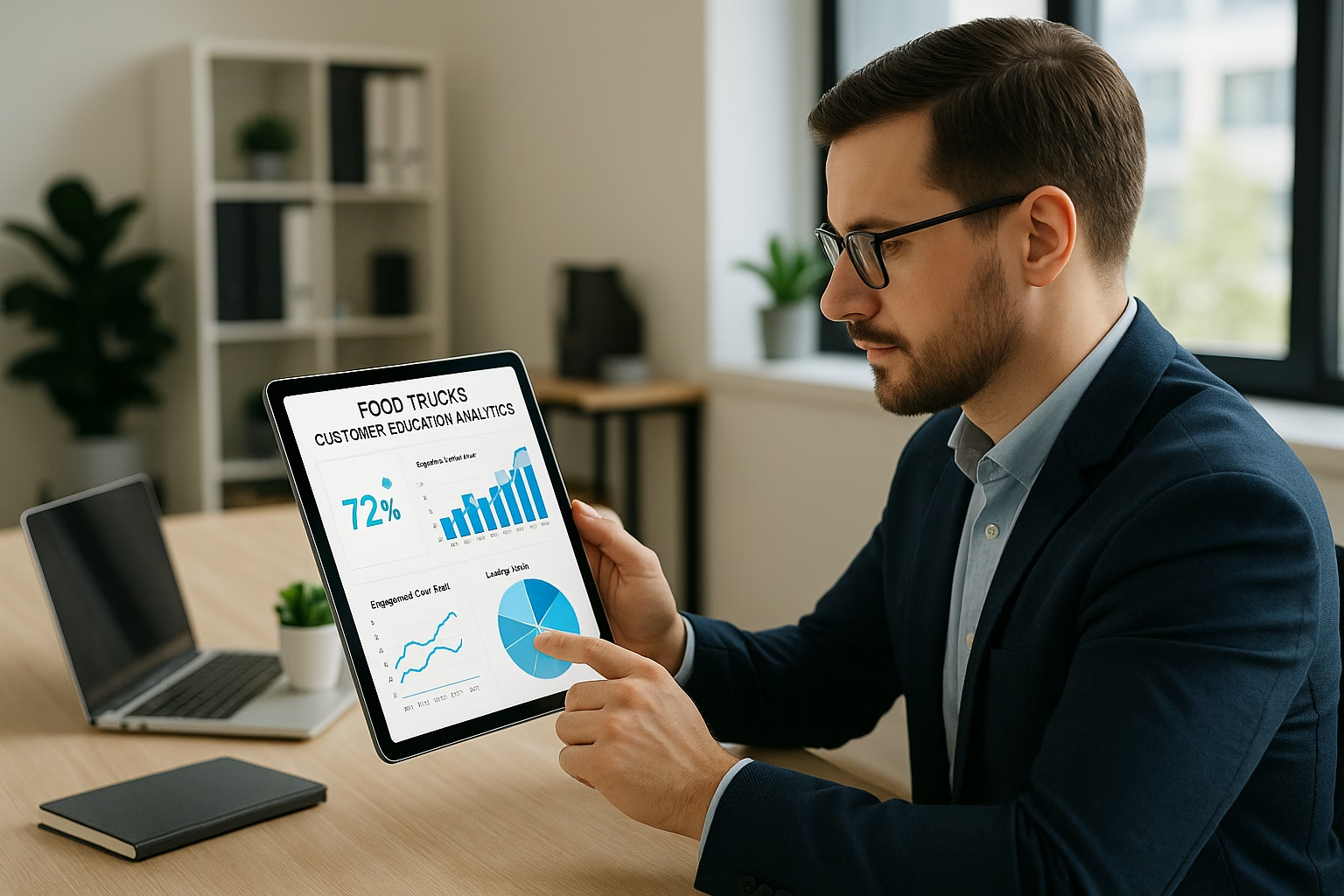
Master food truck videos essentials for YouTube Growth. Learn proven strategies to start growing your channel with step-by-step guidance for beginners.
Primetime Team
YouTube Growth Experts
February 4, 2026
PT6M
3727
YouTube Video Marketing for Food Trucks - food cart video
Make simple, engaging food truck videos that attract local customers by planning a clear concept, filming short, tasty scenes, and uploading consistently to YouTube. This beginner workshop guide breaks down planning, equipment, filming, editing, and a posting plan so owners and creators (ages 16-40) can start quickly with confidence.
How long should my food truck videos be?
For Shorts and quick promos, aim for 15-60 seconds to match vertical, fast-consumption viewing. For behind-the-scenes or mini-vlogs, keep 2-5 minutes so you can show more context without losing viewer attention. Test both lengths to see what your audience prefers locally.
What equipment is essential for starting on a small budget?
Start with a smartphone camera, a clip-on lavalier mic, and a small LED light. Add a basic tripod or handheld stabilizer for smoother shots. These inexpensive items cover clear audio, steady footage, and good lighting-enough for professional-looking food cart video content.
How often should I post to grow my local audience?
Post at least two Shorts and one longer video each week to stay consistent and feed YouTube’s recommendation system. Consistency helps local search and recall; combine uploads with social sharing and event posts to convert viewers into foot-traffic customers.
Where can I get more hands-on help for content planning?
PrimeTime Media offers workshop templates and coaching tailored for food trucks. Start with their beginner playbook for clear video basics and a printable content calendar to make weekly planning fast and repeatable.
Call to Action
If you want guided templates, editing checklists, and a simple content calendar built for food trucks, PrimeTime Media helps creators turn short filming sessions into steady weekly uploads. Check our beginner playbook and calendar templates for step-by-step resources: 4 Essential video basics - Tips to Get Started and YouTube Content Calendar Basics Using A Simple Content. PrimeTime Media makes local video marketing easier-book a consult to build your first month of content.
Additional Tips for Gen Z and Millennial Creators
Use upbeat, royalty-free music and fast cuts for TikTok-style energy; keep branding consistent.
Feature staff personalities and local stories-relatable moments create repeat followers.
Encourage viewers to comment with their location or favorite dish to boost local engagement signals.
Ready to film your first food cart video? Start with one short clip that shows your signature dish and location, post it as a Short, and iterate from the comments. Small, consistent videos beat occasional perfection every time.
PrimeTime Advantage for Beginner Creators
PrimeTime Media is an AI optimization service that revives old YouTube videos and pre-optimizes new uploads. It continuously monitors your entire library and auto-tests titles, descriptions, and packaging to maximize RPM and subscriber conversion. Unlike legacy toolbars and keyword gadgets (e.g., TubeBuddy, vidIQ, Social Blade style dashboards), PrimeTime acts directly on outcomes-revenue and subs-using live performance signals.
Continuous monitoring detects decays early and revives them with tested title/thumbnail/description updates.
Revenue-share model (50/50 on incremental lift) eliminates upfront risk and aligns incentives.
Optimization focuses on decision-stage intent and retention-not raw keyword stuffing-so RPM and subs rise together.
👉 Maximize Revenue from Your Existing Content Library. Learn more about optimization services: primetime.media
Why YouTube Video Marketing for Food Trucks works
YouTube is a discovery platform where hungry locals search for nearby food, recipes, and experiences. Food truck videos capture smell and sizzle visually: short clips of cooking, menu highlights, location updates, and customer reactions build credibility, drive foot traffic, and create repeat viewers who become regulars.
Workshop Goals
Teach food truck owners and creators how to plan short, shareable videos.
Show low-cost equipment and simple filming techniques for mobile set-ups.
Demonstrate quick editing hacks for short-form and long-form uploads.
Create a simple weekly posting plan to build consistency and local discovery.
Core Formats to Use
Short-form (15-60s): Menu highlights, ASMR food shots, location teasers for Shorts.
How-to/demo (1-3 min): Quick recipe or “how we make X” behind-the-scenes.
Mini-vlog (3-7 min): Day-in-the-life at events, customer stories, or a weekly roundup.
Live quick Q&A: Answer menu questions or show event setup (use YouTube Live basics).
7 Easy Steps to Create Food Truck Videos
Step 1: Choose one clear goal for each video (announce location, show a dish, teach a tip). Keep a single focus so viewers instantly understand value.
Step 2: Write a 30-60 second shot list for short clips or a 3-5 point outline for longer videos. Example: intro, close-up cooking, plating, customer bite, CTA.
Step 3: Use basic gear: smartphone, clip-on mic, small LED light, and a handheld gimbal or simple tripod. Test framing and sound before service starts.
Step 4: Film using natural light when possible. Capture 3-5 second clean B-roll shots: close food sizzle, menu board, truck exterior, handing food to customer.
Step 5: Edit with mobile apps (CapCut, InShot) or desktop (DaVinci Resolve). Keep Shorts punchy, trim to the rhythm of food sounds, add captions and a CTA card with location and hours.
Step 6: Optimize upload: clear title with location words, concise description with menu and links, 3-5 tags, and a strong thumbnail showing the dish or truck branding.
Step 7: Post consistently: 2 Shorts per week and one longer video weekly or biweekly. Share Shorts across social platforms and pin your upload schedule in video descriptions.
Step 8: Track simple metrics: views, watch time, and comments. Ask a single question in captions to increase comments and local engagement.
Step 9: Repurpose footage: turn a 3-4 minute clip into three Shorts, Instagram Stories, and a TikTok snippet to maximize reach without extra filming.
Step 10: Iterate monthly: keep what brings foot traffic (call-outs, event announcements) and drop what doesn’t. Adjust filming times to avoid busy service rush affecting quality.
Basic Equipment Checklist
Smartphone with a steady camera (recent models work well).
Clip-on lavalier mic or compact shotgun mic for clear speech and chef commentary.
Small LED light or ring light for evening events.
Small tripod or gimbal for stable motion shots.
Portable charger and a microSD/extra storage plan for longer shoots.
Simple Editing Hacks for Speed
Use templates for Shorts-vertical sequencing and jump cuts to keep pace.
Add captions automatically and clean them up for viewers watching sound-off.
Use one brand intro/outro (5 seconds) for recognition across videos.
Match cuts to beats in royalty-free music for more satisfying clips.
Channel & Upload Setup Basics
Channel name: keep it local and brand consistent (e.g., “TastyStreet Tacos - Boise”).
About section: include location, hours, menu link, and contact for catering.
Playlists: separate Shorts, menu items, events, and behind-the-scenes for easy discovery.
Thumbnails: close-up food photo with readable text and your truck logo.
Low-Effort Content Ideas
“Today’s Special” 20-30s clips highlighting one dish.
Quick recipe steps: ingredient shot, cook, plate, final bite.
Customer reactions and testimonials (with permission).
Event/location posts: where you will be and a map screenshot in description.
Promotion & Local Discovery Tips
Use location keywords in titles and descriptions (city, neighborhood).
Encourage check-ins and tags-offer a small discount for tagged posts to boost UGC.
Cross-post Shorts to community Facebook groups, Instagram Reels, and TikTok.
Pin your schedule in the channel banner and video descriptions for consistent expectations.
Master YouTube Video Marketing for Food Trucks - A Beginner's Works basics for Food Trucks
Avoid common mistakes
Build strong foundation
⚠️ Common Mistakes & How to Fix Them
❌ WRONG:
Trying to film everything during a busy service rush without planning leads to noisy audio, shaky shots, and missed key moments. That approach creates unusable footage and stresses staff.
✅ RIGHT:
Plan short shoots before service or use a quick 5-minute “b-roll window” when traffic is lighter. Capture controlled close-ups, use a lav mic, and get one scripted shot per video to ensure quality.
💥 IMPACT:
Fixing this improves usable footage by up to 70 percent and reduces editing time by half, helping you publish more consistently and attract more local viewers.
Complete YouTube Video Marketing - food truck video youtube
Featured answer: Build a food truck YouTube presence by planning short, story-driven clips, filming with a compact rig, optimizing titles and thumbnails, and posting consistently on short-form and long-form formats. Focus on local keywords, menu highlights, and community events to grow views, subscribers, and real-world foot traffic.
Workshop Overview
This intermediate workshop helps creators aged 16-40 - including food truck owners, social-first chefs, and indie videographers - move from basic clips to a repeatable YouTube Video Marketing workflow that drives views, customer visits, and revenue. We combine data-backed tactics, easy-to-apply filming systems, and a simple publishing calendar so you leave with tangible video assets and a plan.
PrimeTime Media specializes in local-first YouTube strategies for food businesses and creators. We bring templated workflows, proven thumbnails, and local SEO playbooks that save time and increase visits. Ready to turn menu clips into customers? Contact PrimeTime Media to book a channel audit and get a customized 90-day content plan.
PrimeTime Advantage for Intermediate Creators
PrimeTime Media is an AI optimization service that revives old YouTube videos and pre-optimizes new uploads. It continuously monitors your entire library and auto-tests titles, descriptions, and packaging to maximize RPM and subscriber conversion. Unlike legacy toolbars and keyword gadgets (e.g., TubeBuddy, vidIQ, Social Blade style dashboards), PrimeTime acts directly on outcomes-revenue and subs-using live performance signals.
Continuous monitoring detects decays early and revives them with tested title/thumbnail/description updates.
Revenue-share model (50/50 on incremental lift) eliminates upfront risk and aligns incentives.
Optimization focuses on decision-stage intent and retention-not raw keyword stuffing-so RPM and subs rise together.
👉 Maximize Revenue from Your Existing Content Library. Learn more about optimization services: primetime.media
Who this is for
Food truck owners who already made a few clips and want consistent growth.
Creators producing local food content, including taco truck video concepts and food cart video features.
Teams or solo creators ready to commit to a weekly posting cadence and community-focused storytelling.
What the Workshop Teaches
The session covers video formats, gear that fits budgets, framing and lighting hacks, editing templates, metadata tactics, and a 90-day content plan to build momentum. We emphasize measurable outcomes: views, subscriber lift, search clicks, and local visits.
Core Modules
Planning & concepts: Local search triggers, menu-led hooks, and event tie-ins.
Production: Mobile and compact camera setups for on-the-go filming.
Editing workflows: Speed edits for Shorts and tighter edits for YouTube videos.
Optimization: Titles, thumbnails, descriptions, and local tags for discovery.
Publishing & promotion: Cross-posting, collaborations, and community engagement loops.
Data-Backed Rationale
Short-form discovery and local search drive food business discovery: Google and YouTube trends show short vertical formats increase reach while longer demos and storytelling increase watch time and conversion. Use official guidance from the YouTube Creator Academy and policy tips from the YouTube Help Center. For marketing insights on video performance and audience behavior, reference Think with Google.
7-10 Step Hands-On How-To
Step 1: Define three content pillars - Menu Highlights, Behind the Scenes, and Local Stories - and map 12 video ideas (4 per pillar) to test over a month.
Step 2: Build a compact kit: smartphone with gimbal or mirrorless camera, on-camera mic, and a small LED. Prioritize mobility and audio clarity for street noise.
Step 3: Shoot vertical 15-60s clips for Shorts and 3-6 minute edits for YouTube upload. Capture 2-3 B-roll types: food close-ups, customer reactions, and service flow.
Step 4: Use a repeatable shot list: Hero close-up, prep action, plate presentation, customer reaction, and owner soundbite - create templates to speed shoots.
Step 5: Edit with a two-track approach: fast-cut Short from the same footage and a longer narrative video. Save presets for color and audio to maintain brand consistency.
Step 6: Optimize metadata: include local keywords (city + menu), a compelling thumbnail with a face and food, and add 2-3 hashtags plus location tags for local discovery.
Step 7: Publish with intent: Shorts-first on high-demand days, long-form on weekends. Add pinned comment with menu link and call-to-action for curb pickup or event times.
Step 8: Promote across local channels: Instagram Reel clips, TikTok teasers, and an email blast to repeat customers. Use community groups for events and collabs with other trucks.
Step 9: Measure weekly: track views, average view duration, click-through on thumbnails, subscriber delta, and offline visits (coupon codes or "mention video").
Step 10: Iterate monthly: double down on the top-performing pillar, refine thumbnail styles that increase CTR, and test two different CTAs to increase conversion to orders.
Equipment and Budget Guide
Keep it realistic for mobile creators: smartphone (iPhone/Android recent model), clip-on mic ($30-$100), portable LED ($20-$100), and a basic gimbal ($100-$200). For creators wanting more polish, add a mirrorless camera and a compact shotgun mic. Prioritize audio and steady framing - they boost watch time and perceived quality.
Local collab features: swap trailers with another truck or local musician to cross-pollinate audiences.
SEO & Local Discovery Tips
Include city and neighborhood in titles and descriptions (e.g., "Taco Truck Video - Downtown Boise Special"). Use location cards, accurate business profile on Google, and add timestamps in long-form videos. Reference data and best practices from Think with Google and optimize metadata consistent with YouTube Creator Academy guidance.
Publishing Calendar (Simple)
Monday: Short highlight of weekend special (Short)
Wednesday: Behind-the-scenes prep or recipe micro-video (Short)
Friday: Long-form spotlight (3-6 min) or event announcement
Weekend: Live Stories or community event recap (Shorts + Community posts)
Measurement and Goals
Set SMART goals: 20% monthly view growth, 10% subscriber lift per month, and a trackable 5-8% conversion from viewers to coupon redemptions or orders. Use YouTube Analytics, compare CTR and average view duration, and track local conversion via unique coupon codes or "mention the video" discounts.
Intermediate FAQs
How long should a food truck video on YouTube be to get the most engagement?
Short-form content (15-60 seconds) maximizes reach and discovery, while 3-6 minute videos boost watch time and subscriber growth. Use Shorts to funnel viewers into longer videos where you tell the story behind a dish and prompt a clear CTA for visits or orders.
What are the best keywords for local food truck video SEO?
Use a mix of local terms and menu items: [city name] + food truck, menu item + truck, and neighborhood tags. Include variations like "taco truck video" or "food cart video" in descriptions and location fields to capture search intent and map-based discovery.
How often should I post to grow a food truck channel?
Post Shorts 2-3 times weekly and one long-form video per week or biweekly. Consistency helps the algorithm and builds audience habit. Pair uploads with community posts and cross-posted short clips to Instagram and TikTok for broader reach.
Can a small budget still produce professional-looking food truck videos?
Yes. Prioritize sound and steady framing-these yield the biggest perceived quality gains. Use a smartphone with an external mic and a small LED. Editing presets and repeatable shot lists save time and create a consistent, professional brand feel.
🎯 Key Takeaways
Scale YouTube Video Marketing for Food Trucks - A Beginner's Works in your Food Trucks practice
Advanced optimization
Proven strategies
⚠️ Common Mistakes & How to Fix Them
❌ WRONG:
Relying solely on long, unoptimized videos and neglecting Shorts or local keywords. This limits discovery, reduces CTR, and wastes footage potential.
✅ RIGHT:
Repurpose the same shoot into a vertical Short, a 3-6 minute feature, and social teasers. Optimize each asset with location keywords and tailored CTAs for both discovery and conversion.
💥 IMPACT:
Switching to this approach typically increases initial reach by 2-4x, doubles short-form views, and improves local conversion rates by 10-20% within two months.
YouTube Video Marketing - Master Food Truck Videos
Make high-converting food truck videos by combining cinematic mobile filming, SEO-driven metadata, and short-form social hooks. Focus on local intent, repeatable formats like recipe shorts and day-in-life vlogs, and scalable workflows-then automate uploads and cross-promote to grow views and sales for your food truck brand.
PrimeTime Advantage for Advanced Creators
PrimeTime Media is an AI optimization service that revives old YouTube videos and pre-optimizes new uploads. It continuously monitors your entire library and auto-tests titles, descriptions, and packaging to maximize RPM and subscriber conversion. Unlike legacy toolbars and keyword gadgets (e.g., TubeBuddy, vidIQ, Social Blade style dashboards), PrimeTime acts directly on outcomes-revenue and subs-using live performance signals.
Continuous monitoring detects decays early and revives them with tested title/thumbnail/description updates.
Revenue-share model (50/50 on incremental lift) eliminates upfront risk and aligns incentives.
Optimization focuses on decision-stage intent and retention-not raw keyword stuffing-so RPM and subs rise together.
👉 Maximize Revenue from Your Existing Content Library. Learn more about optimization services: primetime.media
Why this workshop matters
This advanced workshop guide is designed for creators and food truck owners ages 16-40 who want to scale YouTube performance. It covers high-level optimization, growth automation, repackaging for short-form platforms, and the analytics-driven steps that let you grow a local audience and convert views into foot traffic and orders.
Workshop Overview and Outcomes
Participants will learn a repeatable production system: pre-production templates, optimized filming workflows for tight spaces, metadata frameworks for local search, automated repurposing to Shorts and Reels, and scaling tactics using analytics and ad-tested thumbnails. Real-world deliverables include a 30-day content calendar, two evergreen video templates, and a growth playbook.
Key features of the program
Local-first metadata templates to capture “near me” and city searches
Short-form conversion loops that drive subscribers and repeat visits
Minimal gear cinematic setups suited for food van video and taco truck video shoots
Automated republishing and batch-edit workflows for scale
Attribution tactics to track how YouTube views convert to orders
Step-by-step Workshop Flow
Step 1: Define your video mission and local positioning-select three audience intents: hungry-now, menu-discovery, and brand-story; pick a primary city keyword and 2-3 neighborhood modifiers for metadata targeting.
Step 2: Map three repeatable formats-menu highlight (60-90 seconds), day-in-life (3-8 minutes), and a behind-the-scenes recipe short (30-60 seconds) to balance discoverability and watch time.
Step 3: Build shot lists custom to compact kitchens-establish anchor shots (close-up food POV, order handoff, exterior signage) to speed filming and maintain brand continuity for any food cart video or food van video.
Step 4: Film with cinematic mobile rigs-use a gimbal, 50-100mm equivalent framing, and natural lighting; capture a 3-minute B-roll bank for each shoot to fuel repurposing.
Step 5: Edit using templates-create two editing templates (short hook-first, long-story arc) and batch-edit multiple episodes to enable weekly uploads without burnout.
Step 6: Optimize metadata for local search-craft titles and descriptions with your city + food terms (use “taco truck video” or “food truck video youtube” where relevant), structured timestamps, and pinned first comment with address and menu link.
Step 7: Create thumbnail A/B tests-produce two thumbnails per video (food close-up vs. person interaction) and measure click-through rate in the first 48 hours to select winners.
Step 8: Repurpose to Shorts and social-cut 3-5 vertical hooks from each long video within 24 hours and schedule them across YouTube Shorts, Instagram Reels, and TikTok with localized captions.
Step 9: Automate publishing and tracking-use upload templates, batch scheduling tools, and UTM parameters to send traffic to your online ordering and measure appointment/foot-traffic conversion.
Step 10: Scale with analytics loops-review retention graphs, traffic sources, and search terms weekly; double down on formats and keywords that drive subscribers and purchases.
Advanced Optimization Tactics
Local SEO and Metadata
Win local searches by including exact neighborhood phrases, menu item names, and menu item variants (e.g., “taco truck video mexican downtown”) in titles and the first 150 characters of descriptions. Add structured timestamps with menu sections and link to Google Maps plus your ordering page in the pinned comment.
Thumbnail and Hook Testing
Use a data-first approach: test color palettes, facial expressions, and food close-ups. Track CTR and 24-72 hour performance. Rotate thumbnails for underperforming videos and retarget high-CTR viewers with Shorts ads to increase conversions to dine-in or delivery orders.
Batch Production and Repurposing
Film multiple episodes in a single neighborhood visit to reduce travel overhead. Capture assets for Instagram Stories and TikTok simultaneously. Use the same B-roll library across videos to create brand consistency and speed up editing for the taco truck video and food cart video formats.
Monetization and Attribution
Set up UTM-tracked links in descriptions and pinned comments to measure how YouTube traffic converts to orders. Test promoted posts and low-budget YouTube Ads targeting “near me” intent and neighborhood radius. Attribute coupon codes or QR codes shown on-screen to measure direct ROI.
Production Checklist for Tight Spaces
Essential gear: smartphone gimbal, compact shotgun mic, LED panel
Frame priority: food close-up, order handoff, signage, chef reaction
Audio trick: record a separate ambient track to blend for better depth
Legal: obtain location and talent releases for staff and customers
Scaling Playbook
Once your templates and analytics loops are proven, scale by hiring a local editor, delegating social repurposing, and testing geo-targeted ads. Expand to multi-location content by cloning the same content pillars with location-specific metadata to capture new neighborhoods and cities.
PrimeTime Media combines local video expertise with YouTube growth systems tailored for food truck brands. We provide ready-to-run templates, metadata packages, and automation playbooks so creators can scale without reinventing the wheel. Ready to scale your food truck channel? Contact PrimeTime Media to get a custom growth plan and content templates that match your menu and city.
Advanced FAQs
How do I rank food truck videos for local searches on YouTube?
Use precise local keywords in your title and first 150 characters of the description (city + neighborhood + menu item), include Google Maps and ordering links, add timestamps for menu sections, and encourage local engagement via community posts and geo-targeted Shorts. Track impressions and refine keywords weekly.
What formats drive the best conversions for a taco truck video?
Conversion-focused formats include action-driven order clips (show the order process), menu highlight shorts with pricing, and customer reaction videos. Combine a strong CTA in the pinned comment with a UTM-tracked ordering link to measure which format drives the most orders and repeat visits.
How do I automate repurposing between long-form YouTube and Shorts?
Batch capture vertical hooks and 9:16 crops during filming, use an editing template to export multiple vertical clips, and schedule them within 24 hours via a social scheduler. Automate descriptions and CTAs with placeholders for location and coupon codes for consistent tracking.
Which KPIs matter most when scaling a food cart video channel?
Prioritize search impressions, subscriber growth from local queries, average view duration for long-form content, Shorts-driven subscriber spikes, and conversion metrics tied to tracked links or coupon redemptions to validate direct business impact from video content.
Can small food vans use low-budget gear to achieve cinematic results?
Yes-use a smartphone with manual exposure, a compact gimbal, a shotgun mic, and a small LED. Focus on framing, natural light, and tight food close-ups. Solid sound and composition often outperform expensive gear when storytelling and hooks are strong.
🎯 Key Takeaways
Expert YouTube Video Marketing for Food Trucks - A Beginner's Works techniques for Food Trucks
Maximum impact
Industry-leading results
❌ WRONG:
Relying solely on one-off viral clips without a localized metadata strategy and a repurposing workflow-then expecting consistent foot traffic and repeat customers.
✅ RIGHT:
Implement consistent formats, local-first metadata, and automated repurposing. Use batch production to create a funnel: discovery Shorts → full YouTube video → pinned ordering link.
💥 IMPACT:
Correcting this increases repeat local search impressions by 2x and often boosts measurable conversions (orders or visits) by 15-35% within 90 days, based on similar local campaigns.